43
English
42
6.6 Storage
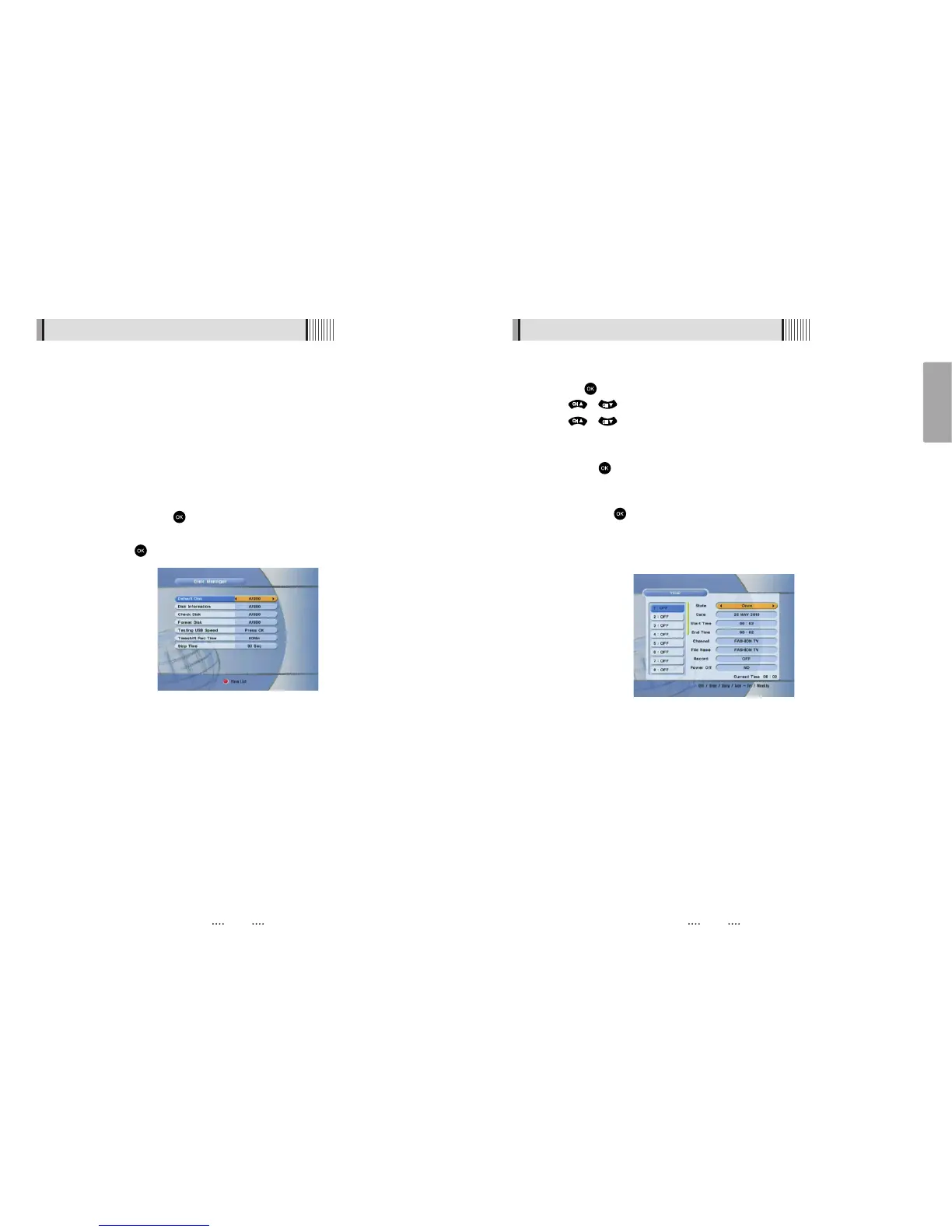
5) Timer Manager
⊹
Press the after selecting the timer number <Figure 6.6.6>
⊺
Press / to select timer parameters
⊻
Press / to change parameters
- Timer No : choose the desired timer (1-8)
- State : Select timer frequency (off/daily/Mon-Fri/Weekly)
- Date : Press to display a calendar and select a date
- Start Time : Using the NUMERIC buttons input the required start time
- End Time : Using the Numeric buttons input the end time
- Channel : Press to display the channel list and select a channel
- File Name : Press on ‘File Name’ to rename the file; the keypad will be displayed.
- Record : Set the record mode (ON/OFF)
- Power Off : Select operation of Power Off after finishing recording
<Figure 6.6.6>
6.6 Storage
4) Disk Manager
Use the cursor keys to activate the desired functions from this menu.
- Default Disk : Set the DVR disk.
- Disk Information : Choose the Hard disk volume or usb device with USB hub. You can
view a information of usb devices (used size, total size, free size)
- Chek Disk : Choose the Hard disk volume or usb device with USB hub. You can check
the usb devices.
- Format Disk : You can format the usb devices.
ҫ
Warning : All data will be lost to the disk.
- Testing USB Speed : Press to test usb speed for DVR.
- Timeshift Rec Time : Set the Timeshift Recording Time.(10Min/30Min/60Min)
- Skip Time : Press to set the Skip Time.
<Figure 6.6.5>



 To Next Page