49
English
48
6.9 DVR
You can operate the trick mode while you are playing the recorded files. These functions
are available in playback mode or time-shift mode powerfully.
ᶀ
PLAY
This button will display a time- banner. If you want to show the play list while playing
the file by using .
ᶀ
PAUSE
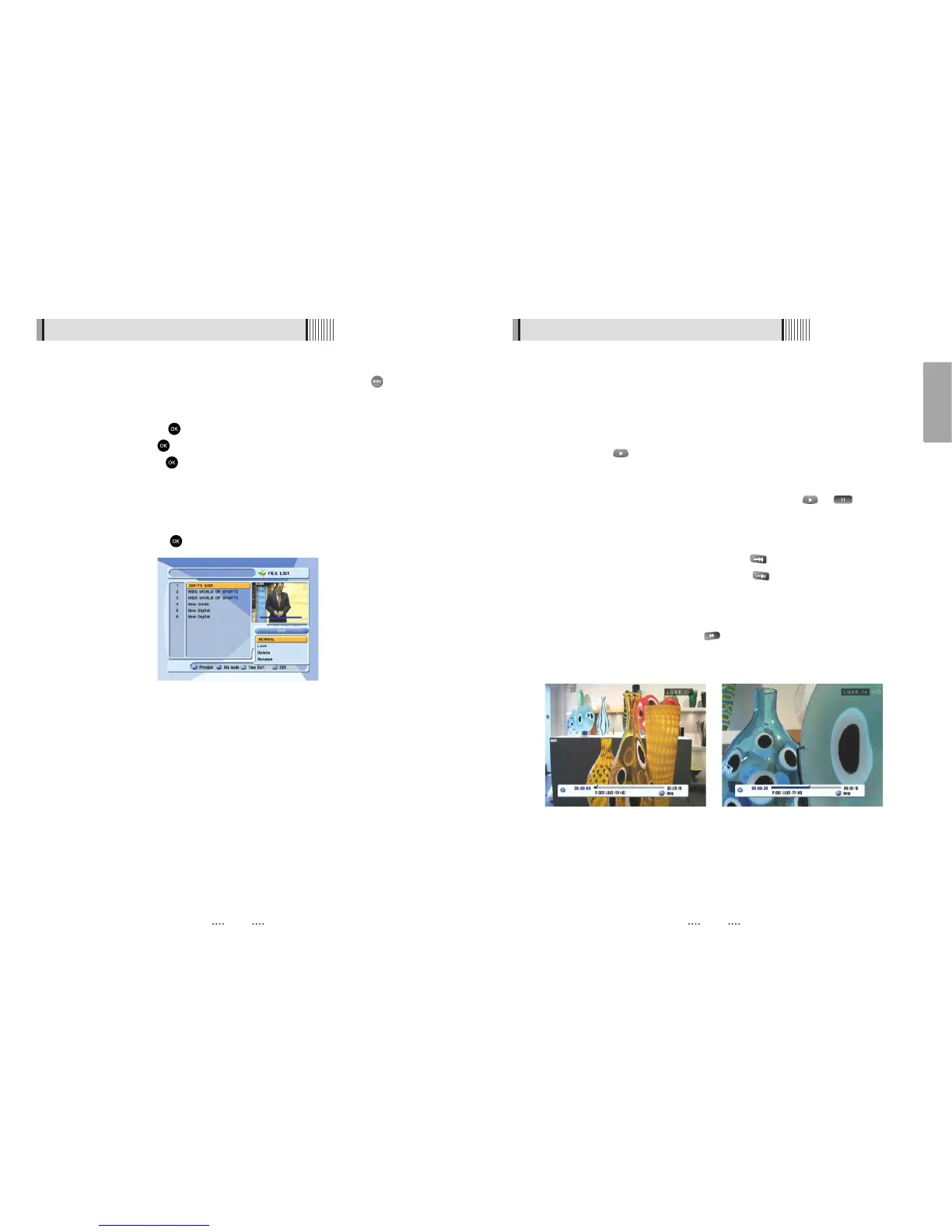
This button will pause the playing file until you play again with or . <Figure
6.9.4>
ᶀ
ADVANCE
- If the time-shift mode is enabled, You can press to jump the live program.
- If the playback mode is enabled, You can press to stop the current playing file
and then jumping the live program.
ᶀ
FF(Fast Forward)
- When playing the file, you can press to adjusting the playing speed.<Figure
6.9.5>
- The speed will change to x2, x4, x8, x16 and x32.
2) Trick Mode
<Figure 6.9.4> <Figure 6.9.5>
ᶀ
Edit Menu
You will be asked to enter a password whenever you try to enter it. Press . The pop-
up menu for selection will appear<Figure 6.9.3>.
Select the item that you want to edit, and set its parameters as desired
⊹
Normal Mode : Press on the file that you can see the preview of a selected file.
⊺
Lock Mode : Press on the file that you want to lock/unlock.
Delete Mode : Press on the file that you want to delete.
- GROUP : Select between, File Mode Ƒ Dir Mode
- ADVANCE : Shows all sorted files. Select between, Sort by name Ƒ Sort by time.
ҫ
If you set ‘Channel Lock’ (refer to <Figure 6.2.4>security setting) to OFF, you will
not be asked to enter a password even if the channel is locked.
Rename Mode : Press on the file tha you want to rename.
6.9 DVR
<Figure 6.9.3>



 To Next Page