6
2.0 INSTALLATION
2.1 DEFAULT PIN CODE: 0000
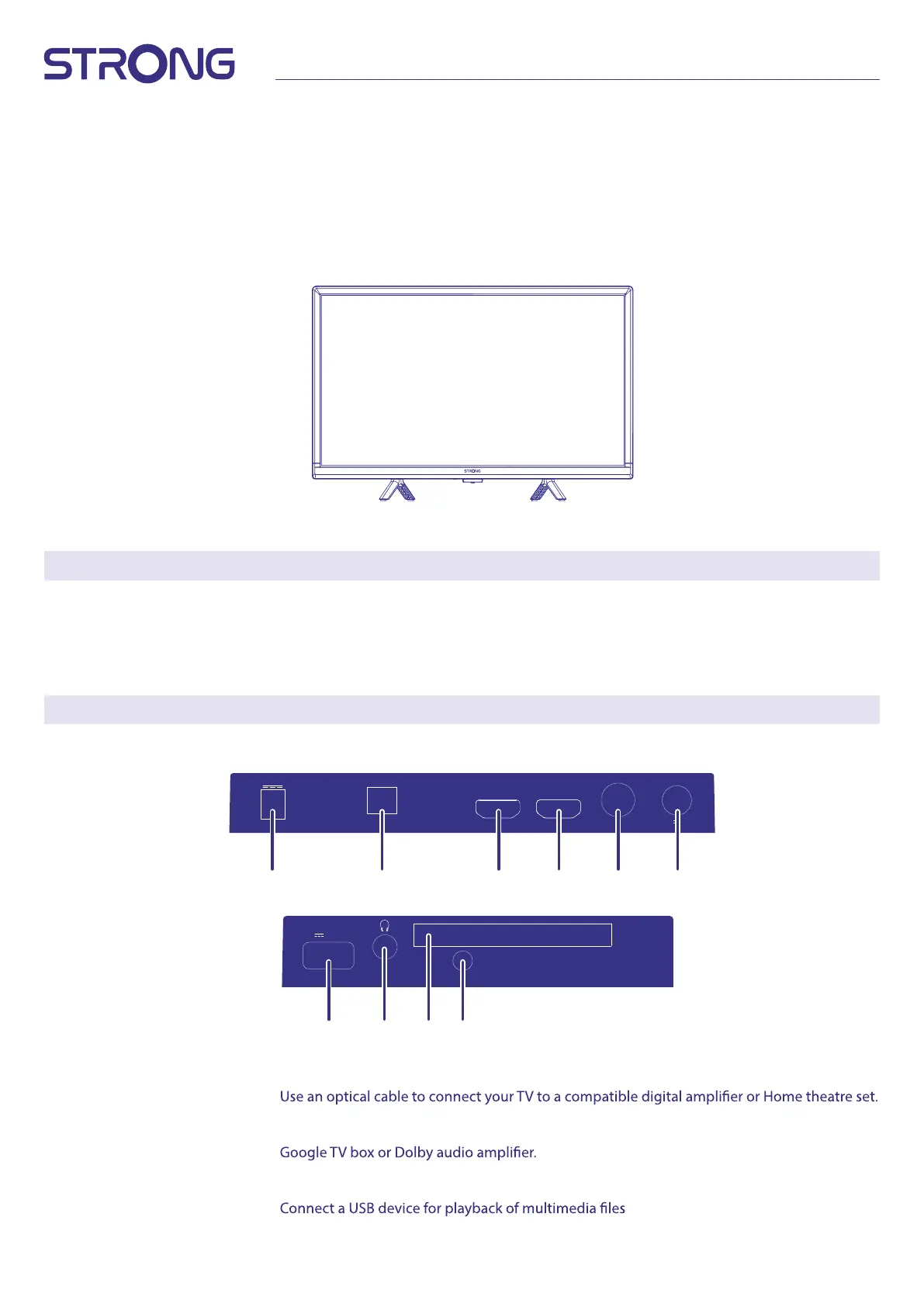
2.2 FRONT PANEL/UNDERSIDE
Fig. 2
NOTE: The graphics are for representation only.
1. Power indicator /remote sensor
2. Speakers
3. Button: Input source, Standby/ON.
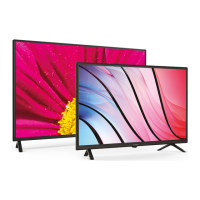
2.3 REAR PANEL
NOTE: The graphics are for representation only.
Fig. 3
1. DC IN Power entree to connect included 230V -12volt main adaptor or 12Volt car adaptor.
2. S/PDIF (optical)
3. HDMI 2 (CEC) Connect HDMI input signal from a signal source such as DVD, Blu-ray player or game console.
4. HDMI 1 (ARC/CEC) Connect HDMI input signal from a signal source such as Chromecast stick, Android box,
5. ANT 1 Connect a coaxial cable to receive signal from the DVB-T/T2 antenna or DVB-C cable.
6. ANT 2/ SAT IN Connect a coaxial cable to receive signal from the Dish LNB.
7. USB
8. HEADPHONE Headphone or Earphone audio output, speakers will be muted when earphone is plugged in.
HDMI1(ARC/CEC)HDMI2(CEC)
ANT1
DIGITAL AUDIO
OUT
13/18V 400mA
ANT2
(SATELLITE)
DC IN
USB2.0
(5V 500mA)
COMMON
INTERFACE
AV
1
7 1098
2 3 4 5 6



 To Next Page