5
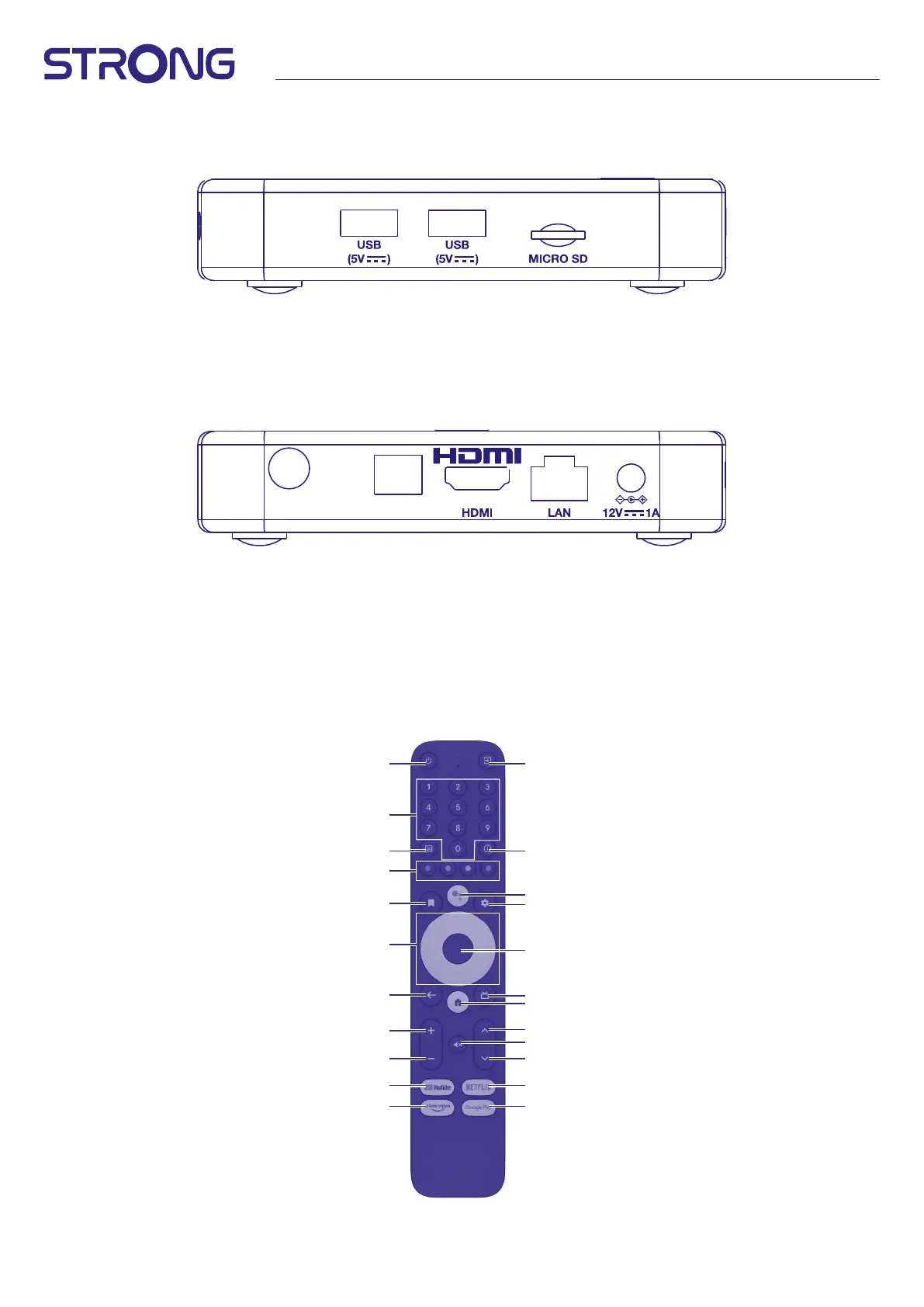
2.2 Side Panel
Fig. 2
1. USB 2.0 Port
2. USB 2.0 Port
3. Micro SD card slot
2.3 Rear Panel
Fig. 3
ANT IN S/PDIF
1. ANT IN To connect to your antenna for the reception of broadcast signal.
2. S/PDIF (optical) To connect to a digital or home cinema audio amplier.
3. HDMI (version 2.1) To connect your receiver with your TV set using a HDMI cable.
4. LAN / ETHERNET RJ45 Connect to your Internet router to access the internet/apps.
5. 12 V Adapter The receiver requires a wall adapter, mains voltage input 110~240V
AC 50~60Hz 12V, 1.0 A DC output. Please check the local power conditions before
connecting the receiver to the mains supply.
2.4 Remote control
Fig. 4
1
2
8
5
9
11
14
13
16
17
17
21
20
3
6
10
12
19
18
15
15
4
7



 To Next Page