EasyManua.ls Logo

Stryker 0240-031-000 - User Manual

Stryker 0240-031-000
26 pages
Print Icon
To Next Page IconTo Next Page
Loading...
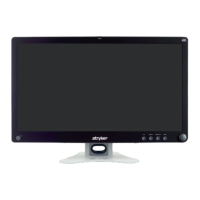
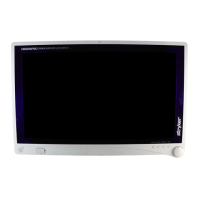
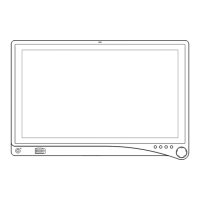
VisionPro 26” LED Display
VisionPro 26” LED Display: 0240-031-020
SYNK VisionPro 26” Wireless LED Display: 0240-031-000

Questions and Answers

  • H
    hernandezjessicaAug 3, 2025
    What to do if my Stryker 0240-031-000 Monitor has no picture?
    • Y
      Yolanda StephensAug 3, 2025
      If your Stryker Monitor is not displaying a picture, here are a few things to check: * If the power LED is on, use the OSD Menu to adjust the brightness and contrast to the maximum level, or reset them to the default settings. * If the power LED is off, make sure the power switch at both the front and rear of the display is set to the ON position. Also, verify that the AC power cord is properly connected to both the AC adapter and the outlet. * If the power LED is blinking, check that the video signal cable is securely connected at the back of the display and that the video signal source system is powered ON.
  • S
    scottjenniferAug 13, 2025
    What to do if my Stryker Monitor picture is abnormal?
    • J
      Jorge GarciaAug 13, 2025
      If the picture on your Stryker Monitor appears abnormal, you can try the following: * Use the Screen Control Menu to adjust the Phase, Frequency, Horizontal, and Vertical settings to correct the display image. * Wait a few seconds after the initial sync of video signals, or power cycle the display.
  • C
    Christopher WallAug 21, 2025
    What to do if I see an OSD error message on my Stryker 0240-031-000 Monitor?
    • E
      Edward ThomasAug 21, 2025
      If you are seeing an OSD error message on your Stryker Monitor, ensure that an acceptable video source is connected. Refer to the “Technical Specifications” section of this manual for a list of acceptable video formats.

Summary

Warnings and Cautions

Warnings

Important safety warnings to prevent serious injury or damage.

Cautions

Precautions regarding equipment risks and damage.

Setup

Connections

Explains how to connect various video inputs to the display.

Basic Video Setup

Instructions for routing video signals for basic setup.

Operation

On-Screen Display (OSD) Access

How to access and navigate the display's on-screen menu system.

Troubleshooting Common Issues

Provides solutions for common display problems and error messages.

Technical Specifications

Stryker 0240-031-000 Specifications

General IconGeneral
BrandStryker
Model0240-031-000
CategoryMonitor
LanguageEnglish

Related product manuals