EasyManua.ls Logo

Stryker WiSe 26 inch HDTV - User Manual

Stryker WiSe 26 inch HDTV
42 pages
Print Icon
To Next Page IconTo Next Page
Loading...
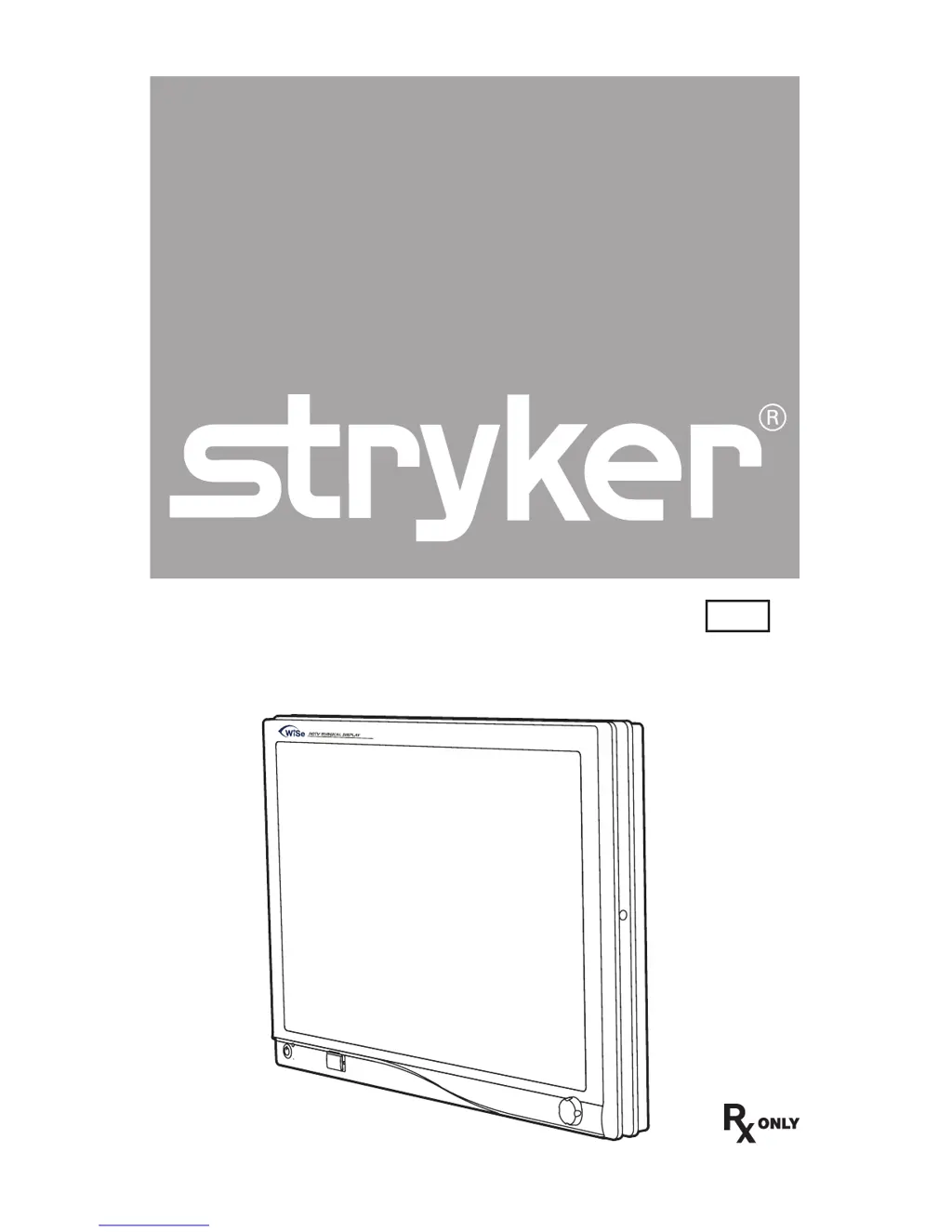
WiSe 26˝ HDTV
Surgical Display
User Guide
REF
Display 0240030970
Transmitter 0240030971
HDTV TRANSMITTER

Questions and Answers

Summary

Product Safety Warnings and Cautions

Key Safety Warnings

Lists specific safety warnings to avoid potential injury or device damage.

Operational Cautions

Provides precautions for equipment safety and product damage prevention.

Product Symbol Definitions

WiSe 26 HDTV Surgical Display Overview

Display Intended Use

Details the types of surgical procedures for which the display is intended.

Indications and Contraindications

Specifies the surgical applications and lists contraindications for the display.

Package Contents

Lists all items included in the product packaging.

Display Device Features

Display Front Panel Controls

Describes the controls and indicators on the front panel of the display.

Display Rear Panel Connections

Details the various ports and connectors on the rear of the display.

Setup and Interconnection Guide

Display Connection Ports

Illustrates and lists all video input and output connection ports on the display.

Connecting AC Power to Display

Provides instructions for connecting the display to a power source.

Basic Video Signal Setup

Guides the user through the initial video signal connections.

Operating the WiSe Display

Accessing On-Screen Display Menu

Explains how to activate and access the display's on-screen menu system.

Navigating On-Screen Display

Details navigation and operation within the display's on-screen menu.

On-Screen Display Menu Options

Lists and describes various settings available in the on-screen display.

Optional Fiber Optic Module Usage

Fiber Optic Module Installation

Instructions for installing and enabling the fiber optic module.

Optional WiSe HDTV Transmitter Guide

WiSe Transmitter Front Panel

Describes the controls and components on the front panel of the transmitter.

WiSe Transmitter Rear Panel

Details the ports and connectors on the rear of the WiSe™ transmitter.

Setting Up WiSe Transmitter

Guides the setup process for the WiSe™ HDTV transmitter.

Linking WiSe Transmitter to Auxiliary Display

Instructions on how to link the transmitter to an auxiliary display.

Cleaning and Maintenance Procedures

Display Cleaning Instructions

Provides guidelines for cleaning the display and its components.

Replacing Transmitter Fuses

Instructions for safely replacing fuses in the transmitter.

Transmitter Periodic Maintenance

Outlines the schedule for essential periodic maintenance checks.

Product Disposal Guidelines

Troubleshooting Common Issues

Technical Specifications

Display Panel Specifications

Details technical specifications for the LCD display panel.

Electrical and Environmental Specifications

Covers electrical ratings, dimensions, and operating/storage conditions.

Transmitter Specifications and Compliance

Lists classification, approvals, video formats, and conditions for the transmitter.

Electromagnetic Compatibility (EMC)

Warranty and Return Policy

Product Warranty Details

Details the terms and conditions of the product warranty.

Product Return Process

Outlines the process and conditions for returning products.

Summary

Product Safety Warnings and Cautions

Key Safety Warnings

Lists specific safety warnings to avoid potential injury or device damage.

Operational Cautions

Provides precautions for equipment safety and product damage prevention.

Product Symbol Definitions

WiSe 26 HDTV Surgical Display Overview

Display Intended Use

Details the types of surgical procedures for which the display is intended.

Indications and Contraindications

Specifies the surgical applications and lists contraindications for the display.

Package Contents

Lists all items included in the product packaging.

Display Device Features

Display Front Panel Controls

Describes the controls and indicators on the front panel of the display.

Display Rear Panel Connections

Details the various ports and connectors on the rear of the display.

Setup and Interconnection Guide

Display Connection Ports

Illustrates and lists all video input and output connection ports on the display.

Connecting AC Power to Display

Provides instructions for connecting the display to a power source.

Basic Video Signal Setup

Guides the user through the initial video signal connections.

Operating the WiSe Display

Accessing On-Screen Display Menu

Explains how to activate and access the display's on-screen menu system.

Navigating On-Screen Display

Details navigation and operation within the display's on-screen menu.

On-Screen Display Menu Options

Lists and describes various settings available in the on-screen display.

Optional Fiber Optic Module Usage

Fiber Optic Module Installation

Instructions for installing and enabling the fiber optic module.

Optional WiSe HDTV Transmitter Guide

WiSe Transmitter Front Panel

Describes the controls and components on the front panel of the transmitter.

WiSe Transmitter Rear Panel

Details the ports and connectors on the rear of the WiSe™ transmitter.

Setting Up WiSe Transmitter

Guides the setup process for the WiSe™ HDTV transmitter.

Linking WiSe Transmitter to Auxiliary Display

Instructions on how to link the transmitter to an auxiliary display.

Cleaning and Maintenance Procedures

Display Cleaning Instructions

Provides guidelines for cleaning the display and its components.

Replacing Transmitter Fuses

Instructions for safely replacing fuses in the transmitter.

Transmitter Periodic Maintenance

Outlines the schedule for essential periodic maintenance checks.

Product Disposal Guidelines

Troubleshooting Common Issues

Technical Specifications

Display Panel Specifications

Details technical specifications for the LCD display panel.

Electrical and Environmental Specifications

Covers electrical ratings, dimensions, and operating/storage conditions.

Transmitter Specifications and Compliance

Lists classification, approvals, video formats, and conditions for the transmitter.

Electromagnetic Compatibility (EMC)

Warranty and Return Policy

Product Warranty Details

Details the terms and conditions of the product warranty.

Product Return Process

Outlines the process and conditions for returning products.

Stryker WiSe 26 inch HDTV Specifications

General IconGeneral
BrandStryker
ModelWiSe 26 inch HDTV
CategoryMonitor
LanguageEnglish

Related product manuals