EENN
1-16 2971-109-001 REV B www.stryker.com
Operation
Managing incontinence and drainage
WARNING
Always monitor the patient condition at regular intervals for patient safety.
You can use disposable diapers or incontinence pads to manage incontinence. Always provide appropriate skin care
after each incontinence episode.
Activating and resetting CPR
When you activate for CPR, the system deflates and the InTouch control display will change.
WARNING
Always make sure that the operator has access to the CPR straps.
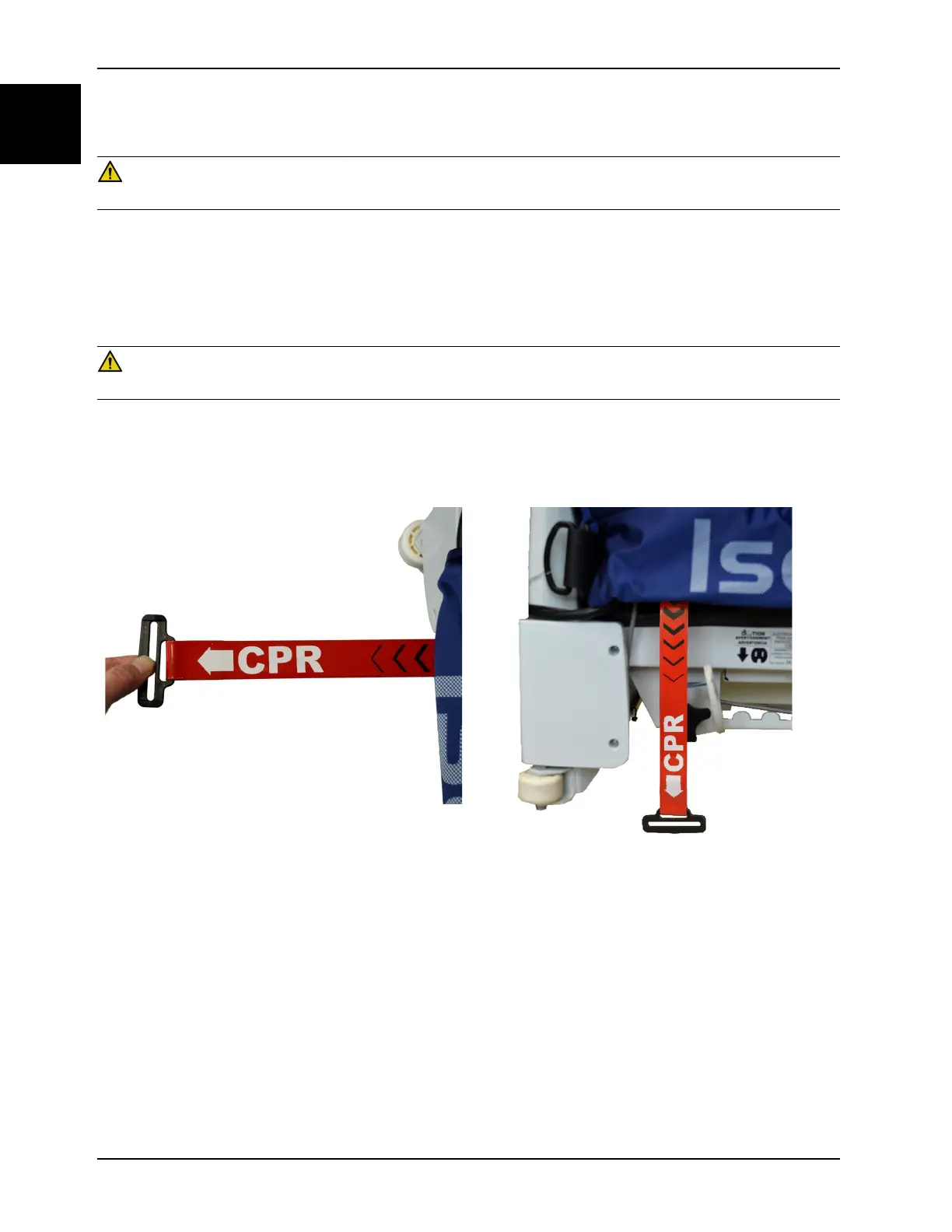
To activate for CPR, pull the red CPR strap straight out from the support surface (Figure 1-6 on page 1-16). The CPR
straps are located on the left and right side of the foot end of the support surface. You can activate either one or both
CPR straps.
Figure 1-6: CPR activation
Figure 1-7: CPR reset
To reset for CPR, pull down on red CPR strap (Figure 1-7 on page 1-16). The support surface will begin to reinflate.














 To Next Page