EasyManua.ls Logo

Stryker InTouch FL27 - User Manual

Stryker InTouch FL27
101 pages
Print Icon
To Next Page IconTo Next Page
Loading...
InTouch™ Critical
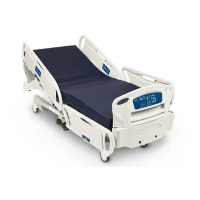
Care Bed
Model FL27 (2131/2141)
Operations Manual
2009/06 2131-209-001 REV A www.stryker.com
For parts or technical assistance call:
USA: 1-800-327-0770 (option 2)
Canada: 1-888-233-6888
Version 2.3

Table of Contents

Other manuals for Stryker InTouch FL27

Questions and Answers

  • C
    Cheryl FrankAug 20, 2025
    What to do if Stryker InTouch FL27 Medical Equipment fowler is not moving up?
    • M
      Michael Brandt PhDAug 20, 2025
      If the fowler on your Stryker Medical Equipment bed isn't moving up, try the following: 1. Enter the Bed Calibration menu. Use one of the head siderails and press the fowler up button. If the fowler motor runs up, recalibrate the bed. If recalibration doesn't work, replace the fowler angle sensor and recalibrate. 2. If the fowler motor doesn't run up, check for 24VDC at connector J5 while pressing the fowler up button (black lead to pin 1, red lead to pin 2). If voltage is present, replace the motor. If voltage isn't present, replace the CPU/Power board.
  • C
    christianhendersonAug 23, 2025
    How to troubleshoot Stryker InTouch FL27 Medical Equipment when fowler won't move down?
    • B
      Blake TaylorAug 23, 2025
      If the fowler on your Stryker Medical Equipment bed won't move down, take these steps: 1. Enter the Bed Calibration menu. Use one of the head siderails and press the fowler down button. If the fowler motor runs down, recalibrate the bed. If recalibration doesn't work, replace the fowler angle sensor and recalibrate. 2. If the fowler motor doesn't run down, check for 24VDC at connector J5 while pressing the fowler down button (red lead to pin 1, black lead to pin 2). If voltage is present, replace the motor. If voltage isn't present, replace the CPU/Power board.
  • P
    phillipgrayAug 26, 2025
    Why Stryker Medical Equipment gatch is not moving up?
    • M
      Monica SmithAug 26, 2025
      If the gatch on your Stryker Medical Equipment bed isn't moving up, consider the following: 1. Enter the Bed Calibration menu. Using one of the head siderails, press the gatch up button. If the gatch motor runs up, recalibrate the bed. If recalibration doesn't work, replace the gatch angle sensor and recalibrate. 2. If the gatch motor doesn't run up, check for 24VDC at connector J3 while pressing the gatch up button (red lead to pin 1, black lead to pin 2). If voltage is present, replace the motor. If voltage isn't present, replace the CPU/Power board.
  • A
    Andrew McmahonAug 28, 2025
    How to resolve Stryker InTouch FL27 gatch not moving down?
    • M
      Michael ValentineAug 28, 2025
      If the gatch on your Stryker Medical Equipment bed isn't moving down, try this: 1. Go to the Bed Calibration menu. Using one of the head siderails, press the gatch down button. If the gatch motor runs down, recalibrate the bed. If recalibration doesn't work, replace the gatch angle sensor and recalibrate. 2. If the gatch motor doesn't run down, check for 24VDC at connector J3 while pressing the gatch down button (black lead to pin 1, red lead to pin 2). If voltage is present, replace the motor. If voltage isn't present, replace the CPU/Power board.
  • L
    Lisa JohnsonAug 31, 2025
    Why Stryker InTouch FL27 Medical Equipment foot section is not moving up?
    • N
      Nicole AndrewsAug 31, 2025
      If the foot section on your Stryker Medical Equipment bed isn't moving up, check these: 1. Enter the Bed Calibration menu. Using one of the head siderails, press the foot up button. If the foot motor runs up, recalibrate the bed. If recalibration doesn't work, replace the foot angle sensor and recalibrate. 2. If the foot motor doesn't run up, check for 24VDC at connector J1 while pressing the foot up button (red lead to pin 1, black lead to pin 2). If voltage is present, replace the motor. If voltage isn't present, replace the CPU/Power board.
  • L
    lori96Sep 2, 2025
    What to do if Stryker InTouch FL27 foot section is not moving down?
    • A
      Amy EdwardsSep 2, 2025
      If the foot section on your Stryker Medical Equipment bed isn't moving down, follow these steps: 1. First, make sure there's no debris in the foot end traction sockets. Remove any debris and try pressing the foot down button again. If it still doesn't work, continue to step 2. 2. Enter the Bed Calibration menu. Using one of the head siderails, press the foot down button. If the foot motor runs down, recalibrate the bed. If recalibration doesn't work, replace the foot angle sensor and recalibrate. 3. If the foot motor still doesn't run down, check for 24VDC at connector J1 while pressing the foot down button (black lead to pin 1, red lead to pin 2). If voltage is present, replace the motor. If voltage isn't present, replace the CPU/Power board.
  • J
    James AndersonSep 4, 2025
    How to fix Stryker Medical Equipment when Trendelenburg is not working?
    • Y
      Yesenia GonzalezSep 4, 2025
      If the Trendelenburg function on your Stryker Medical Equipment bed isn't working, try this: 1. Check the touch screen trend angle display to see if the litter level is accurate. If it's not accurate, recalibrate the bed. If recalibration doesn't work, replace the trend angle sensor and recalibrate. 2. If replacing the trend angle sensor doesn't solve the problem, replace the CPU/Power board.
  • S
    Samantha HernandezSep 7, 2025
    What to do if Stryker Medical Equipment reverse Trendelenburg is not working?
    • B
      Betty WatsonSep 7, 2025
      If the reverse Trendelenburg function on your Stryker Medical Equipment bed isn't working, here’s what to do: 1. Check the touch screen trend angle display to ensure the litter level is accurate. If it's not accurate, recalibrate the bed. If recalibration doesn't work, replace the trend angle sensor and recalibrate. 2. If replacing the trend angle sensor doesn't resolve the issue, replace the CPU/Power board.
  • B
    Benjamin MillerSep 9, 2025
    Why Stryker InTouch FL27 cardiac chair motion is not working?
    • A
      Amy WhitakerSep 9, 2025
      If the cardiac chair motion on your Stryker Medical Equipment bed isn't working, follow these steps: 1. Check the touch screen fowler and foot section angle display to ensure the angles are accurate. If they're not accurate, recalibrate the bed. If recalibration doesn't work, replace the fowler or foot section angle sensor (whichever is inaccurate), and then recalibrate. 2. If replacing the fowler or foot section angle sensor doesn't fix the problem, replace the CPU/ Power board.
  • A
    Andrew WarrenSep 12, 2025
    How to troubleshoot Stryker Medical Equipment vascular motion malfunction?
    • H
      Holly HortonSep 12, 2025
      If the vascular motion on your Stryker Medical Equipment bed isn't working, try the following: 1. Check the touch screen display for the fowler, gatch, foot, and trend/reverse trend angles to ensure they are all accurate. If any are inaccurate, recalibrate the bed. If recalibration doesn't work, replace the angle sensor of the section that is not accurate and then recalibrate the bed. 2. If replacing the fowler angle sensor doesn't solve the problem, replace the CPU/Power board.

Summary

Summary of Safety Precautions

General Safety Warnings

Crucial safety warnings for bed operation and setup.

Specific Safety Warnings and Cautions

Detailed warnings for bed exit, cleaning, and maintenance.

Setup Procedures

Initial Bed Setup and Checks

Steps for initial bed setup and functional checks.

Base Operation Guide

Brake; Drive; Neutral Operation

Using the bed's brake, drive, and neutral systems.

Litter Operation Guide

CPR Emergency Release and Fowler Lowering

Using the CPR pedal for emergencies and power failures.

Siderail Positioning

Procedure and warnings for positioning bed siderails.

Siderail Operation Guide

Siderail Motion Control Panel

Diagram and function of nurse control panel buttons.

Footboard Operation Guide

Control Panel Functions

Diagram and function of footboard control panel buttons.

ZOOM Drive Operations (Model 2141)

Preventative Maintenance

Warranty

Stryker InTouch FL27 Specifications

General IconGeneral
BrandStryker
ModelInTouch FL27
CategoryMedical Equipment
LanguageEnglish

Related product manuals