22 2131-209-001 REV A www.stryker.com
Return To Table of Contents
SIDERAIL MOTION CONTROL PANEL, NURSE CONTROL
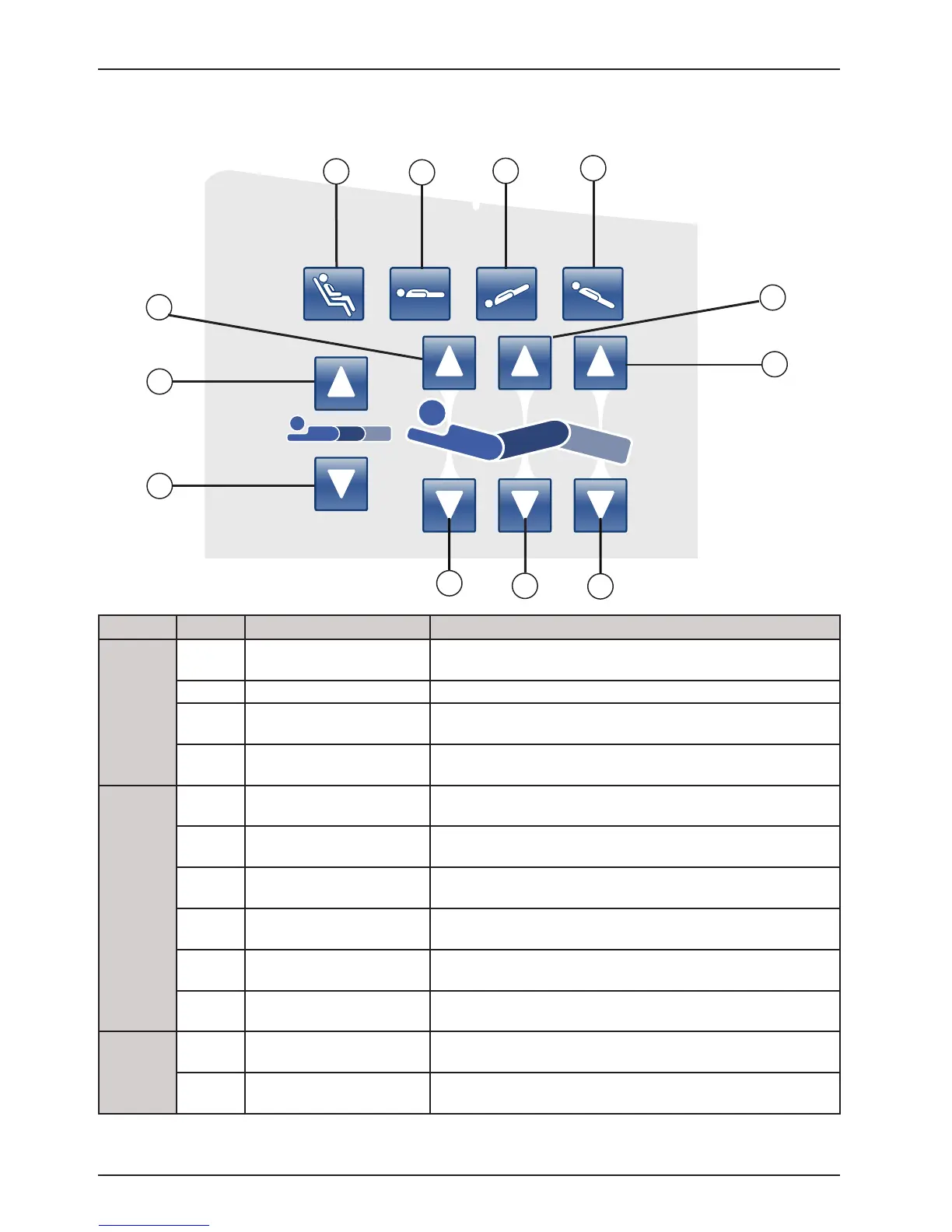
Button Name Function
Bed Positions
A
Chair Position Press on this button to place the bed in the Chair or Enhanced
Chair position.
B Flat Position Press on this button to place the bed in the Flat position.
C
Trendelenburg Press on this button to place the bed in the Trendelenburg
position.
D
Reverse Trendelenburg Press on this button to place the bed in the Reverse
Trendelenburg position.
Fowler, Gatch and Foot
E
Fowler Up Press on this button to raise the Fowler section of the bed to
the desired angle.
F
Gatch Up Press on this button to raise the Gatch section of the bed to the
desired angle.
G
Foot Up Press on this button to raise the Foot section of the bed to the
desired angle.
H
Fowler Down Press on this button to lower the Fowler section of the bed to
the desired angle.
I
Gatch Down Press on this button to lower the Gatch section of the bed to
the desired angle.
J
Foot Down Press on this button to lower the Foot section of the bed to the
desired angle.
Bed
Height
K
Bed Height Up Press on this button to raise the height of the bed to the desired
level.
L
Bed Height Down Press on this button to lower the height of the bed to the desired
level.
Siderail Operation Guide
H
K
L
E
F
G
I
J
A
B
C
D
(Patient’s Right Side Shown)













 To Next Page