www.stryker.com 2131-209-001 REV A 55
Return To Table of Contents
Footboard Operation Guide
MAIN MENU: iBED (CONTINUED)
iBed, Translations
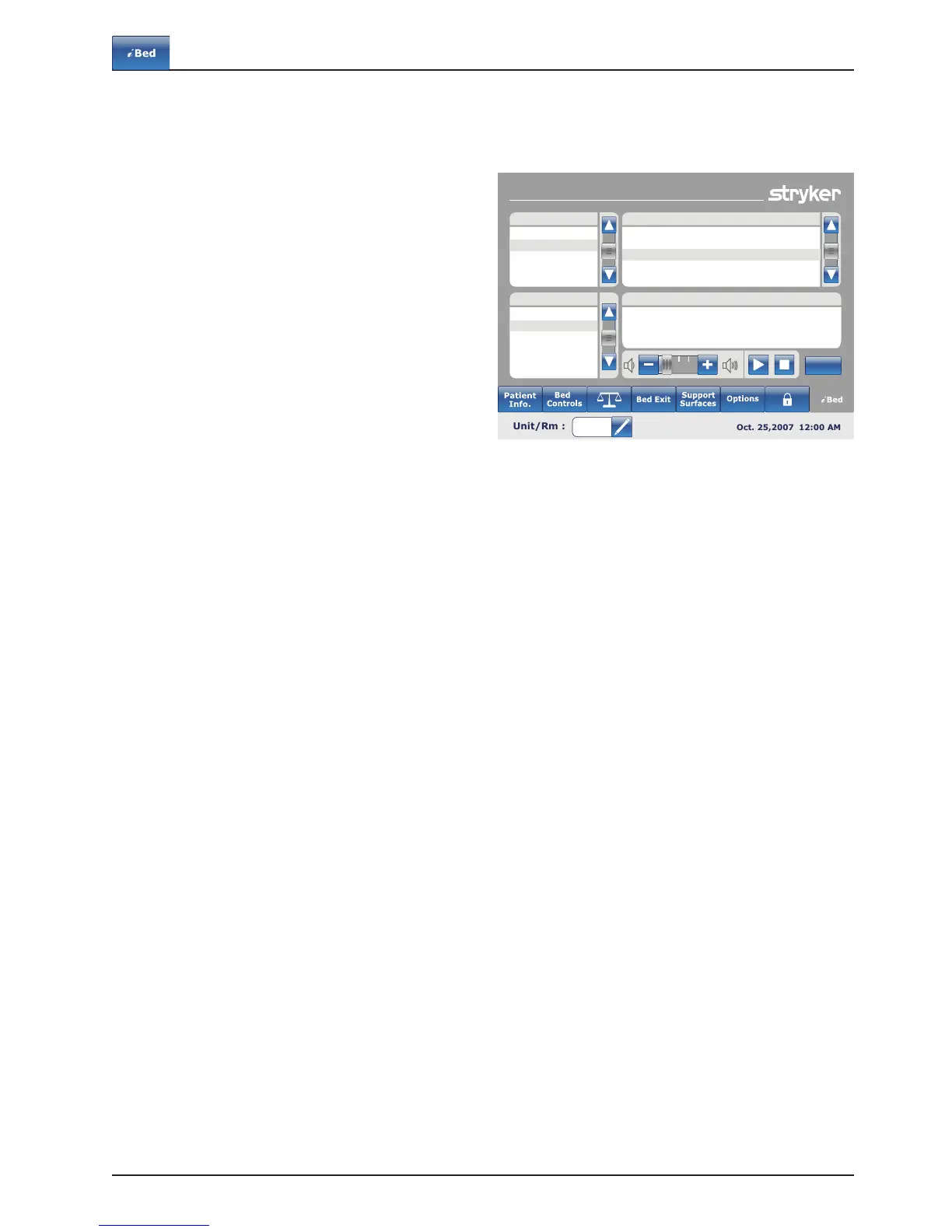
When the “Translation” button is pressed on the
iBed screen, Figure 10.14 will be displayed.
The Translations display provides information to the
operator to retrieve a quick translation of medical
sentences in 24 different languages.
The operator may choose a sentence in the list
provided on the display and then select the language
to be translated in. The translated sentence will be
displayed in the Translations box.
Audio is provided for the translations as well.
Press on the play button to hear the translations.
To increase the audio, press the “+” button. To
decrease the audio, press the “-” button.
Note: If the iAudio option is not equipped on your
bed, then the audio controls buttons will not be
dispalyed in Figure 10.14
Translations
Spanish
French
German
Russian
Polish
Italian
Neurological Assessment
Pain
Needs Assessment
Awareness & Introduction
Respiratory
Do you feel pain?
Theme: Pain
Where do you feel pain?
Are you feeling better?
Back
Translation
Theme
Language
What is your pain level?
Figure 10.14













 To Next Page