www.stryker.com 2131-209-001 REV A 59
Return To Table of Contents
ZOOM
®
Drive Operations (Model 2141)
USING THE ZOOM
®
DRIVE (MODEL 2141)
1. Disconnect the bed power cord from the wall
socket.
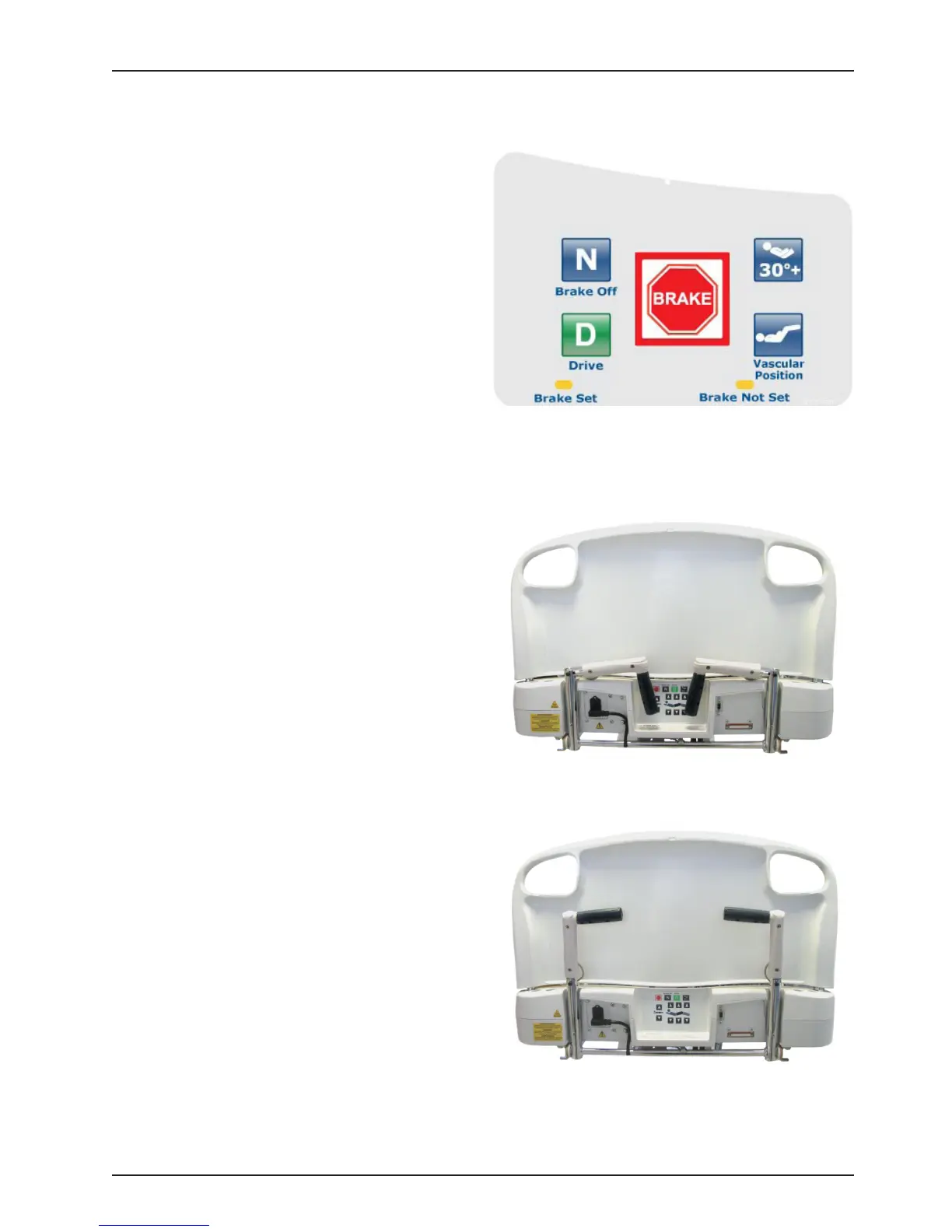
2. Push the Drive button (see Figure 24) located on
either the head end siderail or on the footboard.
3. The button will backlight and the LED will light
up.
Note
• Handles might be hidden in the head section (see
Figure 25).
• To take them out you have to unfold them and
pull up to make sure they lock into place (See
Figure 26).
4. Use handles as follows:
• To move the bed forward, push on the
handles while holding the yellow triggers.
• To move the bed backward, pull on the
handles while holding the yellow triggers.
• To stop the movement, release both yellow
triggers and stop pushing or pulling on the
bed.
Note
• The speed of the bed’s movement will change
according to the strength used to push or pull.
• If the bed battery charge level become too low,
the motorized wheel will retract (raise) while
driving, or won’t go down.
Figure 25
Figure 24
Figure 26













 To Next Page