EasyManua.ls Logo

Stryker InTouch FL27 - User Manual

Stryker InTouch FL27
101 pages
Print Icon
To Next Page IconTo Next Page
Loading...
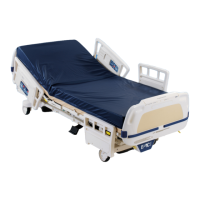
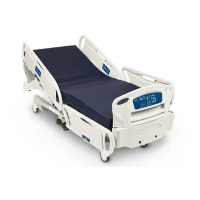
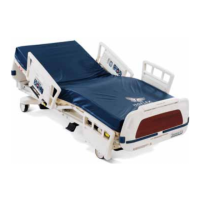
InTouch™ Critical
Care Bed
Model FL27 (2131/2141)
Operations Manual
2009/06 2131-209-001 REV A www.stryker.com
For parts or technical assistance call:
USA: 1-800-327-0770 (option 2)
Canada: 1-888-233-6888
Version 2.3

Table of Contents

Other manuals for Stryker InTouch FL27

Questions and Answers

  • P
    Patricia MillerSep 14, 2025
    What to do if Stryker InTouch FL27 electric brake motion is not working?
    • M
      matthew26Sep 15, 2025
      If the electric brake motion on your Stryker Medical Equipment bed isn't working, check these things: 1. Make sure the Brake Not Set LED is flashing and the Brake Set LED is OFF. If the Brake Set LED is ON, check the manual brake position. * If the manual brake pedal is in the brake position, the bed should not move, which is normal. Move to step 2. * If the manual brake is not in the brake position, check the switch on the patient's left side, in the middle below the base hood. 2. If the brake motor doesn't run down when you push the brake button, check for 24VDC at connector J7 while pressing the brake button. Use a black lead to pin 1 and a red lead to pin 2.
  • N
    Norma AdamsNov 17, 2025
    What to do if Stryker InTouch FL27 Medical Equipment bed has no power?
    • C
      Christopher TylerNov 17, 2025
      If your Stryker Medical Equipment bed has no power, follow these steps: 1. Make sure the bed is properly plugged into a working wall outlet and that the voltage matches your country's standard. If the voltage option is missing, contact hospital maintenance and try another outlet. 2. Check the main power fuses in the drawer where the power cord connects to the bed. Ensure each 10A fuse has continuity; replace any that don't. 3. Verify you have 24VAC at the transformer connection (J11) on the CPU/Power board at the foot end, between the blue and red wires. If no voltage is present, check the 25 Amp fuse on the red wire from the transformer and replace if necessary. 4. Check for 30VAC at J11 between the yellow and orange wires for the transformer. If there's no voltage, inspect the powe...

Summary

Summary of Safety Precautions

General Safety Warnings

Crucial safety warnings for bed operation and setup.

Specific Safety Warnings and Cautions

Detailed warnings for bed exit, cleaning, and maintenance.

Setup Procedures

Initial Bed Setup and Checks

Steps for initial bed setup and functional checks.

Base Operation Guide

Brake; Drive; Neutral Operation

Using the bed's brake, drive, and neutral systems.

Litter Operation Guide

CPR Emergency Release and Fowler Lowering

Using the CPR pedal for emergencies and power failures.

Siderail Positioning

Procedure and warnings for positioning bed siderails.

Siderail Operation Guide

Siderail Motion Control Panel

Diagram and function of nurse control panel buttons.

Footboard Operation Guide

Control Panel Functions

Diagram and function of footboard control panel buttons.

ZOOM Drive Operations (Model 2141)

Preventative Maintenance

Warranty

Stryker InTouch FL27 Specifications

General IconGeneral
BrandStryker
ModelInTouch FL27
CategoryMedical Equipment
LanguageEnglish

Related product manuals