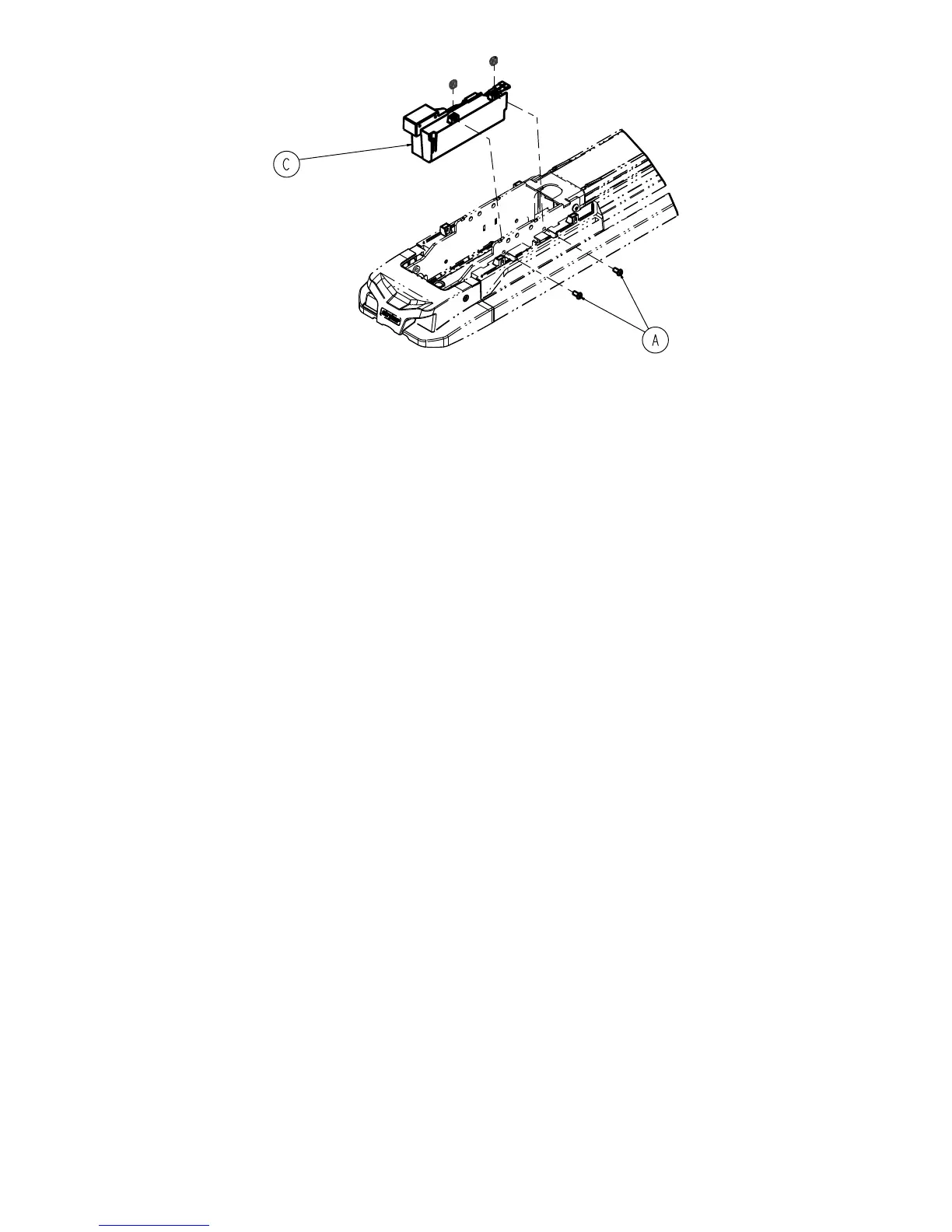
FFiigguurree 44 –– RReeppllaacciinngg tthhee iinndduuccttiivvee pprriimmaarryy bbooaarrdd
HHeeaadd eenndd pplluunnggeerr rreeppllaacceemmeenntt
TToooollss RReeqquuiirreedd::
• T27 Torx driver
PPrroocceedduurree::
1. Remove the head end interface assembly. (See
Head end interface assembly replacement
(page 14)).
2. Using a T27 Torx driver, remove and save the four screws (A) that secure the pin enclosure (C) to the head end
interface (B) (Figure 5).
3. Remove and save the two plunger springs (D) (Figure 5).
4. Remove and save the plunger bracket (F) (Figure 5).
5. Remove and discard the plunger (E) (Figure 5).
6. Reverse steps to reinstall.
7. Verify proper operation before returning the product to service.
EN 16 6392-009-002 Rev E.4


 To Next Page