pg 31
Impulse Reverb
This convolution reverb utilizes Impulse Response (IR) files to create
mathematically perfect recreations of recorded spaces� A variety of IRs
is included, selectable from the Impulse menu� The Impulse reverb can
be shaped and customized even further using the provided parameters�
Optionally, load your own reverb IRs using the free Strymon Nixie 2 app�
CHAMBER
HALL
ROOM
PLATE
SPRING
IMPULSE
CHORALE
MAGNETO
NONLINEAR
BLOOM
SHIMMER
CLOUD
push (param)
hold (back)
hold 3s (global)
VALUE
push (dual 1 2)
hold (save)
TYPE
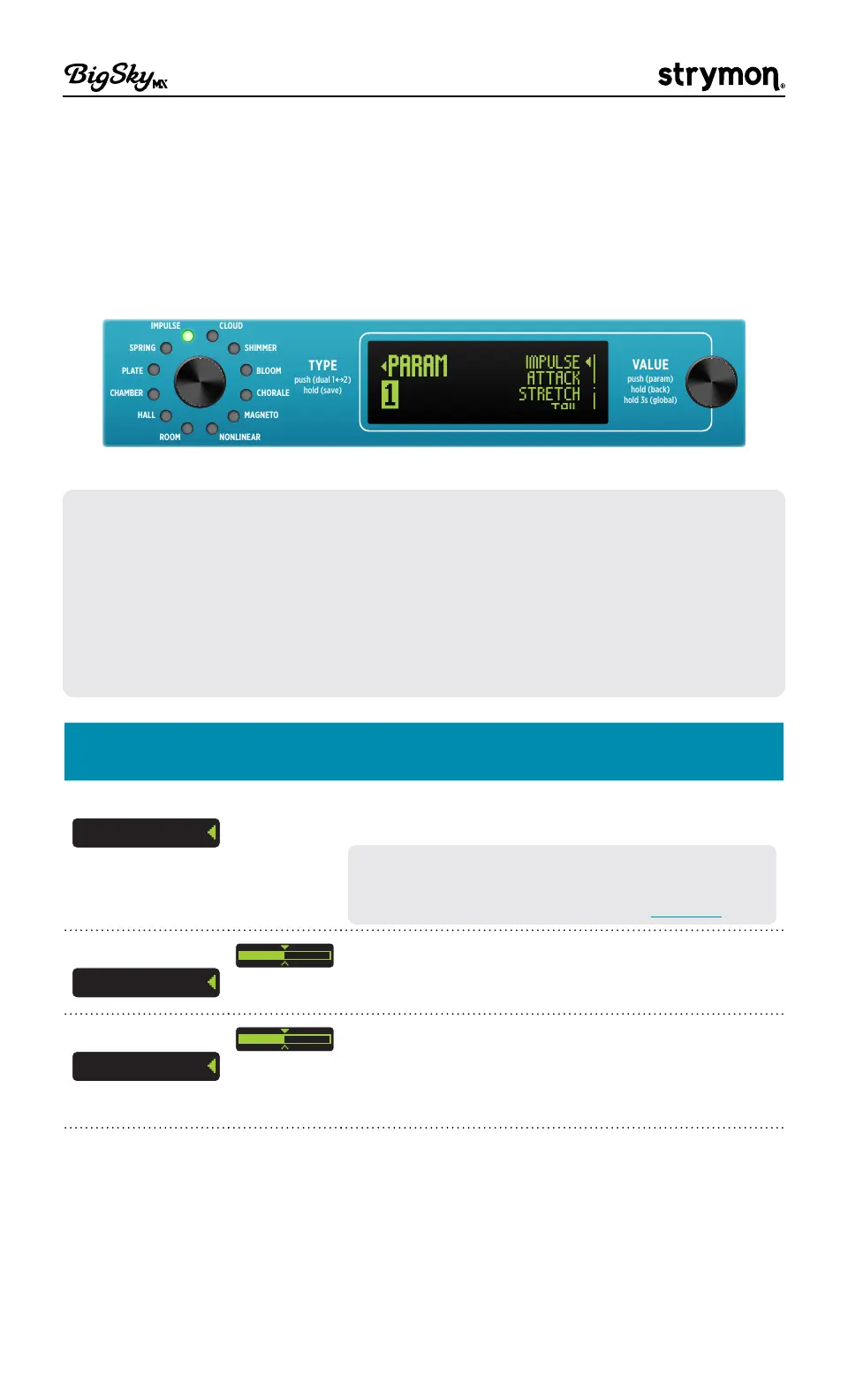
PARAM
IMPULSE
ATTACK
STRETCH
TAIL
The Parameters menu (Impulse reverb type is selected)
NOTE: When a new Impulse is loaded, all controls except MIX are reset to
the following default settings:
• DECAY - 100% • FEEDBACK - 0
• PREDELAY - 0 • ATTACK - 0
• TONE - 50% • DIRECTION - Forward
• MOD - 0 • STRETCH - 1�0
• LOW END - 50% • TAIL - Envelope
IMPULSE
Parameter
Values Description
Impulse Select
IMPULSE
Factory
folder
Opens the Impulse file menu� Push VALUE then
select from the folder of Factory of IRs�
TIP! Manage the existing Impulse list and
import reverb IRs from your own collection
using the Nixie 2 software—see page 33�
Attack
ATTACK
Determines the timing of the onset of the
reverberation�
Stretch
STRETCH
Re-samples the Impulse Response to change
both the inherent decay time and frequency
content� Use low settings to reduce the decay
and higher settings for longer decays�


 To Next Page