pg 8
Utilizing Single or Dual Reverbs
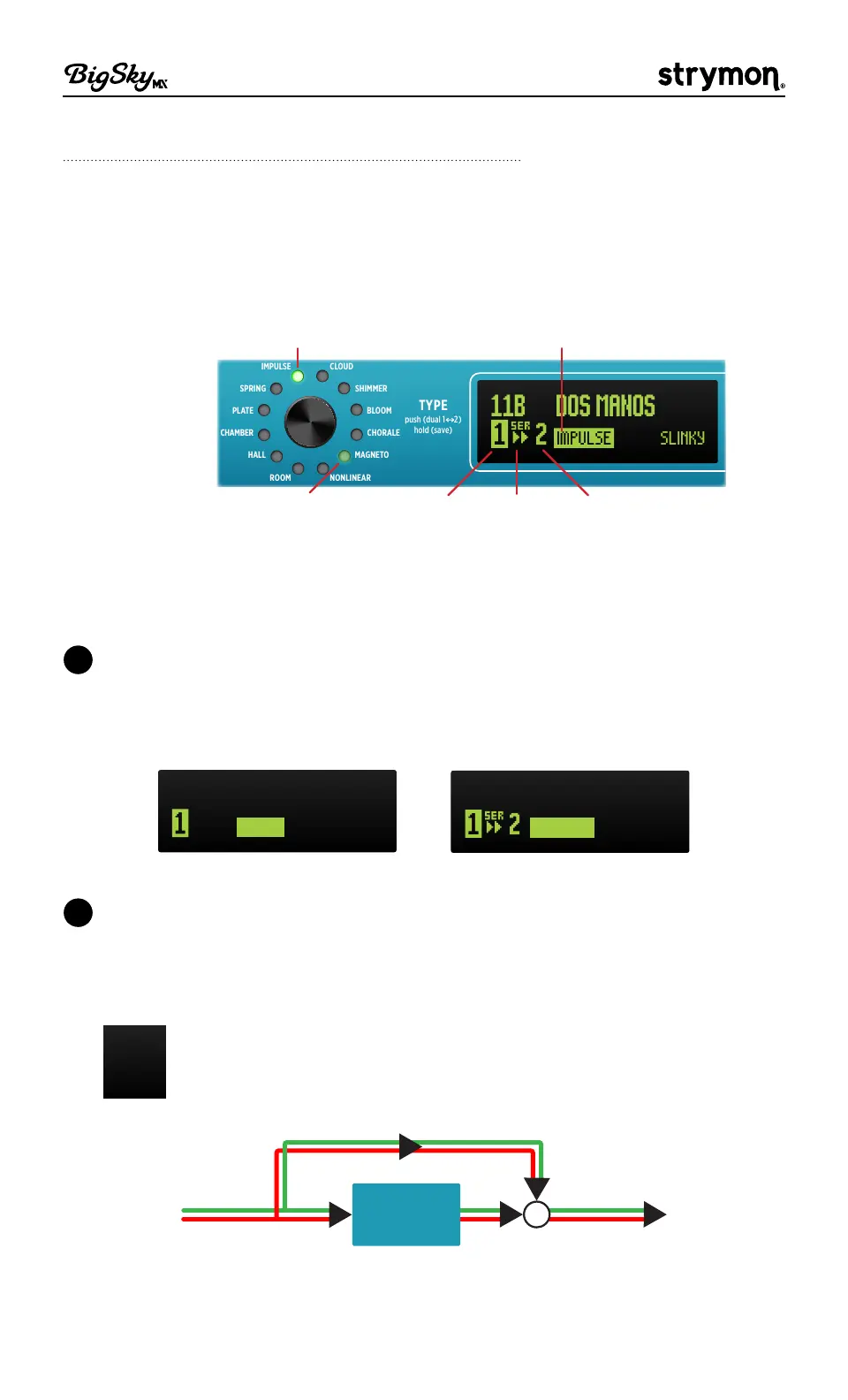
BigSky MX is able to utilize two reverb types simultaneously within any
preset� The Dual Mode settings for the current preset are always shown
at the bottom left of the Home screen, and easily accessed via the TYPE
encoder�
Reverb 1
(selected)
Dual Mode
Option
Reverb 2
(non-selected)
CHAMBER
HALL
ROOM
PLATE
SPRING
CHORALE
MAGNETO
NONLINEAR
BLOOM
SHIMMER
CLOUD
push (param)
hold (back)
hold 3s (global)
VALUE
push (dual 1 2)
hold (save)
TYPE
SLINKY
11B
DOS MANOS
Selected Reverb 1’s Type-
bright green LED
Selected Reverb 1’s Type-
label
Non-selected Reverb 2’s
Type - dim green LED
Dual mode indicators
Configuring Dual Mode Options
1 On the Home screen, once a preset is loaded, some presets have
Reverb 2 off, with only Reverb 1 enabled, and some have Dual mode
enabled� For all presets, Reverb "1" is selected (highlighted) by default,
as shown below�
500 ms
11A
BIG BAD VERB
PLATE
500 ms
11B
DOS MANOS
MAGNETO
Reverb 2 is off Dual mode is enabled
2 To Select the Dual Mode Option - Simply push-release the TYPE
encoder until the Dual Mode routing option flashes to indicate it as
being selected for editing� Turn TYPE to choose the desired Dual Mode
setting�
F
Reverb 2 Off - Sets Reverb 2 off so that the preset utilizes
Reverb 1 only�
RIGHT IN
LEFT IN
RIGHT OUT
LEFT OUT
+
Reverb 1
Reverb 2 Off



 To Next Page