pg 7
Rear Panel I/O and Control
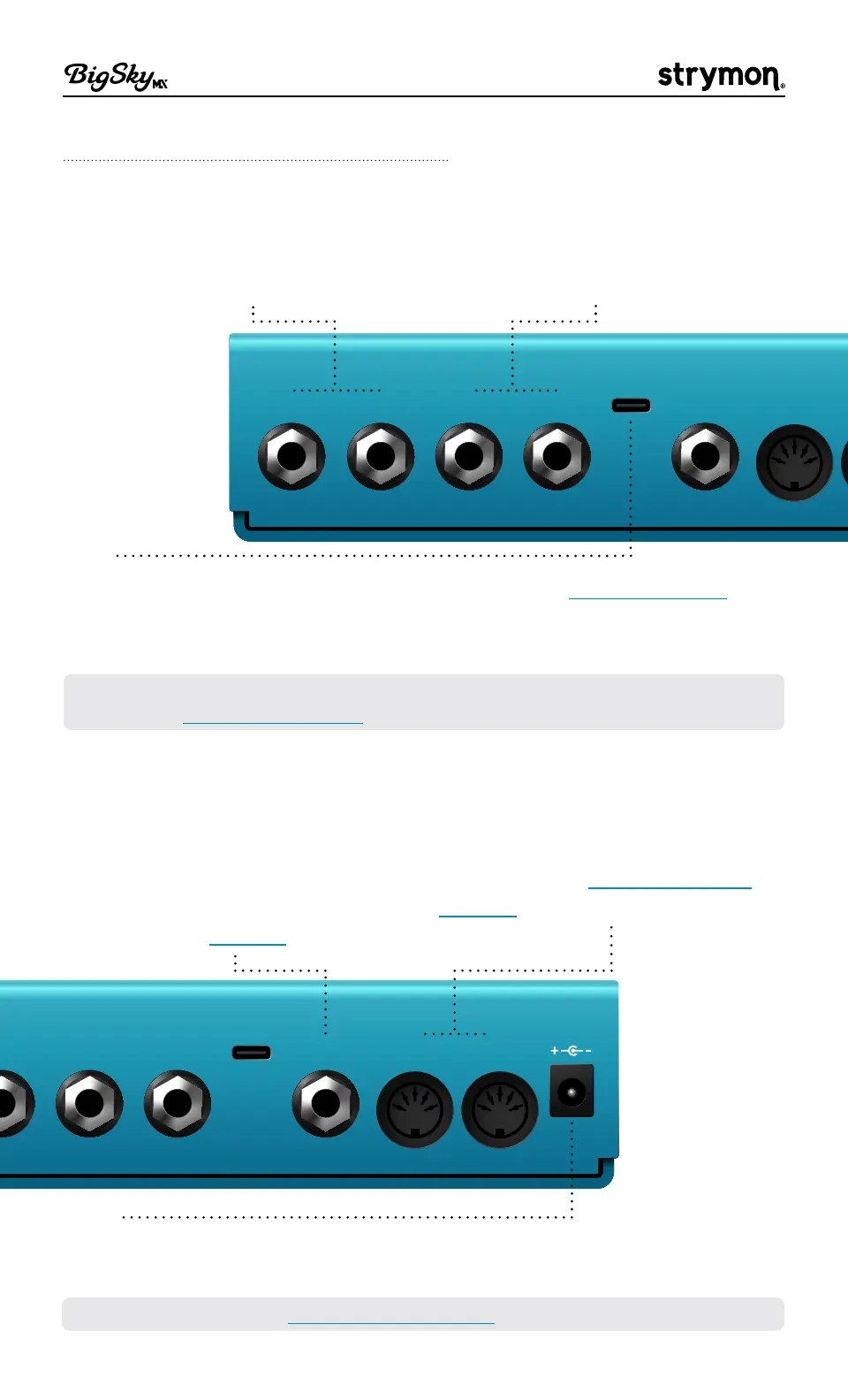
LEFT IN RIGHT IN LEFT OUT RIGHT OUT EXP
USB
MIDI IN
LEFT IN / RIGHT IN
For mono, connect only the LEFT
IN� For stereo, connect both the
LEFT IN and RIGHT IN�
LEFT OUT / RIGHT OUT
For mono, connect to only the LEFT
OUT� For stereo, connect to both
the LEFT OUT and RIGHT OUT�*
USB
Connect to a computer’s USB port for use with the Strymon Nixie 2
application, firmware updates, and MIDI I/O� BigSky MX cannot be
powered via USB—use of a 9VDC power source is required (see below)�
*NOTE: When stereo output is in use, BigSky MX is automatically set to Buffered
Bypass� See "Bypass" on page 49�
LEFT OUT RIGHT OUT EXP
USB
MIDI OUTMIDI IN
9VDC
EXP
Use this multifunction
communication jack for external
control� Can be configured for use
with an Expression Pedal, Strymon
Multiswitch, Multiswitch Plus, or
TRS MIDI� See page 55�
MIDI IN / MIDI OUT
Connect to a controller or other
MIDI gear for MIDI input and
output of CCs, Program Changes,
and more� See "Using MIDI" on
page 62�
9VDC
Use a power source with the following rating: 2�1mm, center-negative,
9VDC, 500mA minimum (sold separately)�
TIP! We recommend the Strymon Zuma and Ojai advanced power supply units�



 To Next Page