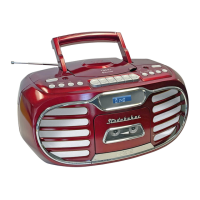
Press and hold the DIMMER BUTTON (#7) repeatedly to select the brightness settings (HIGH,
MEDIUM or LOW) of the LCD DISPLAY (#2).
RESETTING THE UNIT
If the unit does not respond or exhibits erratic or intermittent operation, you may have
experienced an electrostatic discharge (ESD) or a power surge that triggered the internal
microcontroller to shut down automatically. If this occurs, simply press and hold the DIMMER
button for 10 seconds. The LCD DISPLAY (#2) will then show 12:00 and flash.
The unit is reset. You will need to connect the unit with your smart phone through Bluetooth to
set the clock again.
CARE AND MAINTENANCE
1. Do not subject the unit to excessive force, shock, dust or extreme temperature.
2. Do not tamper with the internal components of the unit.
3. Clean your unit with a dry cloth. Solvent or detergent should never be used.
4. Avoid leaving your unit in direct sunlight or in hot, humid or dusty places.
5. Keep your unit away from heating appliances and sources of electrical noise such as
fluorescent lamps or motors.
At Spectra, environmental and social responsibility is a core value
of our business. We are dedicated to continuous implementation
of responsible initiatives with an aim to conserve and maintain the
environment through responsible recycling.
Please visit us at http://www.spectraintl.com/green.htm for more information on Spectra’s
green initiatives or to find a recycler in your area.
TROUBLE SHOOTING GUIDE



 To Next Page