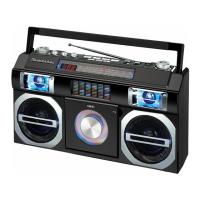
If you experience difficulties in the use of this clock radio, please check the following or call 1-
800-777-5331 for Customer Service and support.
Sound appears
distorted at high
volume setting
- Volume control is set to
maximum.
- Adjust Volume control of your smart
phone to a lower comfortable level.
No charging from the
USB port
- The USB cable is damaged or
not securely attached
- Replace the USB cable or try
reconnecting it again
is slow
There is a protective case on
the surface of the mobile
phone.
Take off the protective case from
the mobile phone.
No charging from
wireless pads
- Device is not in correct
position.
- The device does not support
- Move the device around the
wireless pad until the wireless
charging indicator light.
- Change to use USB charging
No sound on
Bluetooth
- The unit is not linked with the
cell phone.
- Speaker placement out of
range.
- Volume set too low.
- Go through “Bluetooth Operations”
process to link the speakers.
- Relocate the speaker within
Bluetooth operating range.
- Adjust Volume control of your smart
phone to turn the sound level up.
The Bluetooth® word mark and logos are registered trademarks owned by Bluetooth SIG, Inc.
and any use of such marks by Spectra Merchandising Intl, Inc. is under license. Other
trademarks and trade names are those of their respective owners.
SPECIFICATION
AC adaptor (PD Quick Charger):
Input: AC 100-240V~ 50/60Hz 0.8A Max.
Output: DC 5V
3A / 9V
3A / 12V
2.5
A / 15V
2
A / 20V
1.5A
PPS: DC 3.3V -11V
3A
PPS: DC 3.3V – 16V 2A
Internal Li-Polymer battery:
Input (USB-C port): DC 5V/3A / 9V/2.3A /12V/1.5A
Out Power: 22.5W (Max)
Output (USB-A port): DC 5V 3.1A / 9V 2.0A / 12V 1.5A
Output (USB-C port): DC 5V 3.1A / 9V 2.0A / 12V 1.5A
1 YEAR LIMITED WARRANTY AND SERVICE
VALID IN THE U.S.A. ONLY



 To Next Page