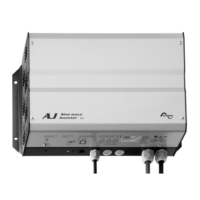
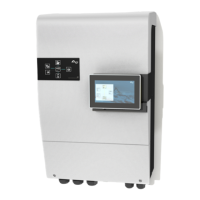
STUDER Innotec AJ
AJ V2.7 7/50
MODEL WITH STAND-BY SYSTEM
The inverters from the AJ 500-12 are equipped
with a stand-by system (also available in the
models AJ 275-12/350-24/400-48 with the
option -S).
The stand-by is an energy saving system which
turns off the inverter intermittently when no
consumer is detected. In this mode the
functionning indicator (green LED 1) blinks,
showing the intermittent presence of the
voltage.
The detection threshold is set by default at 2
W. On models from AJ 500-12 onwards it is
possible to deactivate this function or to
modify the threshold by adjusting the yellow
Turning Knob marked Stand-by.
Adjusting the switching-on level is as follows:
Switch off all consuming devices; turn the
Turning Knob to the right (clockwise) until the
LED is blinking, switch ON the smallest
consuming device (i.e. mobile phone
charger); turn the Turning Knob slowly to the
left until LED is lit continuously. Check that the
inverter goes back in stand-by mode when
you remove the load. If not, this means that
the load is too small to be detected.
If the stand-by is not required, turn the Knob
fully to the right.
The minimal load detected can be adjusted
between 1 and 20 W. In most cases this
adjustment is not necessary. This adjustment is
made with a small screw driver in the hole
marked stand-by. In the full counter clockwise
position, the sensibility is minimal (20 W). Do not
push on the screw driver.
NOTE: In this mode the output voltage is
intermittently present at the output!


 To Next Page