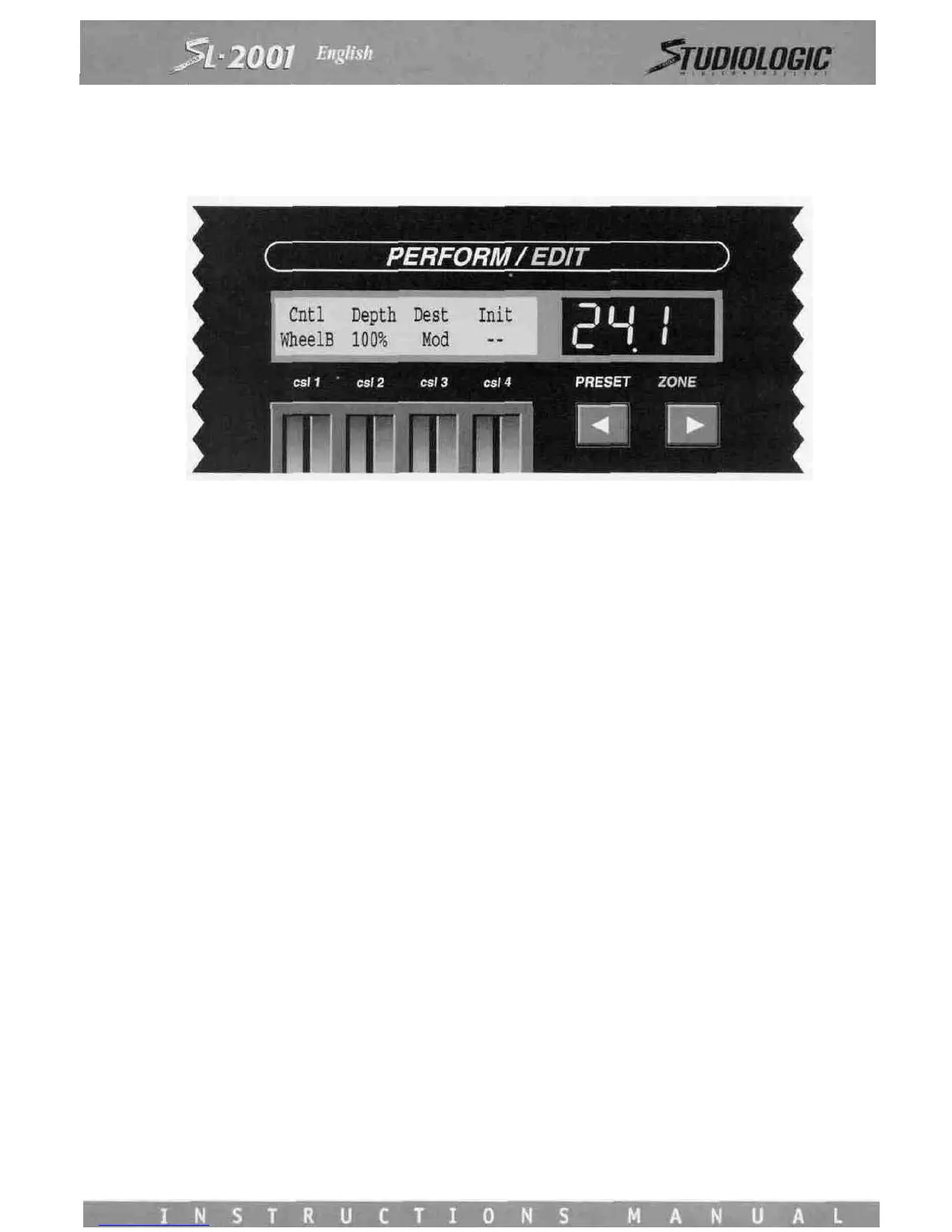
board. None of the three controller screens function if the zone is bypassed.
Control Slider 1 is used to select among the SL-2001 local controllers:
Wheel A, B The left control and right control wheels
Sstain The Sustain switch input
ChPrsr Channel pressure (aftertouch)
csll-csl4 The four front panel control sliders
cvl-cv2 The two voltage inputs
sw A, B, C The three programmable switch inputs
sw *,a Front panel Star and Alpha switches
Note* The MIDI note number (0-127) of the last
key played on SL-2001 keyboard
Vel The velocity value (0-127) of the last
key played on the SL-2001 keyboard
Any control message from any source can be either passed directly to the SL-2001 MIDI outputs, converted to any other con-
troller, or blocked completely. Messages may also be scaled to adjust the depth of the control effect using Control Slider 2.
Use Control Slider 3 to select the destination message. If desired, any destination controller may be initialized when the pre-
set is entered. Use Control Slider 4 to set the initial value to be issued. The initial value can be sent to any destination, even
if the depth setting is off.
Blank SL-2001 presets will always leave Wheel A and Wheel B programmed as Pitch and Modulation, respectively. The Sstain
and Key Pressure controls also default to their respective messages.














 To Next Page