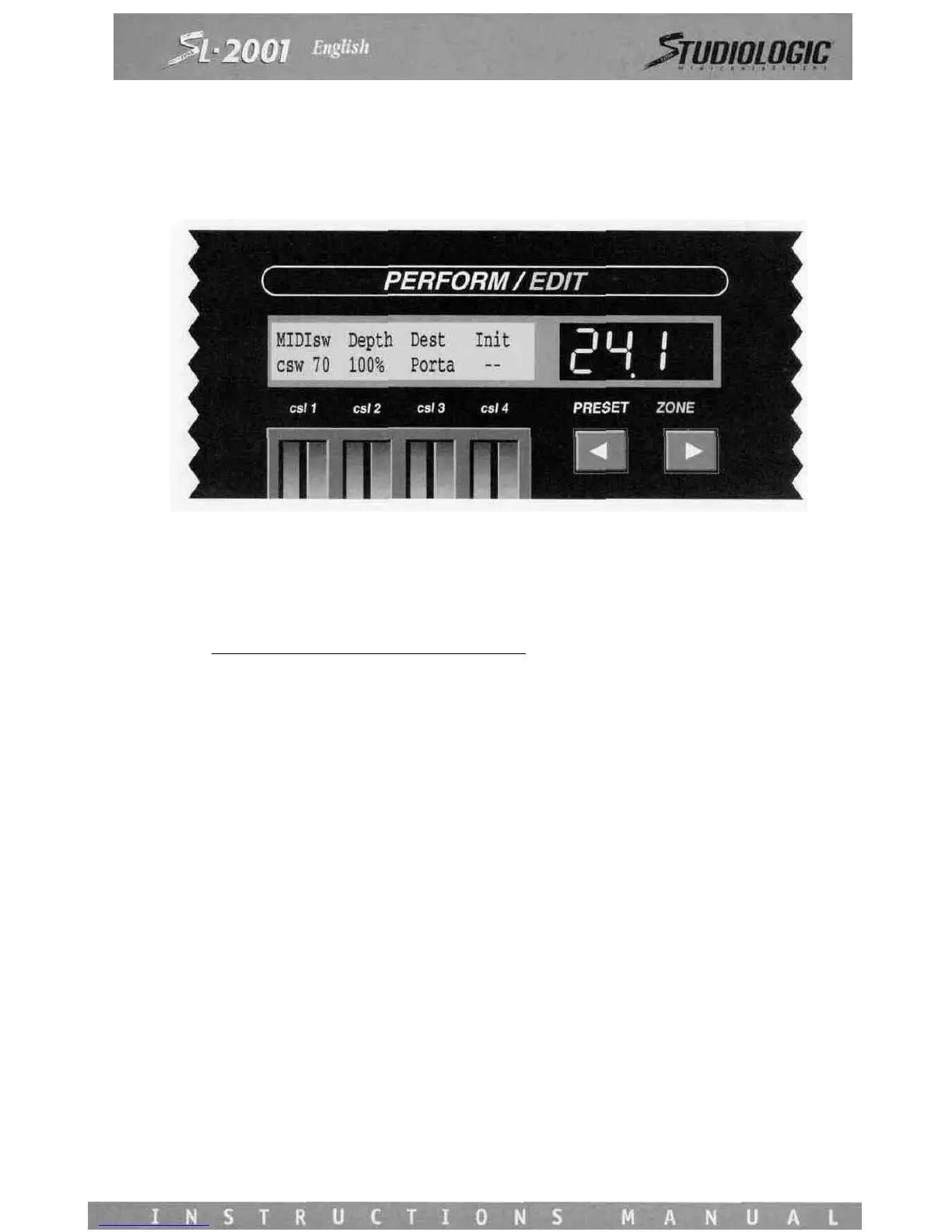
MIDIsw
The MIDI sw screen applies to switch messages from external instruments.
Use Control Slider 1 to select a MIDI switch message type:
sw #
Definition_________sw
#
Definition
64 Sustain (damper) 81 Gen'l Purpose #2
65 Portamento 82 Gen'l Purpose #3
66 Sostenuto 83 Gen'l Purpose #4
67 Soft Pedal 84
68
-
I
69 Hold 2 91
70 - 92 Tremolo Depth
I - 93 Chorus Depth
79 - 94 Detune
80 Gen'l Purpose #\ 95 Phaser Depth
If a controller type does not have a standard name, it will appear on Control Slider 1 as csw plus its number. Use Control
Slider 2 to adjust the depth. To block a message completely, set this slider for Off. Select the destination message using
Control Slider 3. If desired, any destination controller may be initialized when the preset is entered. Use Control Slider 4 to
set the initial value to be issued. The initial value can be sent to any destination, even if the depth setting is off.
The MIDI sw screen operates only if the zone has an external source and is not bypassed.














 To Next Page