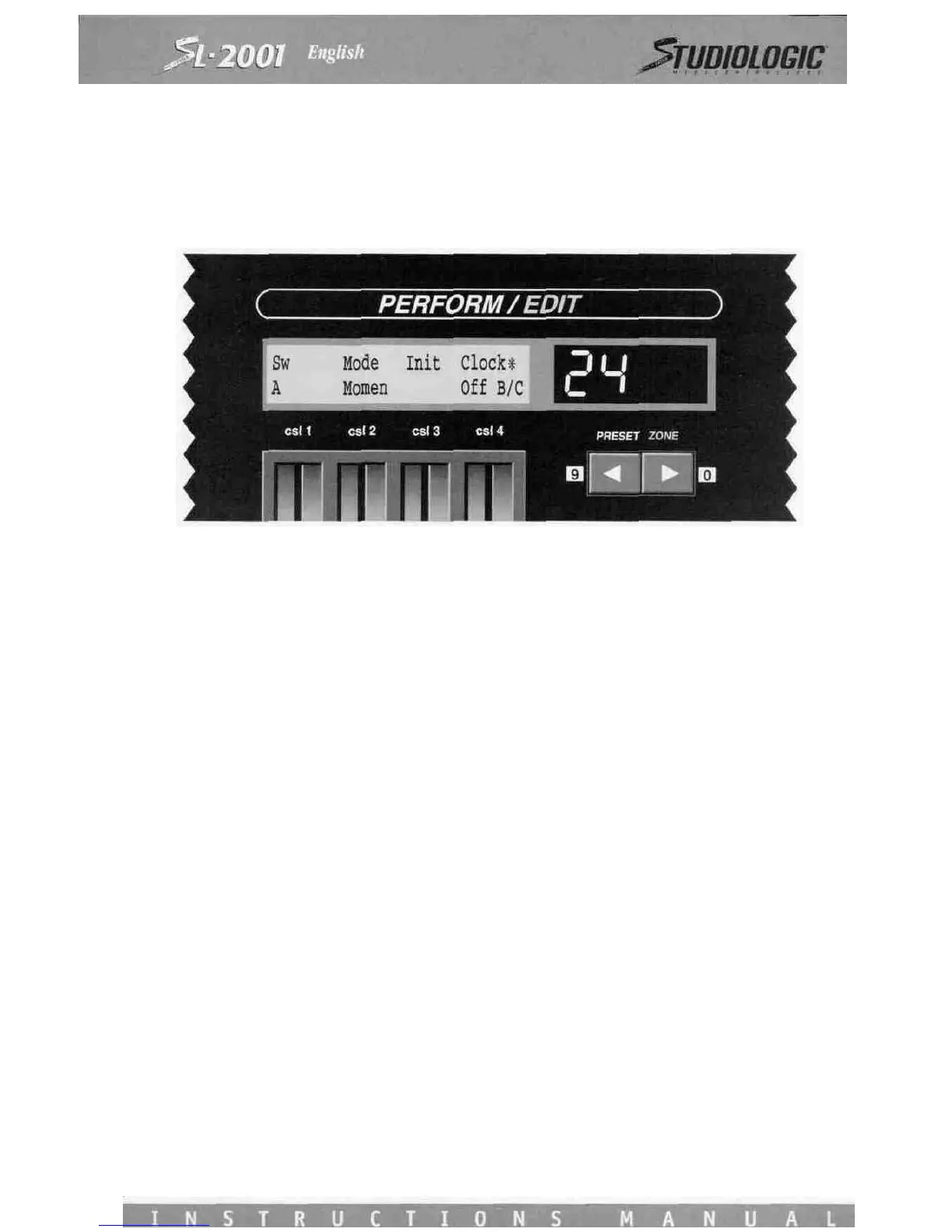
SWITCH MODES
The SL-2001 provides five local switches which may be programmed to perform many useful functions during Perform Mode.
Each switch (A, B, C, Star and Alpha) may be set for either a momentary response or toggle mode. In Perform Mode the cur-
rent state of all switches is displayed on the SL-2001 front panel. Switches A, B, and C appear in the text display; the Star and
Alpha switches each have LED indicators.
Use Control Slider 1 to select the name of the switch. Control Slider 2 sets the mode (Toggle or Momentary).
Control Slider 3 is used to set the initial state of each switch as the preset is entered.
In Toggle Mode, a switch will change state every time the footswitch is pressed and released. In Momentary Mode, the swit-
ch will change state when the footswitch is first pressed, and then revert to its original state when the footswitch is released.
Control slider 4 is used to select a pair of switches that will operate the SL-2001 MIDI clock generator, which is used with
external devices like sequencers or drum machines. Two switches are required to operate the clock generator, either pair B/C
or Star/Alpha. When not in use, set csl 4 to Off. To use the clock generator, adjust csl 4 until the desiderd switch pair appears
(MIDI clock pulses will now be issued continuously). In Perform Mode these two switches will issue STOP/CONTINUE and
START messages to control an external sequencer or drum machine. The mode setting (csl 2) for the selected pair will indi-
cate Clk, and the Init setting will not operate.
The star that appears after Clock indicates that the MIDI Clock generator screen may be accessed by pressing the Star switch.
The TEMPO slider selects the clock rate (from 10 to 250 beats per minute). The tempo may be adjusted in Perform Mode with
one of the four control sliders as indicated on csl 2. This slider will operate in relative mode, which means that the tempo will
be adjusted up or down from its initial value set by csll. Before entering any preset which uses a control slider for tempo
adjustment, make sure that the slider is somewhere in the middle of its range, so that the tempo may be either increased or
decreased as the slider is adjusted.
The third control slider selects a MIDI output which will transmit the MIDI real-time messages (clock, start, stop, continue).
If desired, these messages can be transmitted on all four outputs at once, however it is better to connect all MIDI devices
which require timing information to the same output.
PROGRAM
The most fundamental parameter in a MIDI system is the program number for each device. The PROGRAM screen is used to
specify the program number issued to each device at the instant a SL-2001 preset is selected.
The PROGRAM screen (and also VOLUME and TRANSPOSE screens) display settings for four zones at once.
Note that there are now two zone digits (14) indicating that you are viewing zones 1 through 4.
The top line of the display shows the output devices to which zones one through four are assigned. The bottom line indica-
tes the number of the program that will be selected on each device as a SL-2001 preset is entered (the letter P distinguishes
this screen from the VOLUME, TRANSPOSE and AUX PROG screens). Use the four control sliders to adjust the program num-
bers. Program change commands will be issued as the slider is moved.














 To Next Page