15
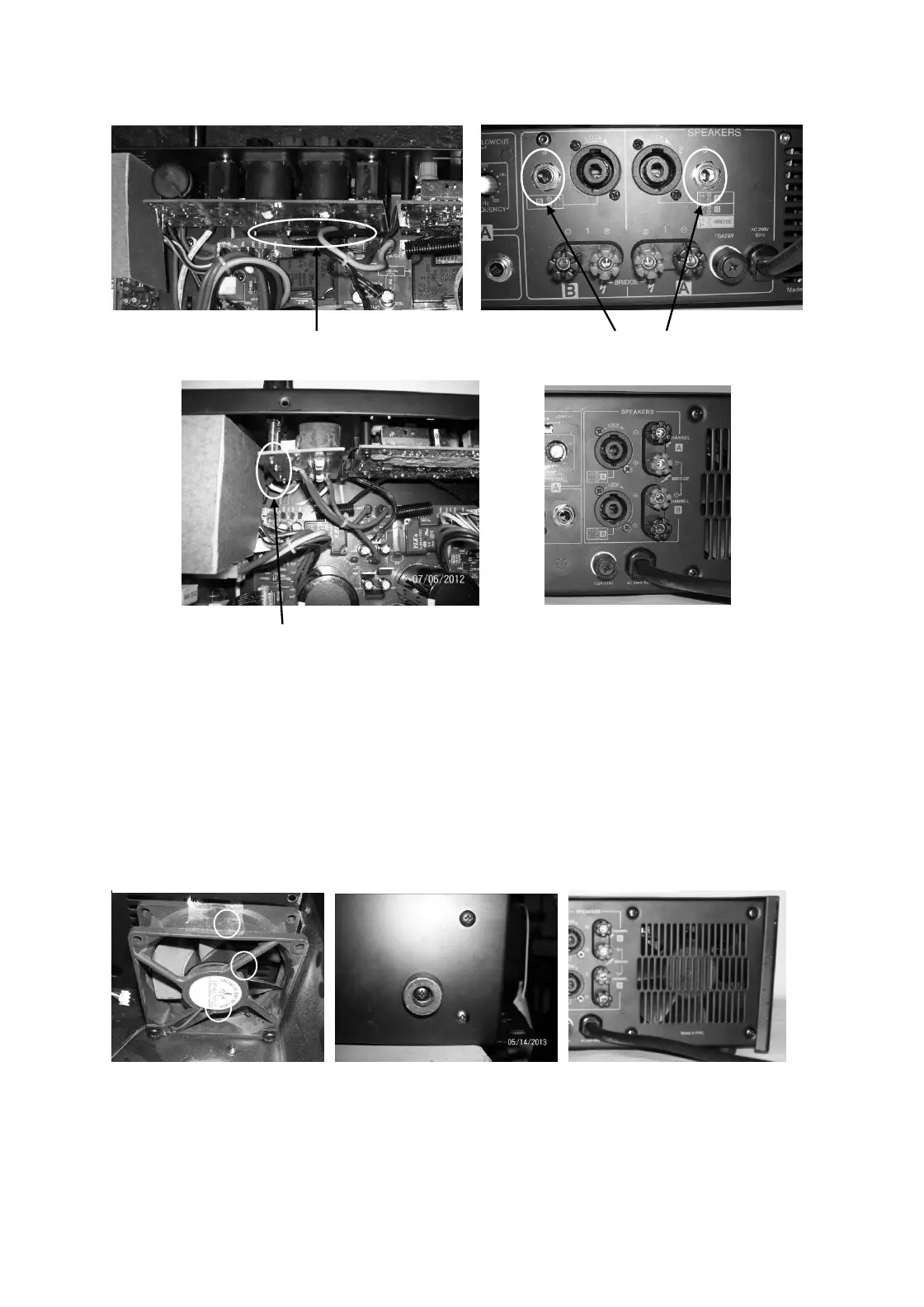
DJA2500 Output board inside view DJA2500 Output board rear view
Binding Post soldering leads Jack nut
DJA4000 Output board inside view DJA4000 Output board rear view
Binding Post soldering leads
16.0. Fan Removal
16.1 Perform procedure 1.
16.2 For DJA2500, remove bottom screws M4X10 Self Tap Black screws black (4nos.) & in DJA4000, remove
rear screws M4X10 Self Tap Black screws black (8nos.)
16.3 Lift the fan upward. .
17.0 Fan Replacement
17.1 Refit Fans using screws as mentioned in 16.2
DJA2500 DJA4000


 To Next Page