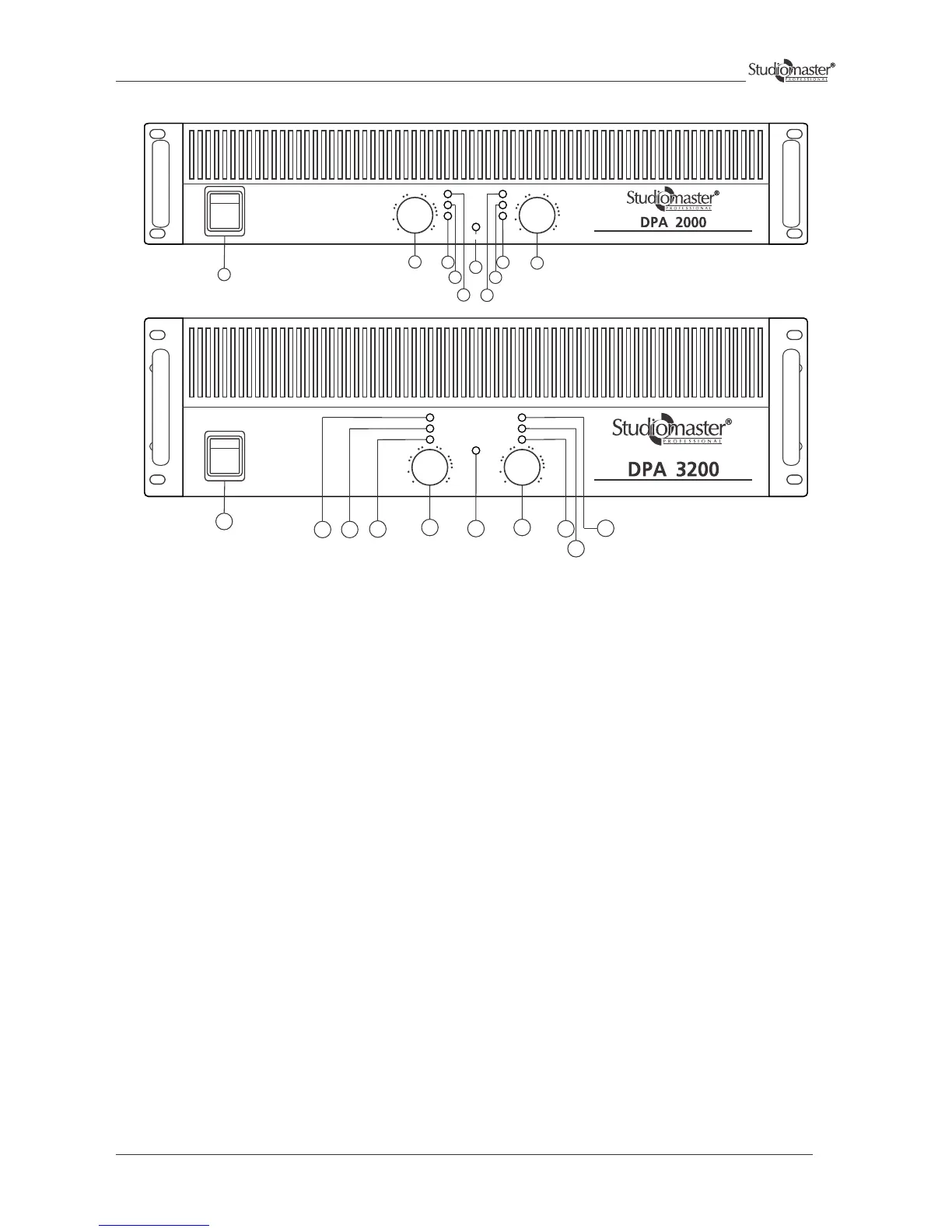
Front Panel Controls & Features
1 Master switch
2 Power ON indicator light
3 Volume control
4 Signal indicator
5 Clip indicator
6 indicatorProtect
Switches the unit on and off, interrupting both phases.
When lit, this blue LED indicates that amplifier is ON.
Used for adjusting the volume of the channel.
Green LED that indicates the presence of the signal in the final stage. It lights up with signals higher than - 20dB.
This red LED lights up to indicate that the internal limiter has been activated to eliminate clip. When the limiter is
activated, it indicates that the maximum amplification has been reached. When it lights up continuously, this means
there is an excessive signal input.
Red LED that indicates the mute status of the channel and is lit for the following reasons:
switch on delay (3 seconds), presence of continuous voltage on the channel output, short circuit, thermal protection of
the channel, thermal protection of the transformer.
Class H Professional Power Amplifier
-6
-10
-15
-30
-1
-3
-80 0dB
-6
-10
-15
-30
-1
-3
-80 0dB
O
CH 2CH 1
POWER
I
SIGNAL
CLIP
PROTECT
POWER
POWER
Class H Professional Power Amplifier
-6
-10
-15
-30
-1
-3
-80 0dB
-6
-10
-15
-30
-1
-3
-80 0dB
O
SIGNAL
CLIP
POWER
I
PROTECT
CH 2CH 1
1
3
3
4
4
5
6
56
6
5
4
2
4
5
6
3
3
2
1
7


 To Next Page