E/0310/50/9
3. Start-up
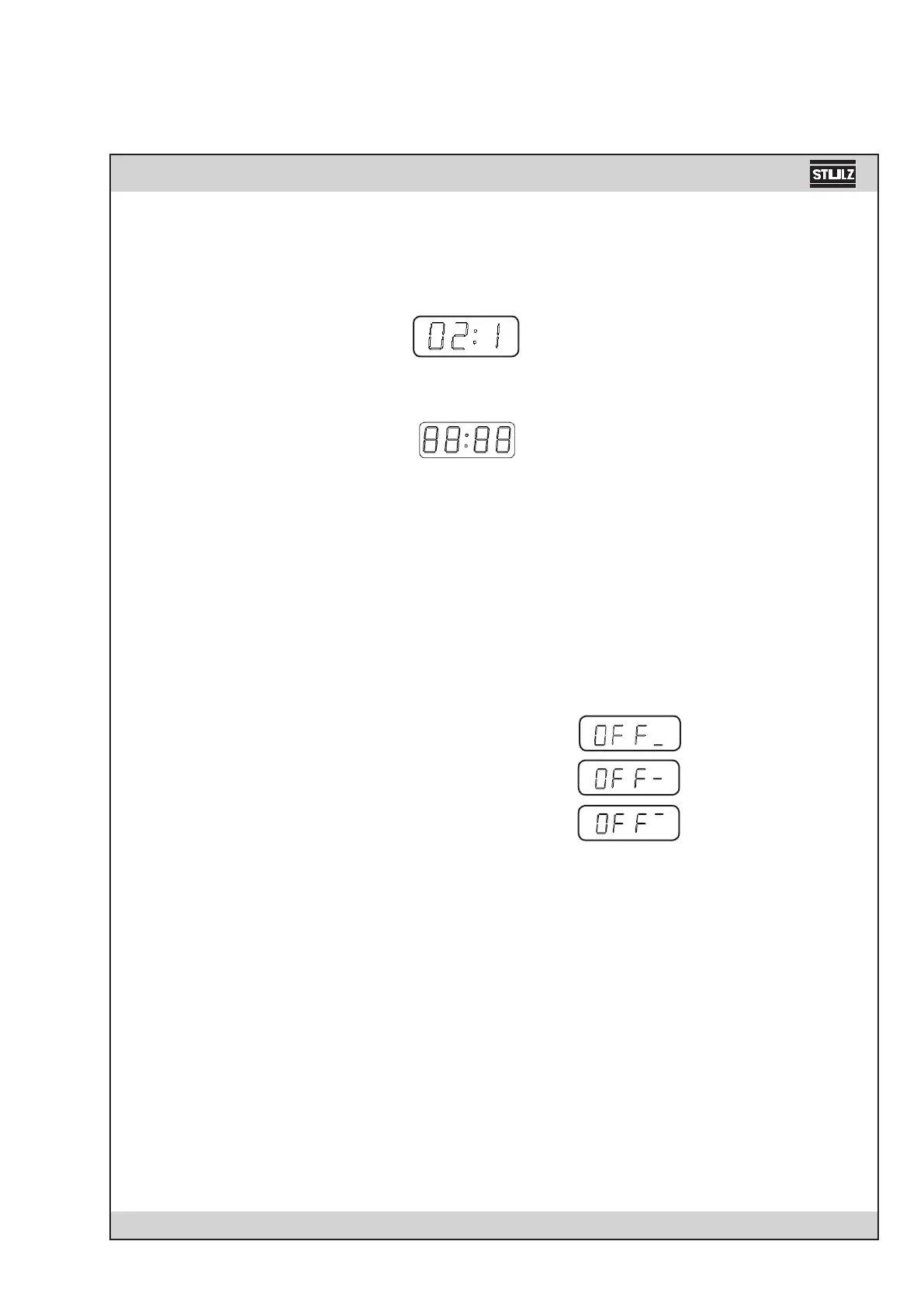
Prior to initialization, the software version number is displayed for about 1 s.
Example: Software version 2.1
When the C1002 is started (operation voltage is supplied) the following symbol appears in the
display for one second during initial phase:
In this initial phase all values of the EEPROM memory are loaded into the RAM.
Independent of the requirements for a certain function the CW- valve is closed for the time entered
in menu item 8. This procedure is necessary to synchronise the control system with the modulating
valve.
Start- up in Operation Mode "Stop"
If the CompTrol 1002 was in operation mode "Stop" before cutting off the power supply, the cont-
roller will be in this operation mode again after the restart. Three possibilities of how the unit has
been stopped, exist:
Display
1. Start/Stop-Key: local mode
2. Remote On/Off: remote mode
3. Software On/Off: Monitoring system
If controller is stopped from several locations, the corresponding bars in the fourth character po-
sition appear on the display. Restarting is only possible if the controller is locally started by the
Start/Stop-key. The Start/Stop-Key has the highest priority.
Start-up in Operation Mode "Start" (Autostart)
The CompTrol 1002 is equipped with an "Autostart"- function. This means that the unit starts au-
tomatically after a power supply failure when it was in operation mode "Start" before. A restart of
several units equipped with the C1002 at the same time can be avoided by entering a time delay
in menu point 22.


 To Next Page