© STULZ GmbH, Hamburg DE / 06-2016 / 1000687
-
81
-
STULZ UltraSonic -System for duct humidication ENS 14 A - 18 A- Maintenance
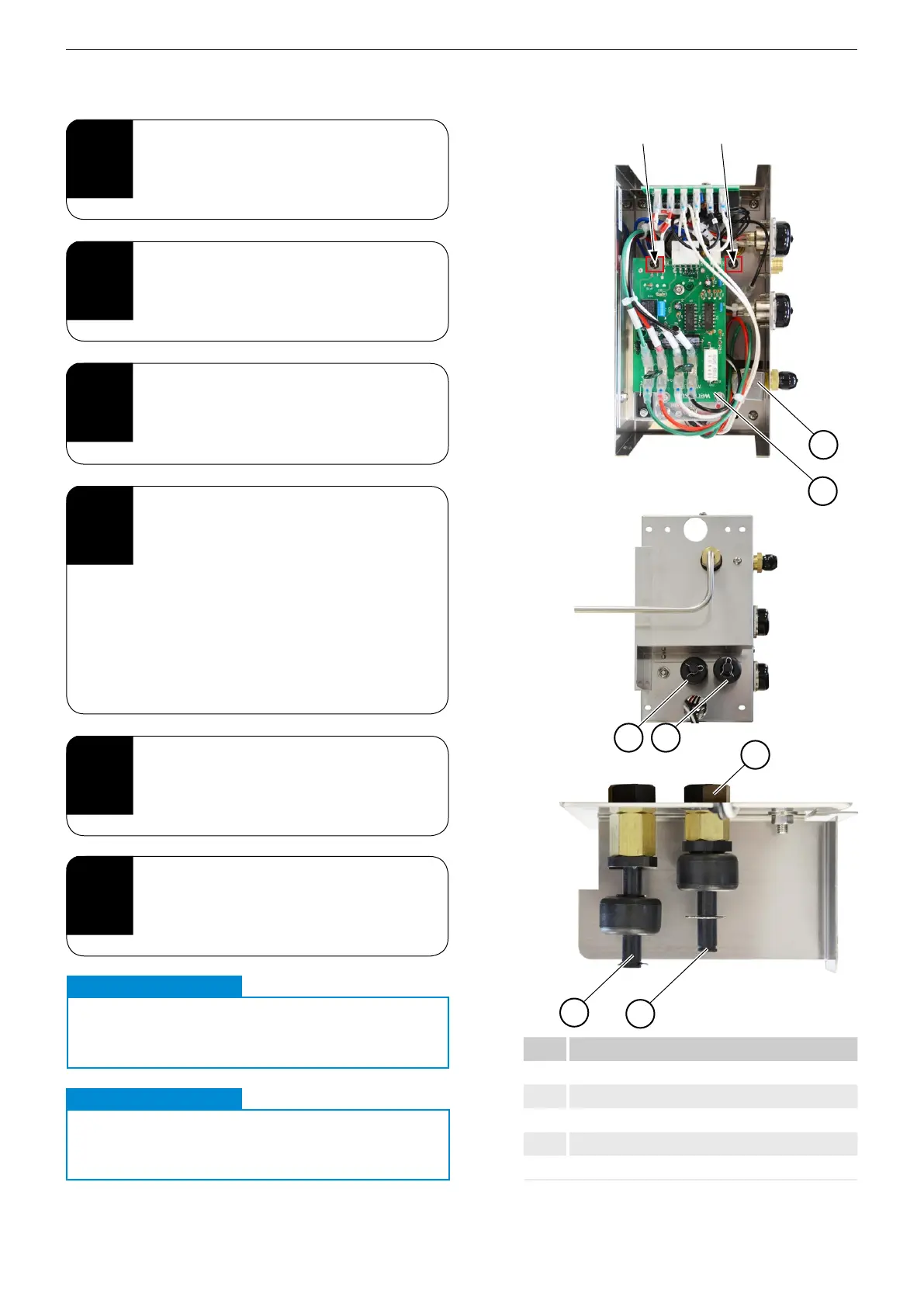
11.5.2. Replacing the ll valve and oat switch
Proceed as follows to replace the oat switch:
3
Detach the cables between the oat
switches and the motherboard.
2
Fully unscrew the two Phillips screws
next to the oat switches.
Completely remove the panel.
1
Perform steps 1-4 from section
"11.4.2. Cleaning the water tank, oscilla-
tors and mist outlets" on page 75.
5
Slacken the lock nuts and pull the oat
switches downward and out.
4
Check the open/closed signal from
the oat switches and replace if
necessary.
Item Description
1 Fill valve
2 Motherboard (CH)
3 Float switch for low water
4 Float switch for water supply
5 Lock nut
a) Float switch for low water ③ FS2
- Upper level: open
- Lower level: closed
b) Float switch for water supply ④ FS1
- Upper level: closed
- Lower level: open
4
3
4
3
Slacken and fully remove the screws.
1
2
6
Check oat switches for ease of move-
ment and replace if necessary.
CAUTION
Interchanged oat switches
.
Float switches must not be interchanged!
IMPORTANT
CAUTION
Faulty oat switches
.
A faulty oat switch can cause irreparable
damage to the unit!
IMPORTANT
5


 To Next Page