Electronic Control Information
WARMING DRAWER WWD30
3-7
END OF WARMING TIME:
Upon reaching “0:00”, “0:00” will begin flashing. Element and fan will shut off at this time. Control will also emit
three chimes every 30 seconds to denote unit has shut off. After 5 minutes the timer will power down and turn unit
off.
NOTE: Operator can cancel chime earlier by pressing the “Power On/Off” key.
OFF MODES:
This mode is obtained by pressing the “Power On/Off” key once unit is in any “On” mode. All active modes on unit
will be cancelled, including Sabbath Mode.
TIMER MODE:
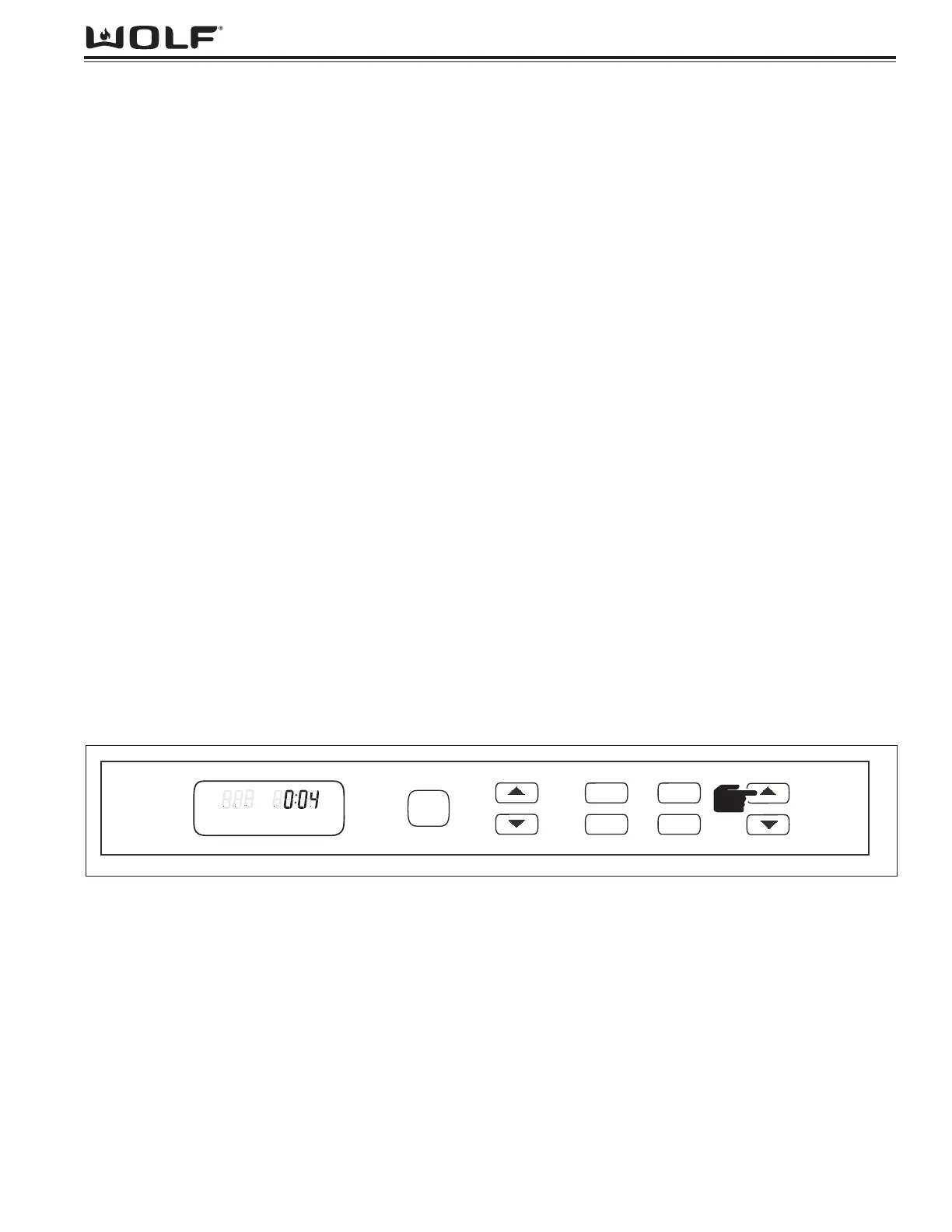
This allows the unit to be used as a kitchen timer, if so desired. (See Figure 3-9)
Mode Entry:
To set timer, first depress “TIMER” up or down arrow keys. “TIMER” will be flashing in display. Press “TIMER” up
arrow key and unit begins counting up from “00:00”.
NOTE: Pressing and holding “TIMER” up or down arrow key, display will increase, or decrease, by 1 second each
1/2 second until the first 5 second increment is obtained then will increase by 5 seconds per 1/2 second. If “TIMER”
up or down arrow key is depressed for longer than 30 seconds display will increase by 30 minute increments each
1/2 second until 5:00 Hours is reached then increase in one hour increments up to 24:00 hours.
NOTE: Timer will count up in time with 1 minute as the minimum setting and going up to 24:00 (hours:minutes).
Operations:
In Timer mode, the temperature display will show nothing and “ON” indicator will not illuminate.
Once set, this timer will count down in hours and minutes. Upon reaching 1 minute, the control will produce an audi-
ble tone.
Mode Exit:
Upon reaching “0:00”, “0:00” will begin flashing. The control will also chime three times every 30 seconds to denote
the unit has shut off.
NOTE: After 5 minutes the timer will power down.
NOTE: Timer mode can be cancelled at any time by pressing the “Power On/Off” key.
NOTE: Operator may cancel chime by pressing “Power On/Off” key. This will also remove the flashing “0:00” from
display.


 To Next Page