3-4
Electronic Control Information
WARMING DRAWER WWD30
SYSTEM MODES:
The control can be placed into several different operational modes which changes preset conditions inside the warm-
ing drawer. Details as to what each mode does to the operation of the drawer can be found below.
POWER UP:
Power up is defined as the initial powering of unit through electrical cord. Not to be confused with pressing “Power
On/Off” key, defined as turning the unit on/off. Upon product power up, all segments of the LCD will illuminate for 5
seconds before going into a unit off mode.
NOTE: There will be a delay of 5 - 10 seconds before LCD will illuminate after power up.
After entering unit off mode, display will show “PF” in the time display until user presses a button. If unit was previ-
ously in a warming mode prior to power loss, control will also emit a power failure chime every 30 seconds while dis-
playing “PF” until the “Power On/Off” is pressed.
NOTE: Pressing any key will clear “PF” error and unit will operate normally.
ON MODES:
On Modes control behavior of electrical components of the warming drawer when unit is “ON”. Unit can be placed
into “ON” mode by pressing the“Power On/Off” button from an “OFF” Mode. Any back lighting will be immediately
activated when “Power On/Off” key is pressed and “- - -‘ will be displayed in the temperature display with the respec-
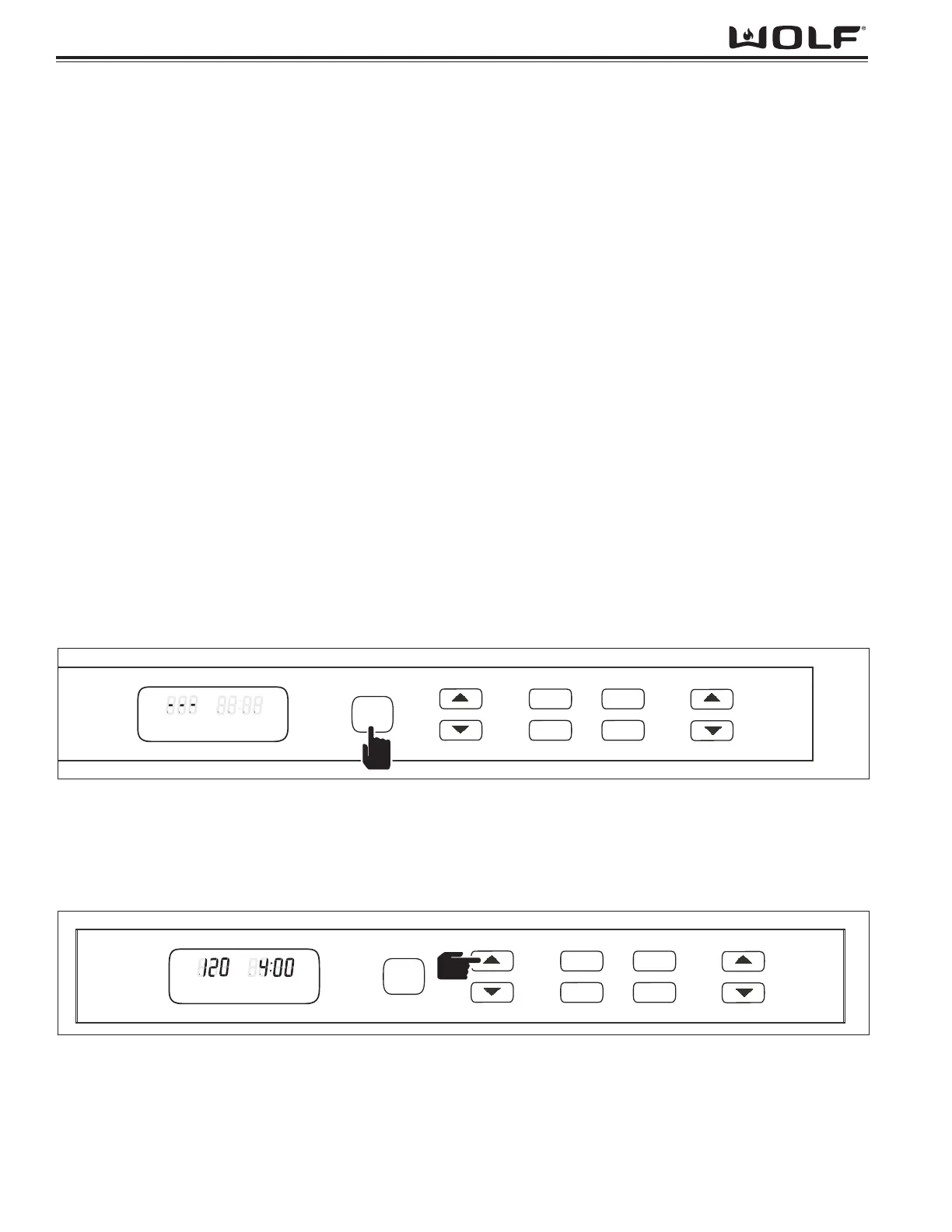
tive temperature scale (F or C) blinking. (See Figure 3-4)
NOTE: If no other key is pressed within 20 seconds, unit will turn off.
NORMAL WARMING MODE:
Normal warming mode is the basic operating mode when power is turned on and any warming function is selected.
This will include heating by the element and circulation of air by use of the fan.
Mode Entry:
The unit can be placed into a normal warming mode by simply pressing the “Power On/Off” button followed by either
“TEMP” up or down arrow keys, or any preset is pressed. (See Figure 3-4)
NOTE: If no other key is pressed within 20 seconds, unit will turn off.
Operations:
Once unit is turned on and “TEMP” up or down arrow is pressed, unit will initiate at 120°F and can be adjusted in
increments of 1°F. If you press and hold either arrow, the display will increase by 1° each 1/2 second until the first 5°
increment is obtained then will increase by 5° per 1/2 seconds. (See Figure 3-5)
NOTE: Temperature is adjustable from 80°F to 200°F (26.7°C to 93.3°)
Mode Exit:
Pressing “Power On/Off” key will terminate Normal Warming Mode and shut unit off.
NOTE: The mode will also exit by reaching ‘0:00,’ on the timer. At this point, ‘0:00’ will begin flashing and the ele-
ments and fan will shut off. The control will also yield three chimes every 30 seconds to denote unit has shut off.
After 5 minutes the timer will self power down if the “Power On/Off” key is not pressed.


 To Next Page
 Loading...