3-12
Electronic Control Information
WARMING DRAWER WWD30
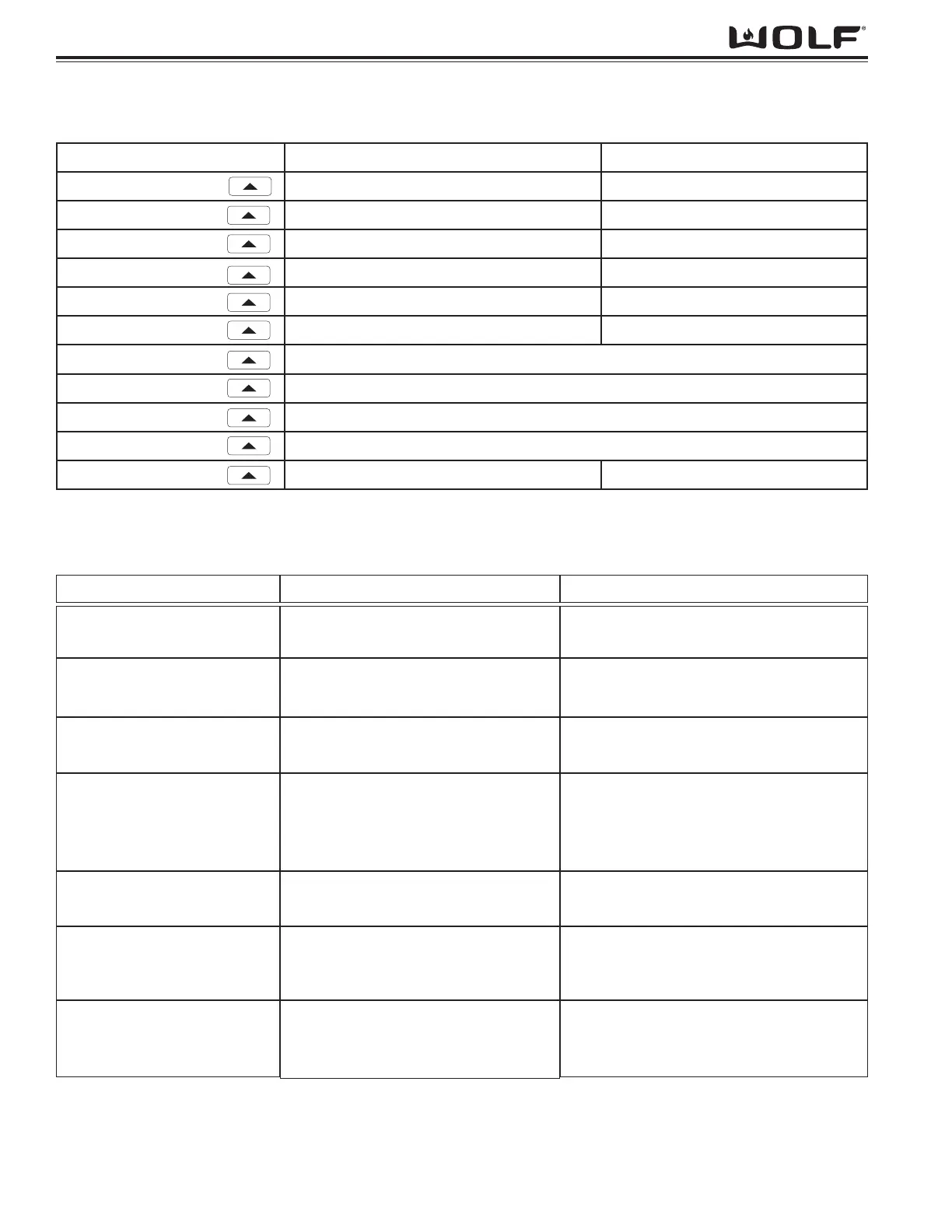
Enter Diagnostics rE (Sr if in showroom mode) 0018 (Meaning revision 1.8)
TIMER Err 10
TIMER Err 20
TIMER Err 30
TIMER Err 40
TIMER Err 50
TIMER Err 60
TIMER
Con (Control On Time) 1:60 = 16000 hr. (See note below)
TIMER
ELE (Element On Time) 95:00 = 950000 hr. (See note below)
TIMER
FAn (Fan On Time) 12:60 = 126000 hrs. use (See note below)
TIMER
Dor (Drawer Open/Close) 1:60 = 16000 cycles (See note below)
TIMER
119 (Current Temp) deg
KEYPRESS TEMP DISPLAY TIMER DISPLAY
Figure 3-19. Field Service Mode.
Field Service Mode Unique Keystrokes:
NOTE: A colon (:) signifies the need to add two zeros (0) to the time shown. (i.e. 1:60 = 16000)
ERROR CODE TROUBLESHOOTING GUIDE:
ERROR CODE CAUSE TEST / ACTION
10
(Invalid Checksum Error)
20
(Thermistor Open)
30
(Thermistor Short)
40
(Element Sensing)
50
(Door Switch)
60
(Stuck Relay)
70
(Cable Open)
Incorrect checksum
Temperature >300ºF
Temperature <-30ºF
<5º change in temperature over 10
minutes of continuous call for heat.
Occurs only during preheat mode and
the door is closed.
Door switch closed when the keypad is
being operated or unit turned on.
Drawer temperature rises to 250ºF in
any mode/state.
Cable wires that activate element or
fan relays on power board are not
making connection.
Replace Control Board
In FSM (Field Service Mode), view temper-
ature as view by thermistor. Verify wiring
ok to element. Replace Thermistor if ok.
In FSM (Field Service Mode), view temper-
ature as view by thermistor. Verify wiring
ok to element. Replace Thermistor if ok.
If unit outdoors and temperature below
freezing point, instruct on unit limitations.
Verify Thermal Cutout is not open.
Verify Element is not open.
Replace TCO or Element if open.
Check operation of Door Switch with Ohm
meter. Replace if defective.
Check ambient Temp and installation.
Check TCO. Replace if opened.
Replace Relay Board.
Check connection of comm cable. Use
Figure 5-1 to check voltage and/or ohm
reading of cable. If open, replace.
NOTE: After correcting problem, errors must first be cleared in Field Service Mode before controls will refresh error
display. To clear error codes logged, press and hold “TIMER” up and down arrow keys for 5 seconds, while in Field
Service Mode.
Figure 3-20. Field Service Mode.


 To Next Page