Diagnostic Mode
Resetting Error Codes in Diagnostic Mode
Sabbath Mode
Showroom Mode
HIGH Preset Change (Range of 80°F to 200°F)
(Press HIGH for 5 seconds again to save changes)
MED Preset Change (Range of 80°F to 200°F)
(Press MED for 5 seconds again to save changes)
LOW Preset Change (Range of 80°F to 200°F)
(Press LOW for 5 seconds again to save changes)
PROOF Preset Change (Range of 80°F to 110°F only)
(Press PROOF for 5 seconds again to save changes)
Temperature Scale Change Mode
Display Contrast Change Mode
LED Back Lighting Change Mode
Electronic Control Information
WARMING DRAWER WWD30
3-13
TEMP ELE
Func
ON (Relay closed,
Element on)
TEMP ELE
Func
OFF (Relay Opens,
Element Off)
TEMP Fan
Func
ON (Relay closed, Fan
turns on)
TEMP Fan
Func
OFF (Relay Opens, Fan
turns Off)
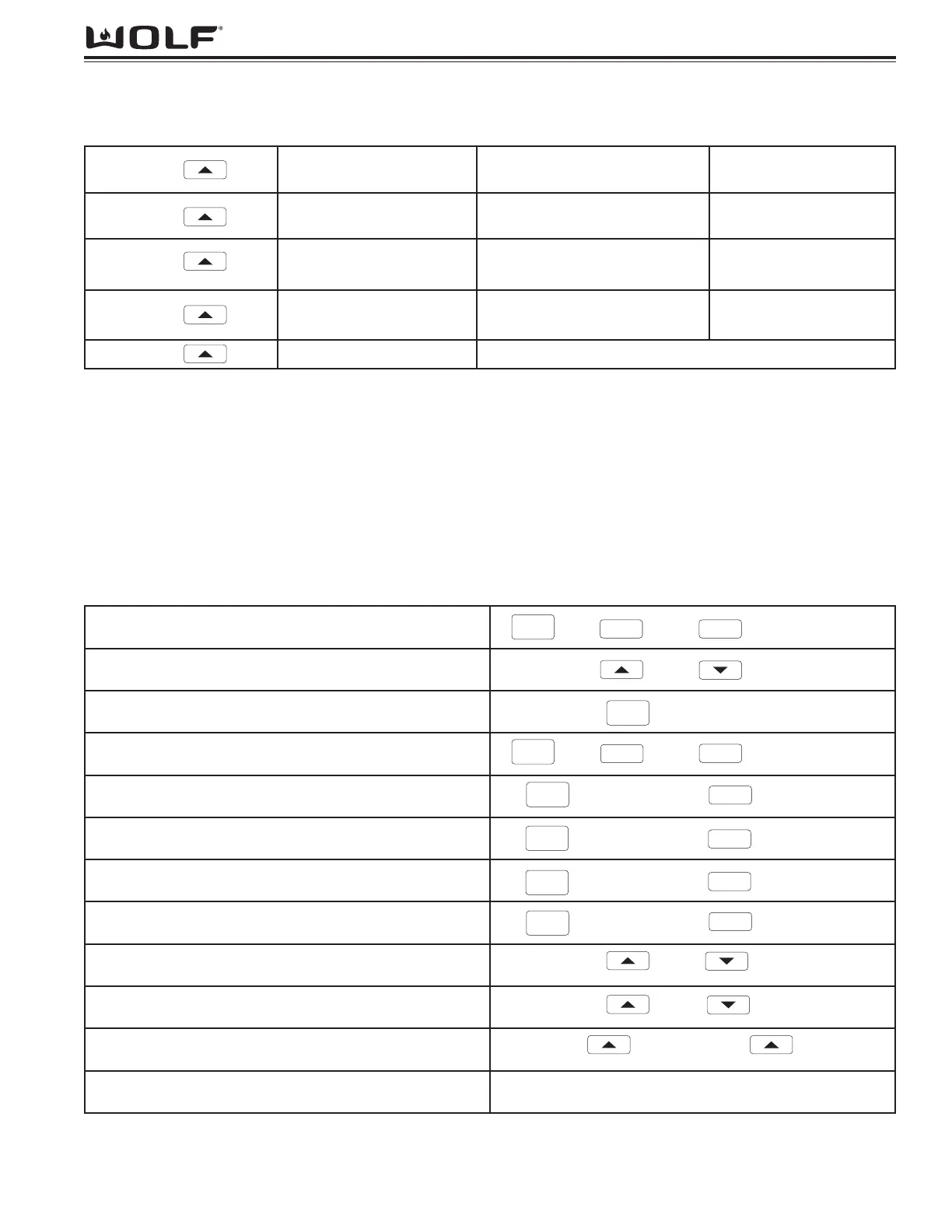
TEMP Dor CLOS if Drawer Closed / OPEn If Drawer Open
KEYPRESS TEMP DISPLAY TIMER DISPLAY “ON” INDICATOR
Figure 3-21. Field Service Mode Functionality Test of Element, Fan & Drawer.
5 Seconds
MODE/FUNCTION KEY PRESSES to ENTER
Figure 3-22. Quick Reference for Mode/Function Entry Key Presses.
Field Service Mode Functional Test Keystrokes:
Mode/Function Unique Keystroke:
&
5 Seconds
TEMP
&
5 Seconds
TIMER
&
5 Seconds
TEMP
&
5 Seconds
TIMER
TIMER


 To Next Page