3-8
Electronic Control Information
WARMING DRAWER WWD30
SABBATH MODE:
To accommodate Sabbath holidays, a special mode exists where control will only react to the “Power On/Off” button.
In Sabbath Mode, control display will not change. “ON” remains on all the time. LCD back lighting will also remain
on at all times during this mode at a rate of 50% normal power.
Mode Entry:
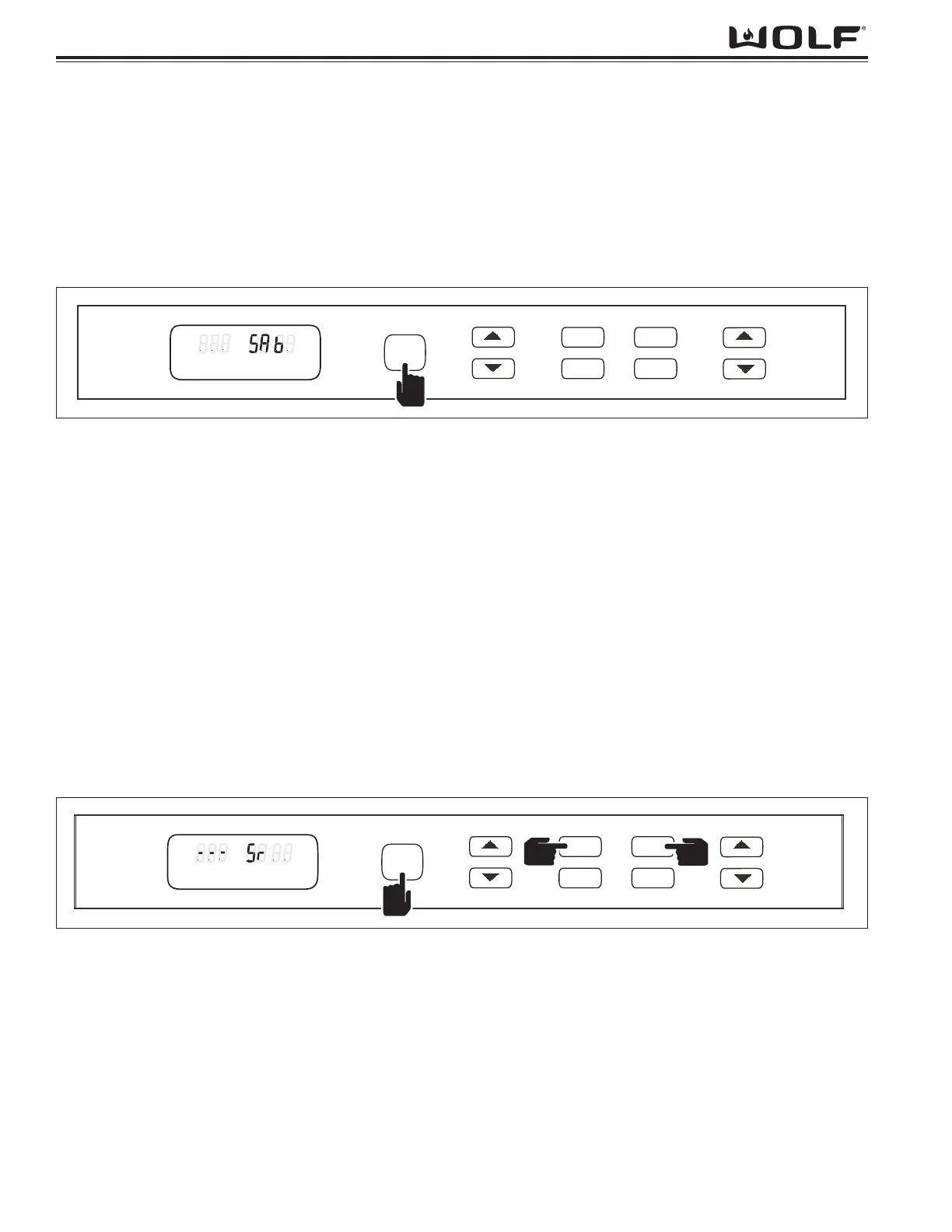
Starting from a unit “Off” mode, hold “Power On/Off” button for 5 seconds. (See Figure 3-10)
Operations:
The control will flash “SAb” in timer display area and selections can be made for 5 seconds, while the “SAb” is flash-
ing, at which time control will emit a tone twice and unit will remain in Sabbath mode.
NOTE: If back lighting was turned off prior to entering Sabbath mode then back light will remain off. See Back
Lighting Display Change instructions, this section, for details on how to enable or disable.
NOTE: Selections for Sabbath mode include “TEMP” up or down arrow buttons and any “PRESET” buttons.
NOTE: “TIMER” up or down arrow buttons will yield an invalid key press in Sabbath mode.
NOTE: If unit power is interrupted (unplugged), unit will return to Sabbath Mode upon next power up.
Once in Sabbath mode, unit will continue to say “SAb” in “TIMER” display area. While in Sabbath mode, control will
not show any changes to display. This includes “ON” light in display remaining on at all times during Sabbath mode.
Element can cycle as it would in normal warming mode. Fan runs while element is on and for a short period of time
after element turns off. If after Sabbath mode is entered and a second keypress does not occur, the unit will time out
after 10 seconds and go into a unit “OFF” mode. If drawer is opened, fan and element will not shut off.
NOTE: If drawer is open for longer than 1 minute, element will randomly turn on and off.
NOTE: If drawer is open and the unit calls for heat, element will randomly turn on and off.
Mode Exit:
A press of the “Power On/Off” key will terminate Sabbath mode and shut off unit at any time.
Figure 3-10. Press and hold Power On/Off for 5 second to enter Sabbath Mode.
SHOWROOM MODE:
Showroom mode allows unit to be run in a demonstration mode. Heating element and fan operation are disabled.
Mode Entry:
Starting from Unit Off mode, press “Power On/Off” key along with “HIGH” and “LOW” PRESET keys for 5 seconds.
A single soft tone will signify unit is in showroom mode and “Sr” will show in timer display. (See Figure 3-11)
NOTE: If power is turned off to unit, showroom mode will remain active.
NOTE: If unit power is interrupted (unplugged), unit will leave showroom mode upon next power up.
Operations:
Unit will function just as it normally would, but the fan and element will not energize while in this mode. The unit can
be turned on and/or off, temperature adjusted, and timer used, but the unit will not provide heat/air circulation.
Mode Exit:
Another press of the same key combination from the Showroom mode will toggle showroom mode off.


 To Next Page
 Loading...