Electronic Control Information
WARMING DRAWER WWD30
3-9
USER PREFERENCE SETUP
NOTE: Following changes must be made when unit is in “ON” mode.
Preset Change:
Changes can be made to presets by completing the following sequence. Press “Power On/Off” key, then press pre-
set key you wish to change and hold for 5 seconds. After 5 seconds, timer display, temperature display and “TIMER”
will illuminate and flash. Using “TEMP” up or down arrow keys, and/or the “TIMER” up or down arrow keys, change
the values to your own personalized presets. After all settings are complete, press and hold the preset key being
changed for 5 seconds again. Three quick tones will signify preset has been changed and unit will shut off.
NOTE: “PROOF” mode can only be adjusted from 80°F to 120°F.
NOTE: Unit will turn off after 30 seconds if no key presses are made.
NOTE: Changes to preset mode entered will be saved only if key being changed is pressed and held for 5 seconds
after making changes.
USER PREFERENCE OFFSETS (UPO)
NOTE: Following changes must be made when unit is in “OFF” mode.
NOTE: See Figure 3-20 for a quick reference to keystrokes to enter modes and features.
Temperature Display Preference:
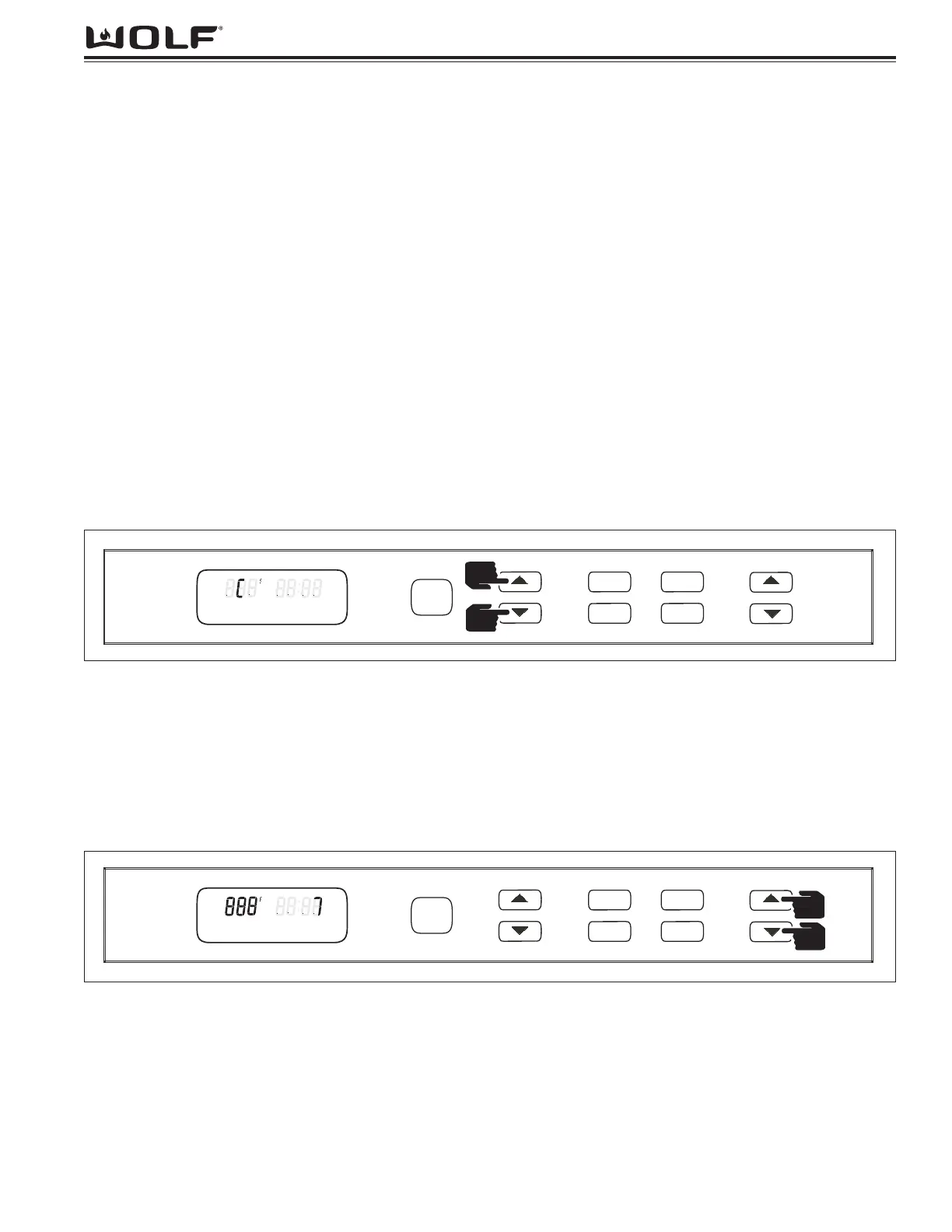
Control can be switched between Fahrenheit or Celsius by pressing and holding both “TEMP” up and down arrow
key for 5 seconds. Use the “TEMP” Up or Down arrow key to change from °F to °C or °C to °F. (See Figure 3-12)
NOTE: Press “Power On/Off” key to exit and save changes.
Display Contrast Change:
Display contrast can be adjusted by pressing and holding both the TIMER up and down arrow keys for 5 seconds.
Use the “TIMER” Up and/or down arrow keys to change contrast from the preset. (See Figure 3-13)
NOTE: Contrast setting is from 0 to 15 with 15 being the darkest contrast setting. Unit default is 7.
Press the “Power On/Off” key to exit and save changes.
NOTE: Unit will turn off after 30 seconds if no key presses are made.


 To Next Page