IMPREZA(NA) A1850BE-A (ENGLISH)
2
Keys and doors
2-23
– CONTINUED –
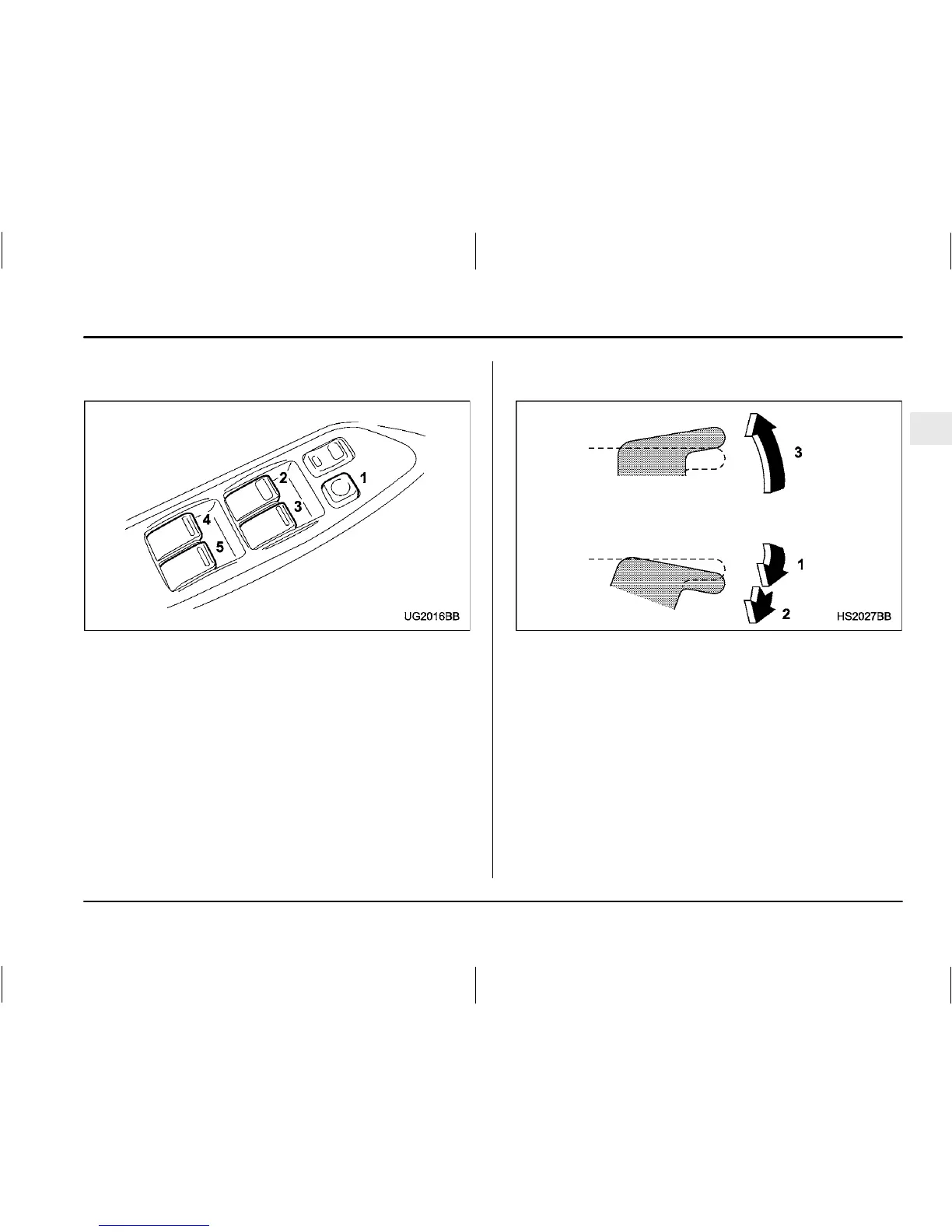
B Driver’s side switches
1) Lock switch
2) For driver’s window (with one-touch auto down fea-
ture)
3) For front passenger’s window
4) For rear left window
5) For rear right window
All door windows can be controlled by the power
window switch cluster at the driver side door.
n Operating the driver’s window
1) Open
2) Automatically open
3) Close
To open:
Push the switch down lightly and hold it. The win-
dow will open as long as the switch is held.
This switch also has a one-touch auto down feature
that allows the window to be opened fully without
holding the switch.
Push the switch down until it clicks and release it,
and the window will fully open. To stop the window
halfway, pull the switch up lightly.










 To Next Page