(SiriusXM) on the “Select Audio Source
(Select Audio Source)” screen. (→P.51)
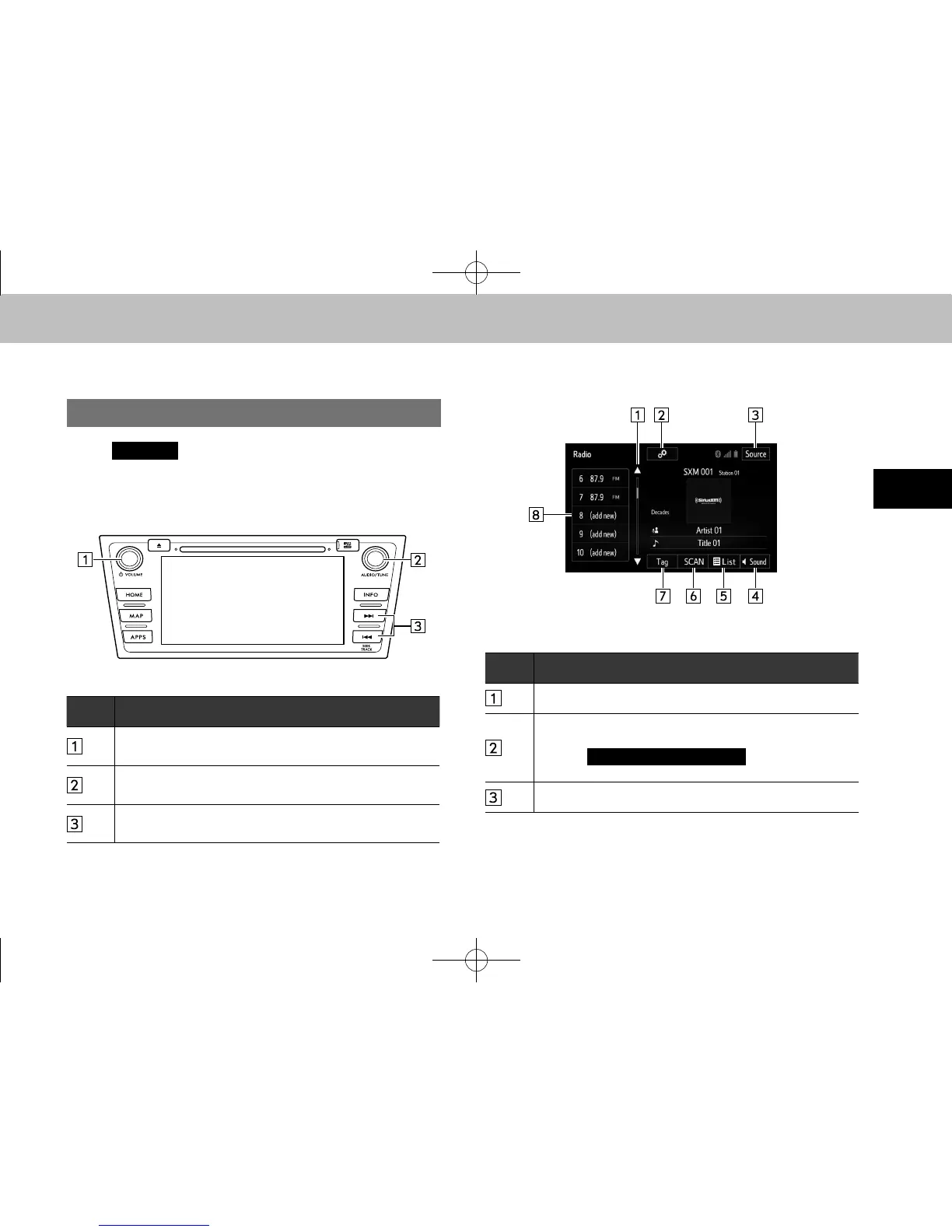
XControl panel
No. Function
Turn to adjust volume.
Press to turn the audio system on/off.
Turn to step up/down channels.
Press to select an audio mode.
Select to seek for a channel.
Select and hold for continuous seek.
XControl screen
No. Function
Select to scroll the list of preset buttons.
Select to display the option screen.
• Select to scan for receivable channels.
• Select
(Additional
Information) to display the information.
Select to display the audio source selection screen.
docstructure.indb 65 2014/08/20 17:34:28















 To Next Page