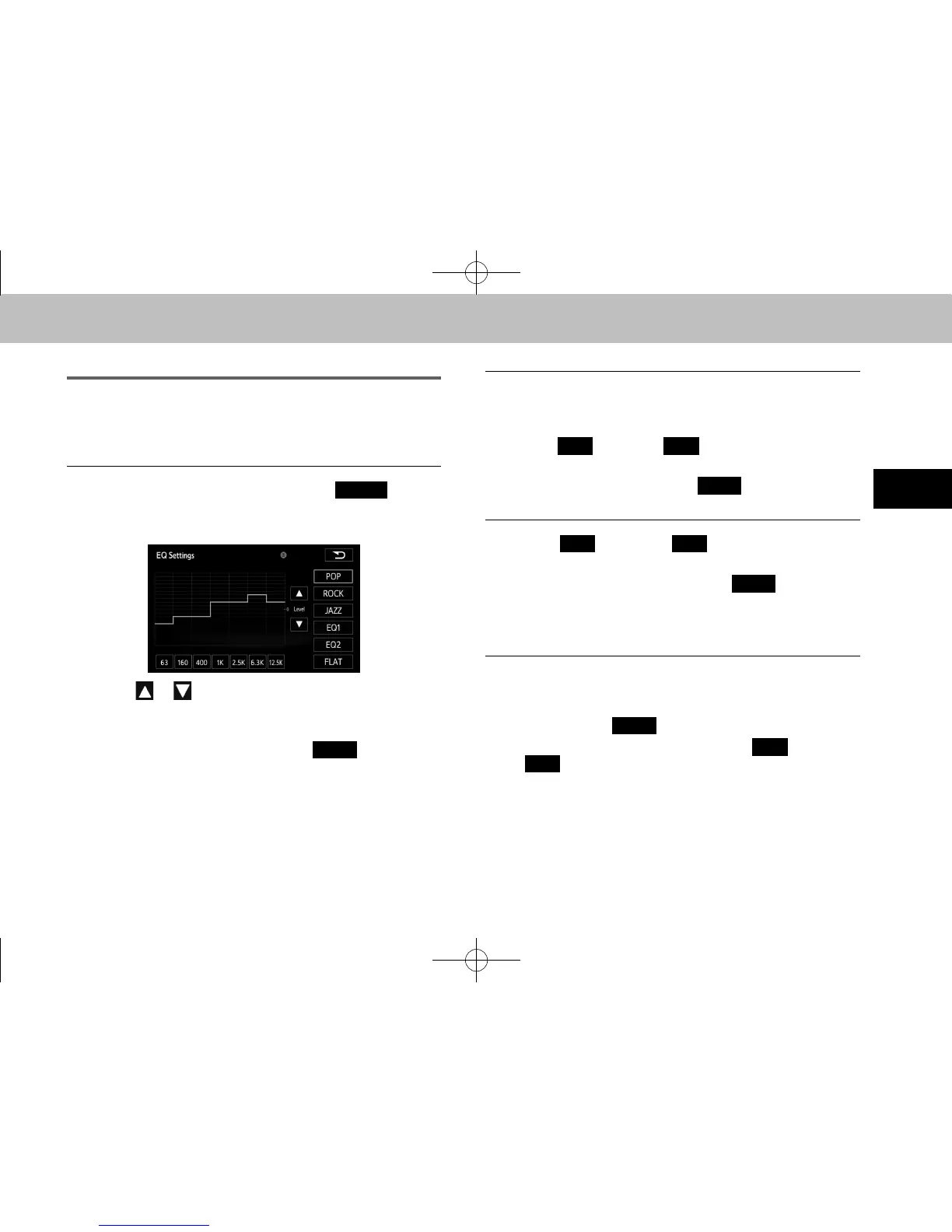
ADJUSTING THE SOUND QUALITY
You can adjust the sound quality from the low band to the
high band.
n ADJUSTING THE SOUND QUALITY
1. On the sound settings screen, select
(Adjust)
in “EQ Settings (EQ Settings)”.
2. Select the sound band that you want to adjust.
3. Select or .
● You can also adjust to the desired level by touching
the screen.
● To reset the sound quality, select
(FLAT).
n SAVING THE SOUND QUALITY
You can save the adjusted sound quality settings.
1. Adjust the sound quality.
2. Select
(EQ2) for 2 seconds or
more.
● Values cannot be saved for
(FLAT).
n USING A PRESET SOUND QUALITY
1. Select
(EQ2) to activate the
corresponding preset sound quality.
● To reset the sound quality, select
(FLAT).
● This function can also be used at the “EQ Settings
(EQ Settings)”.
n RESETTING THE EQ CURVE
You can return the adjusted value for the currently stored
equalizer to its initial value.
1. Select and hold
(FLAT) for 2 seconds or more.
● The adjusted values for the stored
(EQ2) are returned to their initial values.
docstructure.indb 53 2014/08/20 17:34:22















 To Next Page