SELECTING AN AUDIO SOURCE
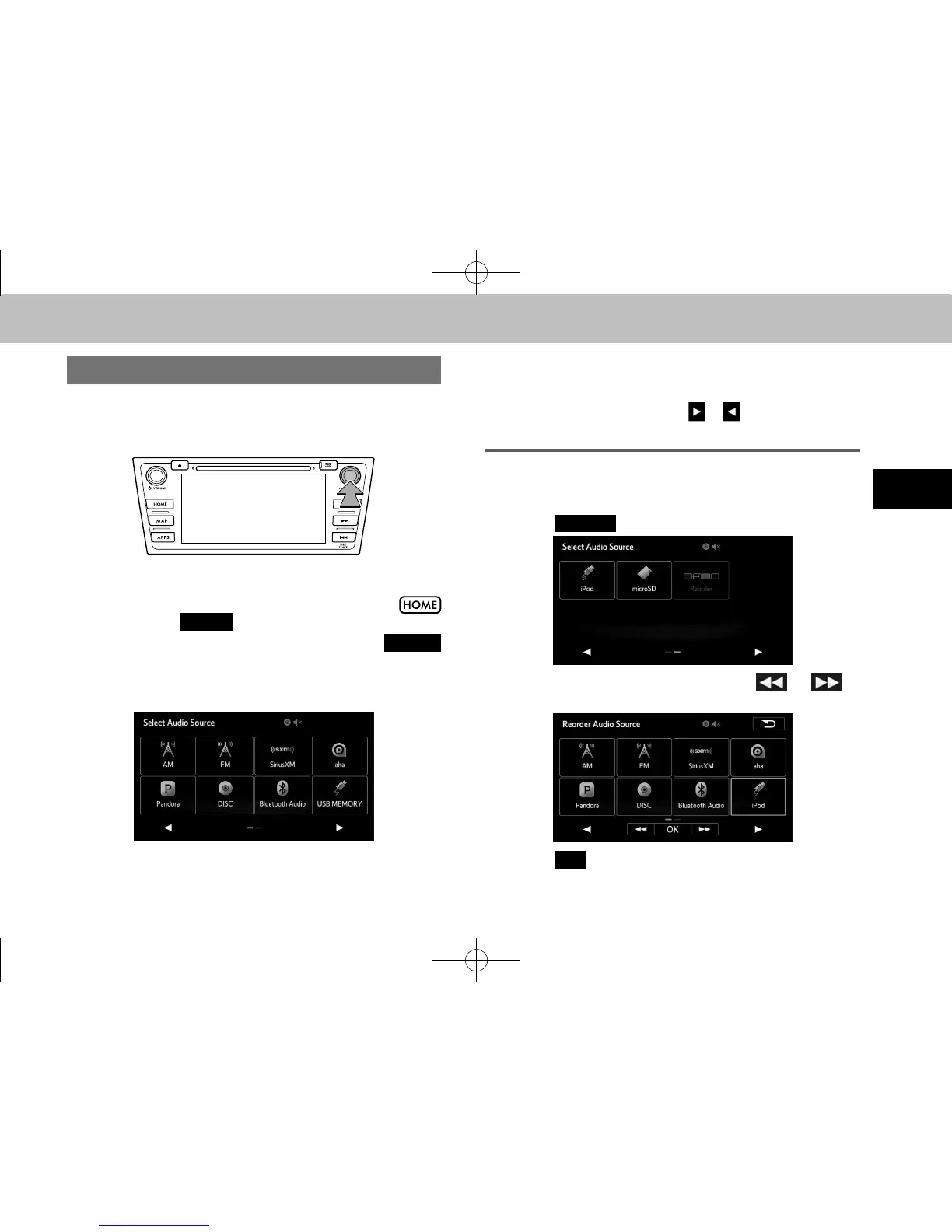
1. Press the “AUDIO/TUNE” knob.
● The screen can also be displayed by selecting
followed by
(AUDIO).
● If the audio control screen appears, select
(Source) on the audio screen or press the “AUDIO/
TUNE” knob again.
2. Select the desired source.
l Dimmed screen buttons cannot be operated.
l When there are two pages, select
or to change the page.
REORDERING THE AUDIO SOURCE
1. Display the “Select Audio Source (Select Audio Source)”
screen. (→P.51)
2. Select
(Reorder).
3. Select the desired audio source then or to
reorder.
4. Select
(OK).
docstructure.indb 51 2014/08/20 17:34:21















 To Next Page