MEDIA OPERATION
78
SD CARD (WITH NAVIGATION
FUNCTION)
Audio les, video les and image les on the SD card can
be played back/viewed. Image les can be viewed at the
same time that audio les are being played back.
While driving, video/slideshow will not be displayed. Only
sound will be output.
OVERVIEW
The SD Audio/Video playback screen can be reached by the
following methods:
● Insert an SD card. (→P.38)
● Select
(microSD) on the “Select Audio
Source (Select Audio Source)” screen. (→P.51)
The SD Photo playback screen can be reached by the
following method:
● Select
(microSD Photo) on the
“INFO (INFO)” screen. (→P.22)
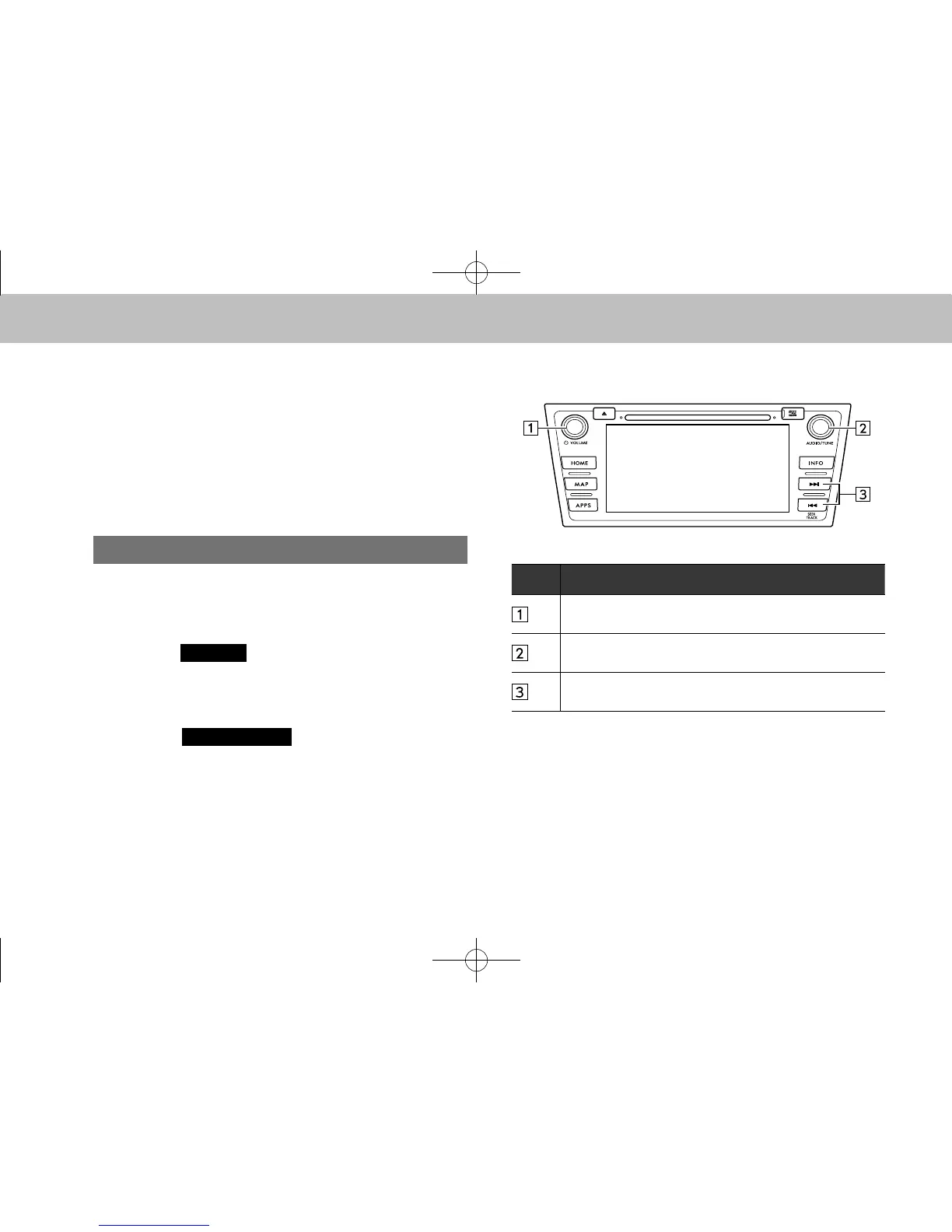
XControl panel
No. Function
Turn to adjust volume.
Press to turn the audio system on/off.
Turn to select a le/track.
Press to select an audio mode.
Select to select a le/track.
Select and hold to fast forward/rewind.
docstructure.indb 78 2014/08/20 17:34:33














 To Next Page