BASIC OPERATION
52
SOUND SETTINGS
The following sound quality can be adjusted.
BALANCE:
A good balance of the left and right stereo channels and of
the front and rear sound levels is also important.
Keep in mind that when listening to a stereo recording or
broadcast, changing the right/left balance will increase the
volume of 1 group of sounds while decreasing the volume of
another.
EQUALIZER:
Equalizer curves set beforehand to match sound quality can
be selected, and curves can be set to your favorite music by
adjusting them individually over low to high bands.
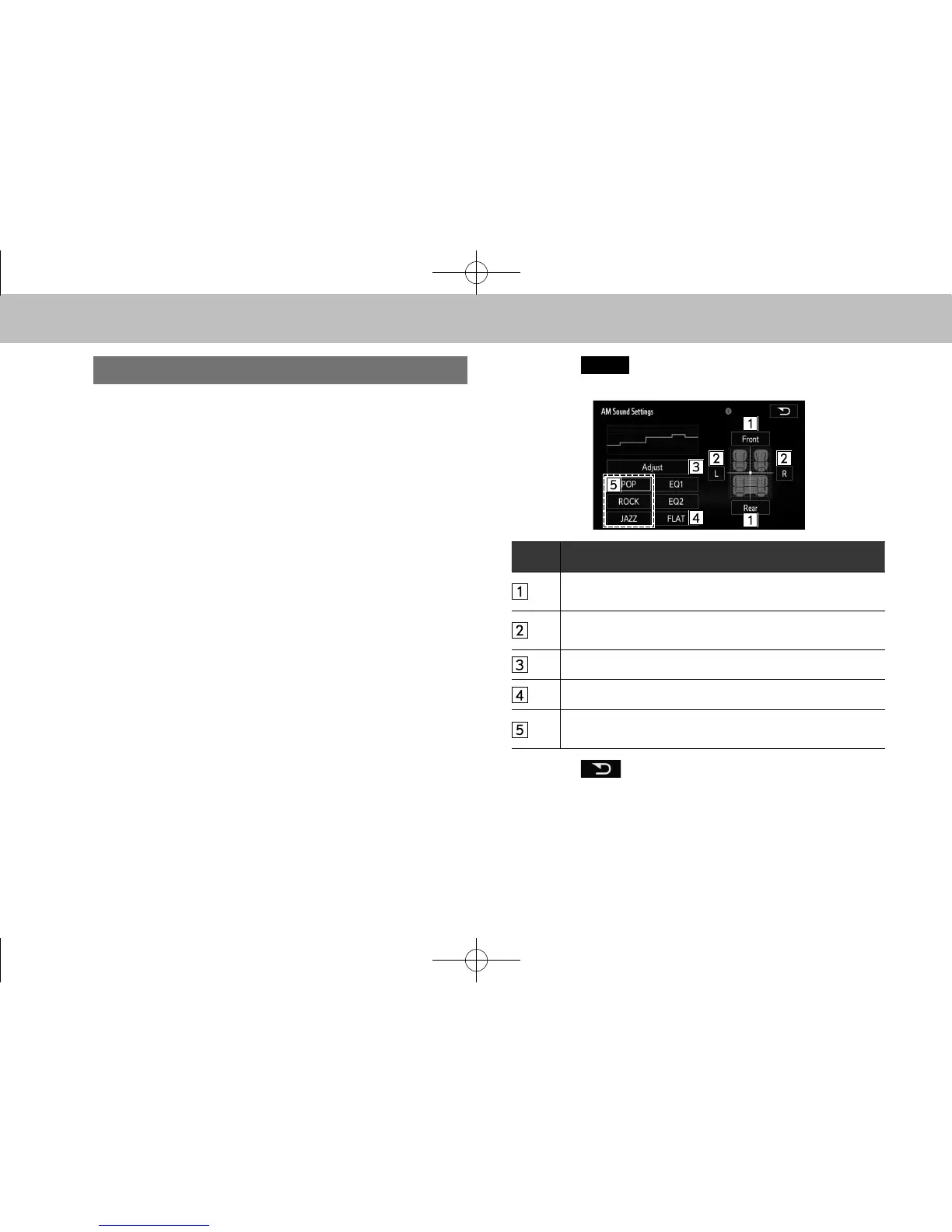
1. Select
(Sound) on the audio control screen.
2. Select the desired screen button.
No. Function
Select to adjust the sound balance between the front
and rear speakers.
Select to adjust the sound balance between the left and
right speakers.
Select to adjust the sound quality. (→P.53)
Select to reset the adjusted sound quality.
Select to change to sound quality appropriate for the
music (POP, ROCK, JAZZ) type.
3. Select .
docstructure.indb 52 2014/08/20 17:34:21















 To Next Page