AUDIO/VISUAL REMOTE CONTROLS
88
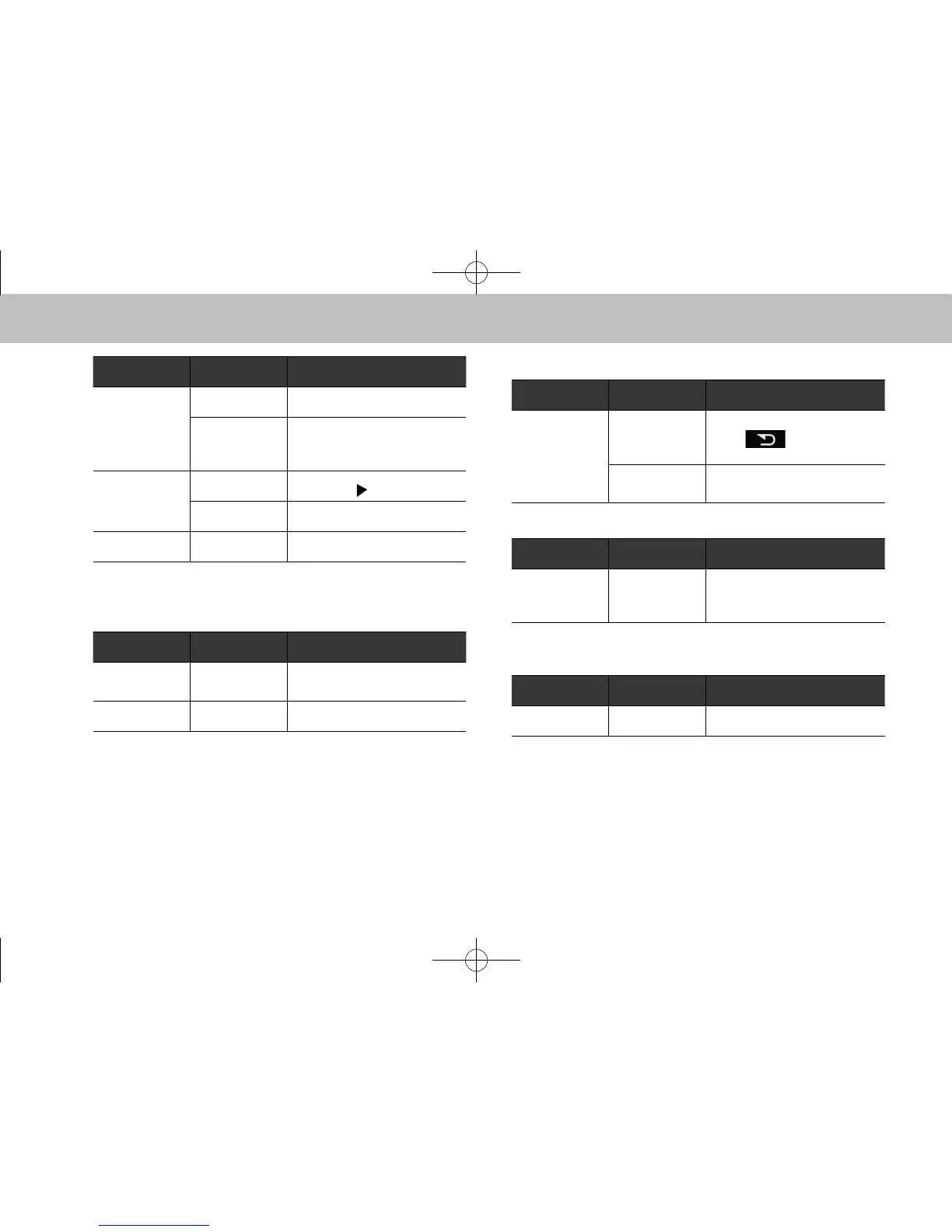
Mode Operation Function
Audio CD, MP3/
WMA/AAC
disc, SD*
1
,
USB, iPod,
Bluetooth audio
Press Select a track/le
Press and hold Fast forward/rewind
Pandora*
2
Press
Track up (“
”only)
Press and hold Thumbs up/down
List screen Press Cursor left/right
*
1
: With navigation function
*
2
: Pandora is available in the United States, Australia, and New Zealand.
XMute/enter switch
Mode Operation Function
Except list
screen
Press Mute/unmute
List screen Press Select cursor entry
XBack switch
Mode Operation Function
All
Press
Return to the previous screen
when
is displayed on
the screen.
Press and hold
Return to the “HOME
(HOME)” screen
XList switch
Mode Operation Function
Audio screen,
Navigation*
screen
Press Show list screen
*: With navigation function
X“Source” switch
Mode Operation Function
All Press Change audio modes
l In the aha, Pandora* and STARLINK mode, some operation may
be done on the screen depend on the selected APPS.
*: Pandora is available in the United States, Australia, and New Zealand.
docstructure.indb 88 2014/08/20 17:34:36














 To Next Page