TIPS FOR OPERATING THE AUDIO/VISUAL SYSTEM
96
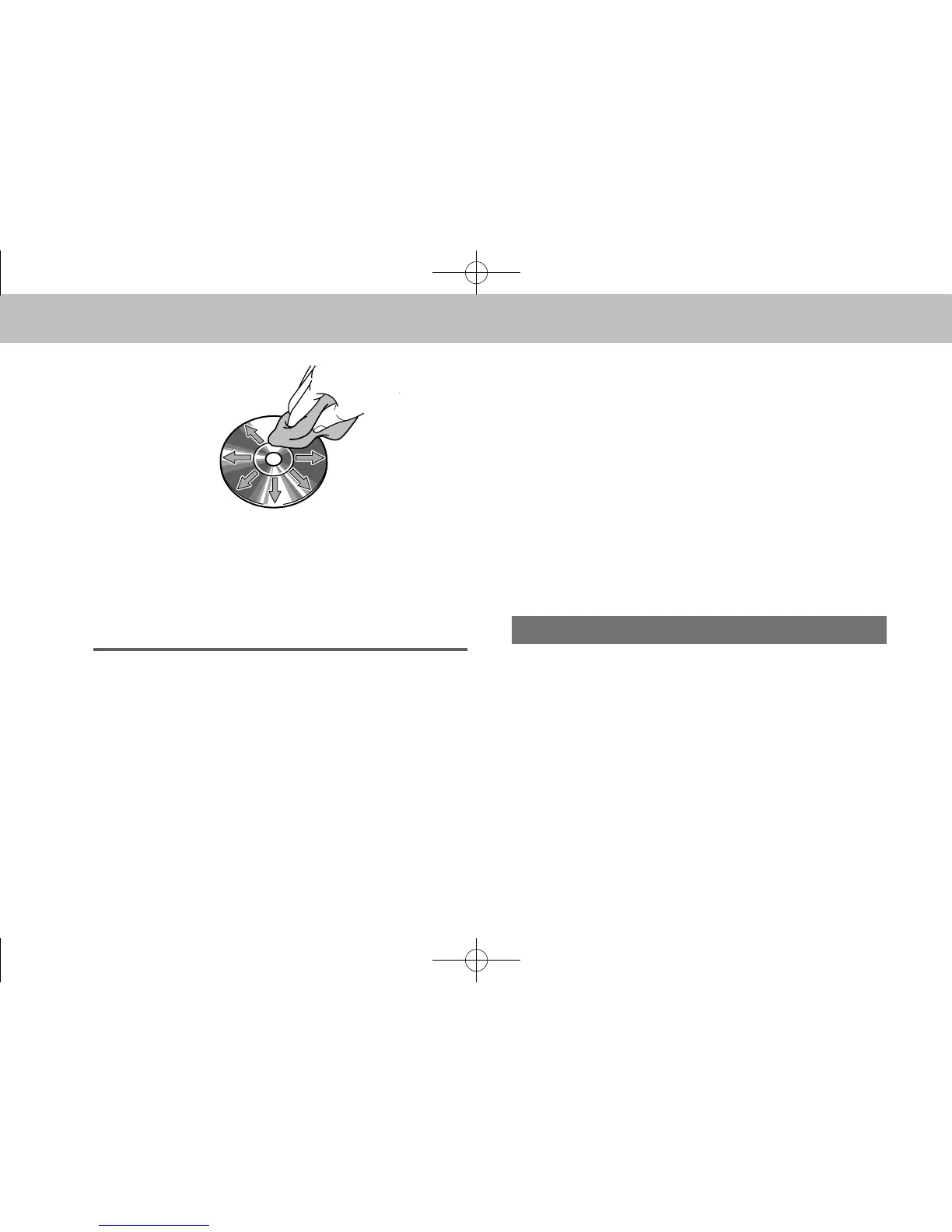
To clean a disc: Wipe it with a soft, lint-free cloth that has
been dampened with water. Wipe in a straight line from
the center to the edge of the disc (not in circles). Dry it
with another soft, lint-free cloth. Do not use a conventional
record cleaner or anti-static device.
CD-R/RW DISCS
● CD-R/CD-RW discs that have not been subject to
the “nalizing process” (a process that allows discs
to be played on a conventional CD player) cannot be
played.
● It may not be possible to play CD-R/CD-RW discs
recorded on a music CD recorder or a personal
computer because of disc characteristics, scratches
or dirt on the disc, or dirt, condensation, etc. on the
lens of the unit.
● It may not be possible to play discs recorded on a
personal computer depending on the application
settings and the environment. Record with the
correct format. (For details, contact the appropriate
application manufacturers of the applications.)
● CD-R/CD-RW discs may be damaged by direct
exposure to sunlight, high temperatures or other
storage conditions. The unit may be unable to play
some damaged discs.
● If you insert a CD-RW disc into the player, playback
will begin more slowly than with a conventional CD or
CD-R disc.
● Recordings on CD-R/CD-RW cannot be played using
the DDCD (Double Density CD) system.
USB MEMORY
● USB communication formats: USB 2.0 HS (480
Mbps) and FS (12 Mbps)
● File formats: FAT 16/32
● Correspondence class: Mass storage class
docstructure.indb 96 2014/08/20 17:34:39














 To Next Page