Black plate (273,1)
一般Model "A8190GE-C" EDITED: 2013/ 3/ 29
automatically reloading the disc. In this
case, the disc is not played.
& When the following mes-
sages are displayed
If one of the following messages is
displayed while operating the CD player,
determine the cause based on the follow-
ing information. If you cannot clear those
messages, we recommend that you con-
tact your SUBARU dealer.
! When “PUSH EJECT” is displayed
Press the
button to eject the disc.
Check the disc for damage or deforma-
tion, and also check that the correct disc is
inserted. Do not try to eject the disc
forcibly. Mini CDs (e.g., 8 cm/3 inch CDs)
are not supported, and if inserted, they will
be immediately ejected and this message
will be displayed. If the disc cannot be
ejected or this message remains dis-
played, we recommend that you contact
your SUBARU dealer.
! When “CHECK DISC” is displayed
Press the
button to eject the disc.
Check that the disc is not damaged or
scratched, and also check that the disc is
inserted correctly. This message may
appear when using some CD-RW discs.
Check that the disc type (e.g., 8 cm/3 inch
CDs are not supported) and data format
are correct. This player can only play
MP3, WMA and AAC data formats. If the
disc cannot be ejected or this message
remains displayed, we recommend that
you contact your SUBARU dealer.
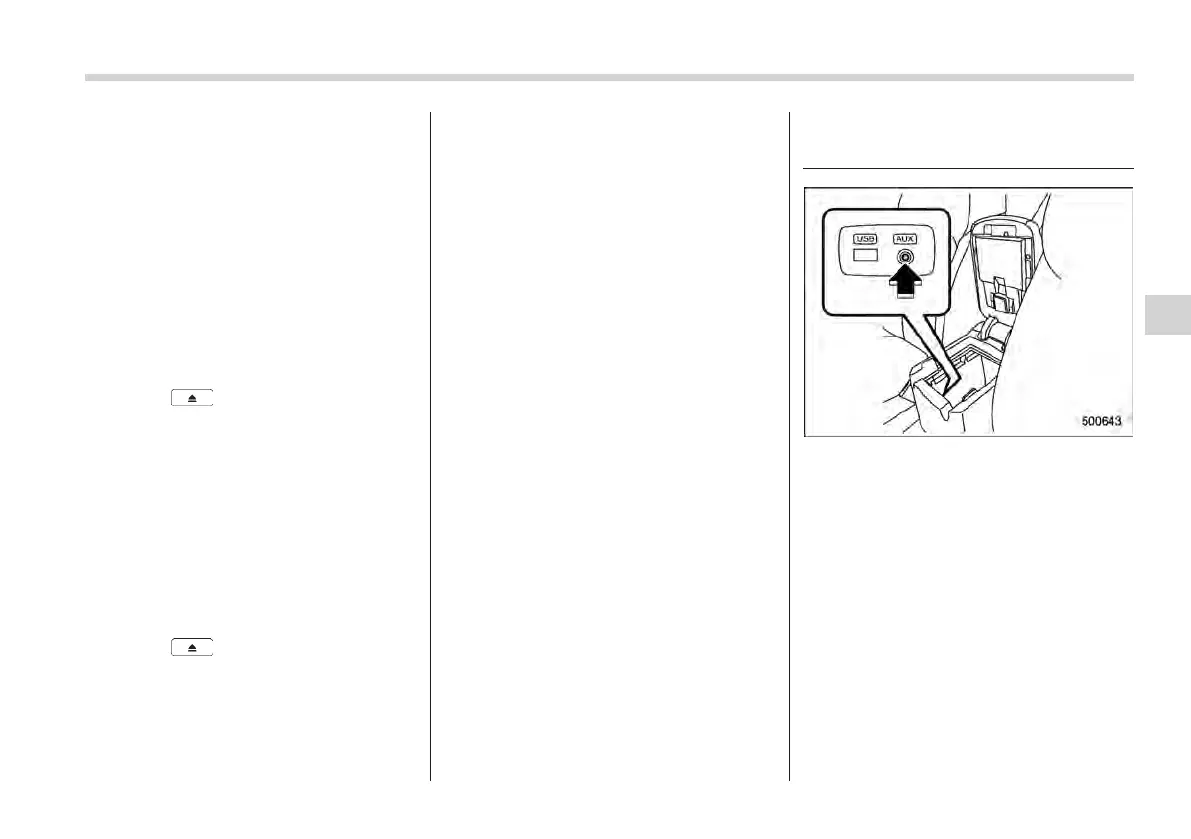
Auxiliary input jack (if
equipped)
You can connect an external audio device
to the vehicle’s audio system and play
back audio via the vehicle’s speakers.
An auxiliary (AUX) input jack is equipped
in the center console. A stereo mini pin
plug (3.5ø) can be inserted in this jack.
The connection cable is available at
electrical appliance or similar stores.
To use the AUX input jack:
1. Connect a portable audio player to the
AUX input jack.
Audio/Auxiliary input jack
5-19
– CONTINUED –
5















 To Next Page