Black plate (419,1)
一般Model "A8190GE-C" EDITED: 2013/ 3/ 29
clutch pedal (MT models) or brake pedal
(CVT models) released. The status of the
push-button ignition switch then changes
to “ON”.
NOTE
If the power does not switch even
though the above procedure was fol-
lowed precisely, we recommend that
you contact your SUBARU dealer.
& Starting engine
1. Apply the parking brake.
2. Shift the shift lever into neutral (MT
models) or the select lever into the “P”
position (CVT models).
3. Depress the brake pedal.
4. Depress the clutch pedal (MT models).
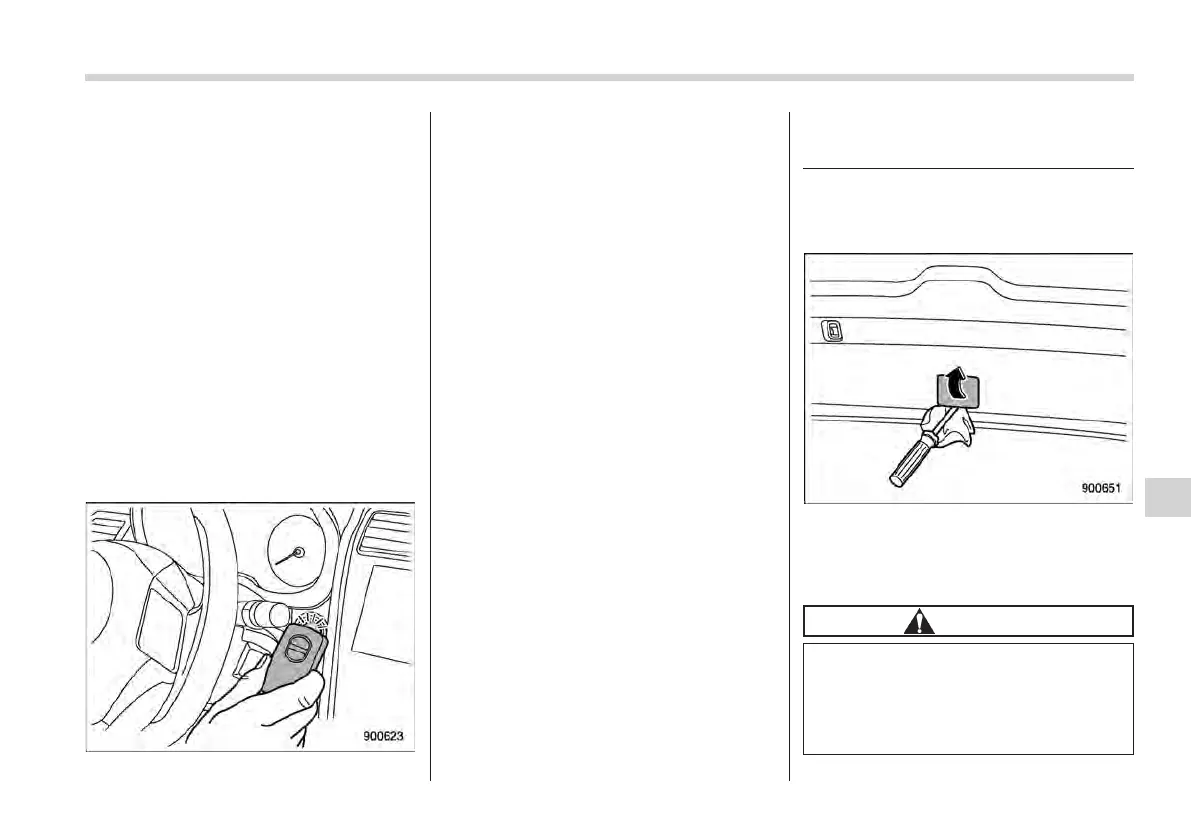
5. Hold the access key with the buttons
facing you, and touch the push-button
ignition switch with it.
When the communication between the
access key and the vehicle is completed,
a chime (ding) will sound, and the opera-
tion indicator on the push-button ignition
switch illuminates in green. At the same
time, the push-button ignition switch turns
to the “ACC” or “ON” position.
6. Within 5 seconds after the operation
indicator illuminates in green, while de-
pressing the brake pedal (all models) and
the clutch pedal (MT models), press the
push-button ignition switch.
NOTE
If the engine does not start even
though the above procedure was fol-
lowed precisely, we recommend that
you contact your SUBARU dealer.
Rear gate – if the rear gate
cannot be opened
In the event that you cannot open the rear
gate by operating the rear gate opener,
you can open it from inside the cargo area.
1. Remove the access cover at the
bottom-center of the rear gate trim.
2. Locate the rear gate open lever behind
the rear gate trim panel.
CAUTION
Never operate the rear gate open
lever with your fingers because
doing so may cause an injury. Al-
ways use a flat-head screwdriver or
a similar tool.
In case of emergency/Rear gate – if the rear gate cannot be opened
9-17
– CONTINUED –
9















 To Next Page