tion is represented using an animation of
the traffic lane.
If the ABS is activated, all of the vehicle’s
wheels will be illuminated in yellow and
the length of operation in seconds and the
number of activations will be displayed in
the bar indicator, located on the lowermost
part of the display.
If the Vehicle Dynamics Control system is
activated, the activated vehicle wheels will
be illuminated in yellow and the operating
indicator “
” will appear on the upper right
part of the display. Also, the length of
operation in seconds and the number of
activations will be displayed in the bar
indicator.
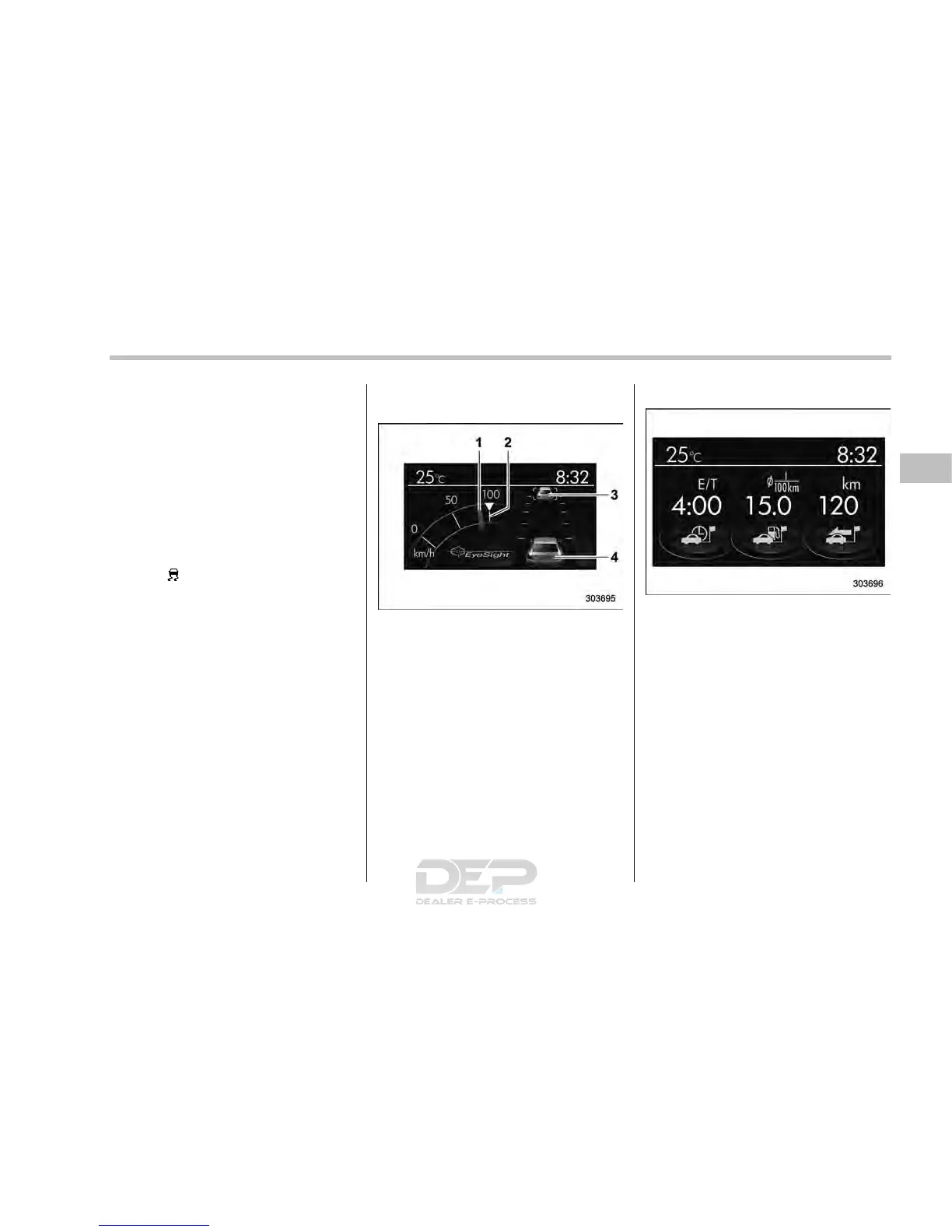
! EyeSight screen (models with
EyeSight system)
1) Current vehicle speed
2) Set vehicle speed
3) Preceding vehicle
4) Your vehicle
This screen displays the status of the
EyeSight system. For details, refer to the
Owner ’s Manual supple ment for the
EyeSight system.
! Triple meter screen
Triple meter screen (display example)
This screen displays up to three optional
pieces of information that can be selected
from the following items.
The items shown in the triple meter screen
can be changed. For details, refer to
“Triple meter setting” F3-70.
Instruments and controls/Multi function display
– CONTINUED –
3-51














 To Next Page