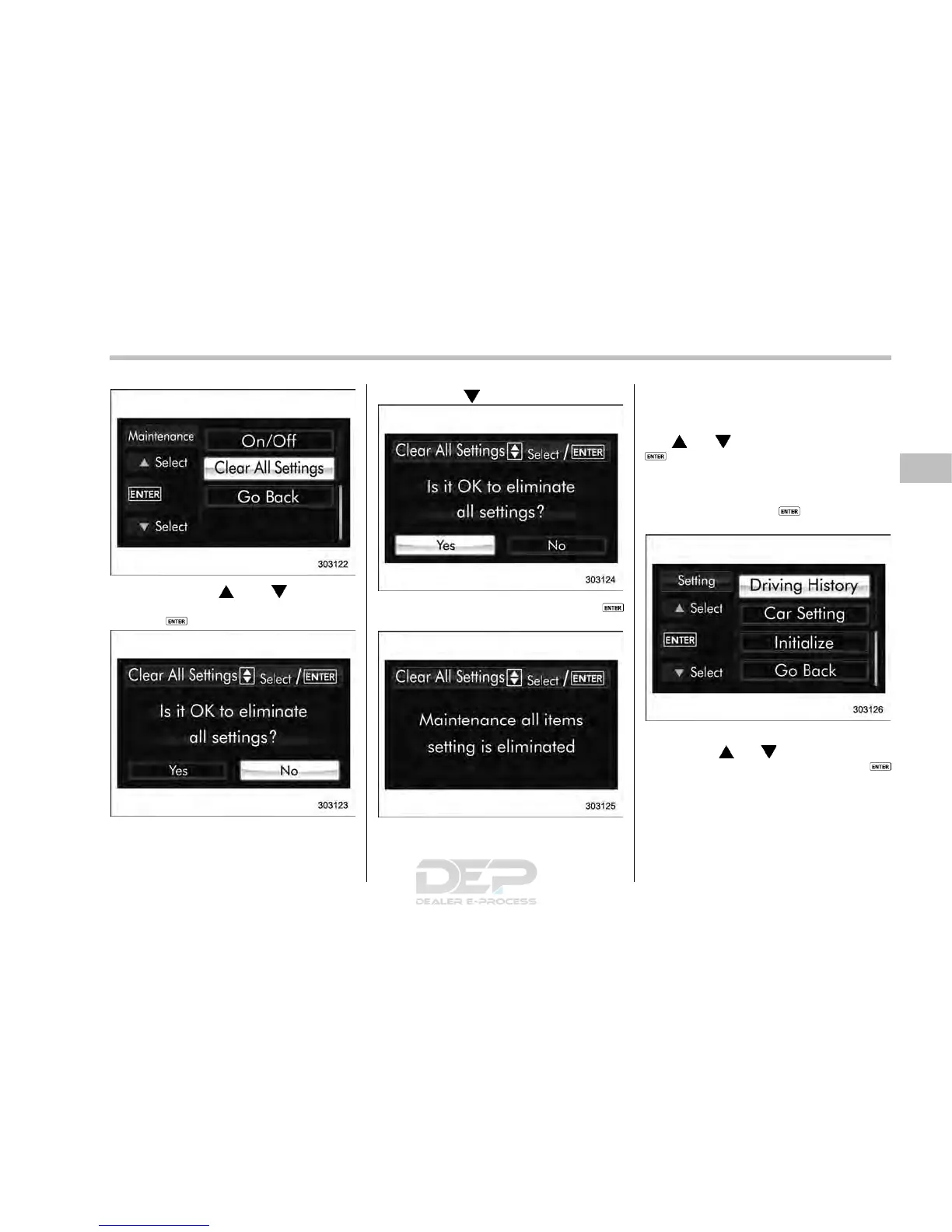
2. Operate the “ ” or “ ” switch to
select the “Clear All Settings” item. Then
push the
button.
3. The system will prompt a Yes/No
dialogue (“No” is selected first). To clear
all maintenance settings, select “Yes” by
operating the “
” switch.
4. Confirm the setting by pushing the
button.
5. The system will notify you that the
setting is complete.
& Driving history registration
The items in the driving history can be
registered. To change the items, operate
the “
” or “ ” switch, and then push the
button.
1. Turn the ignition switch to the “ON”
position.
2. Push and hold the
button to show
the selection screen.
3. After the selection screen is displayed,
operate the “
” or “ ” switch to show the
“Driving History” item. Then, push the
button.
Instruments and controls/Multi function display
– CONTINUED –
3-77














 To Next Page