Instruments and controls/Multi function display
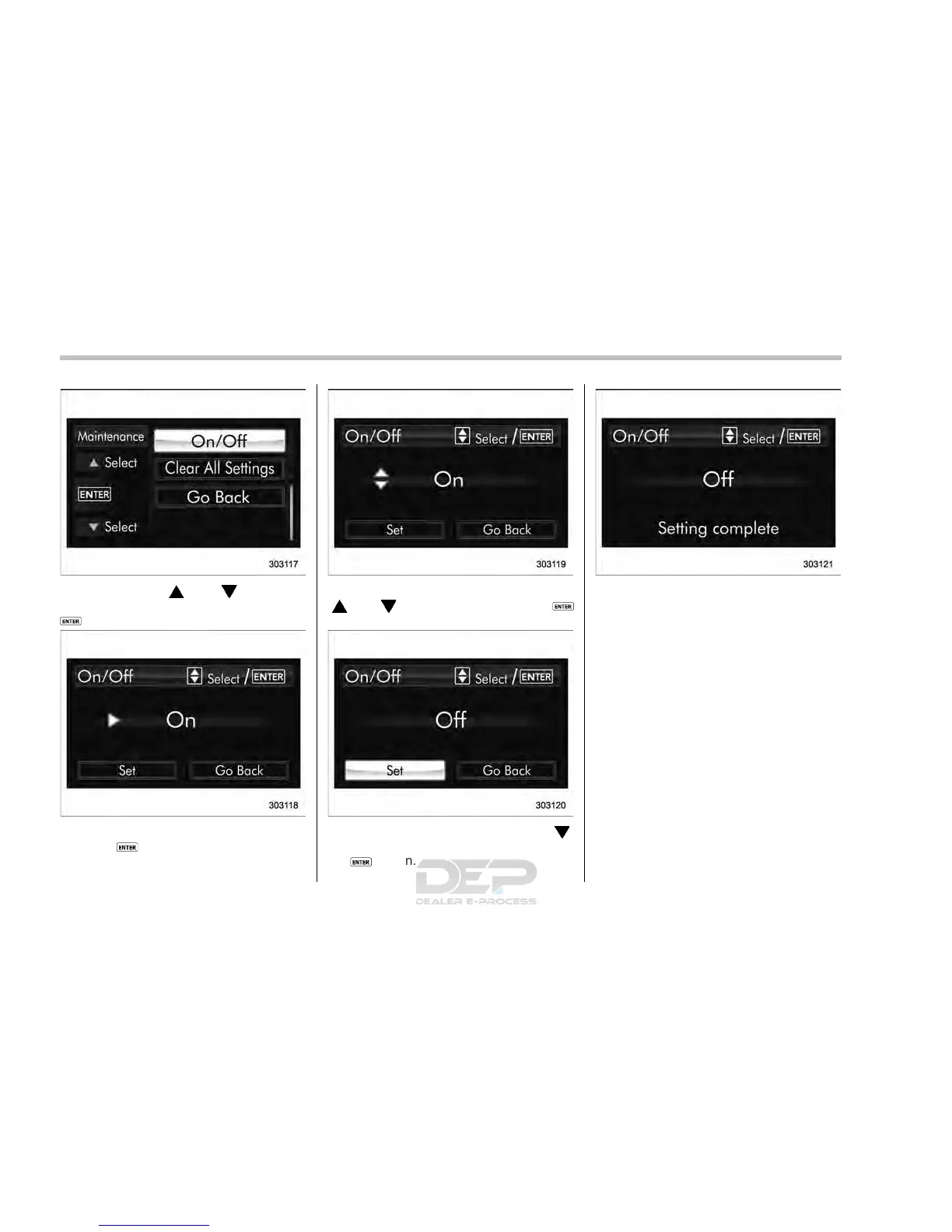
2. Operate the “ ” or “ ” switch to
select the “On/Off” item. Then push the
button.
3. The current setting will be displayed.
Push the
button to enter the selection
mode.
4. Select “On” or “Off” by operating the
“
” or “ ” switch. Then push the
button.
5. Select “Set” by operating the “ ”
switch, and confirm the setting by pushing
the
button.
6. The system will notify you that the
setting is complete.
! Clear setting
1. Perform the preparation steps accord-
ing to “Preparation for maintenance set-
tings” F3-74.
3-76














 To Next Page