Instruments and controls/Multi function display
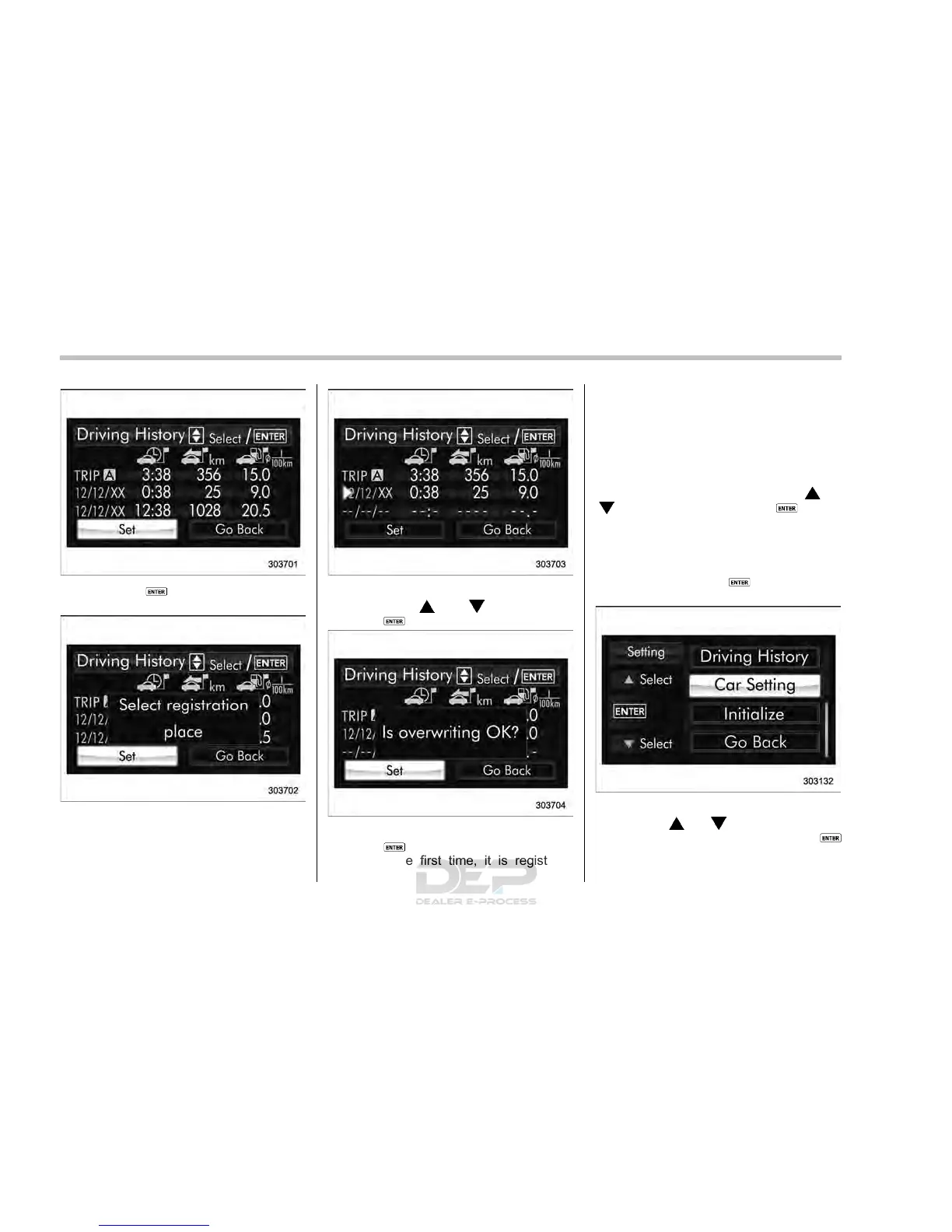
4. Push the button once more to
enter the setting mode.
5. The system will notify you of the place
to be selected for approximately 2 sec-
onds.
6. Select one of the registration lines by
operating the “
” or “ ” switch. Then
push the
button.
7. To overwrite the previous registration,
push the
button. When registration is
performed the first time, it is registered
directly without a notification.
8. The system will notify you that the
registration is complete.
& Car settings
The items in the car settings can be set.
To change the items, operate the “
” or
“
” switch, and then push the button.
! Preparation for car settings
1. Turn the ignition switch to the “ON”
position.
2. Push and hold the
button to show
the selection screen.
3. After the selection screen is displayed,
operate the “
” or “ ” switch to show the
“Car Setting” item. Then, push the
button.
3-78














 To Next Page