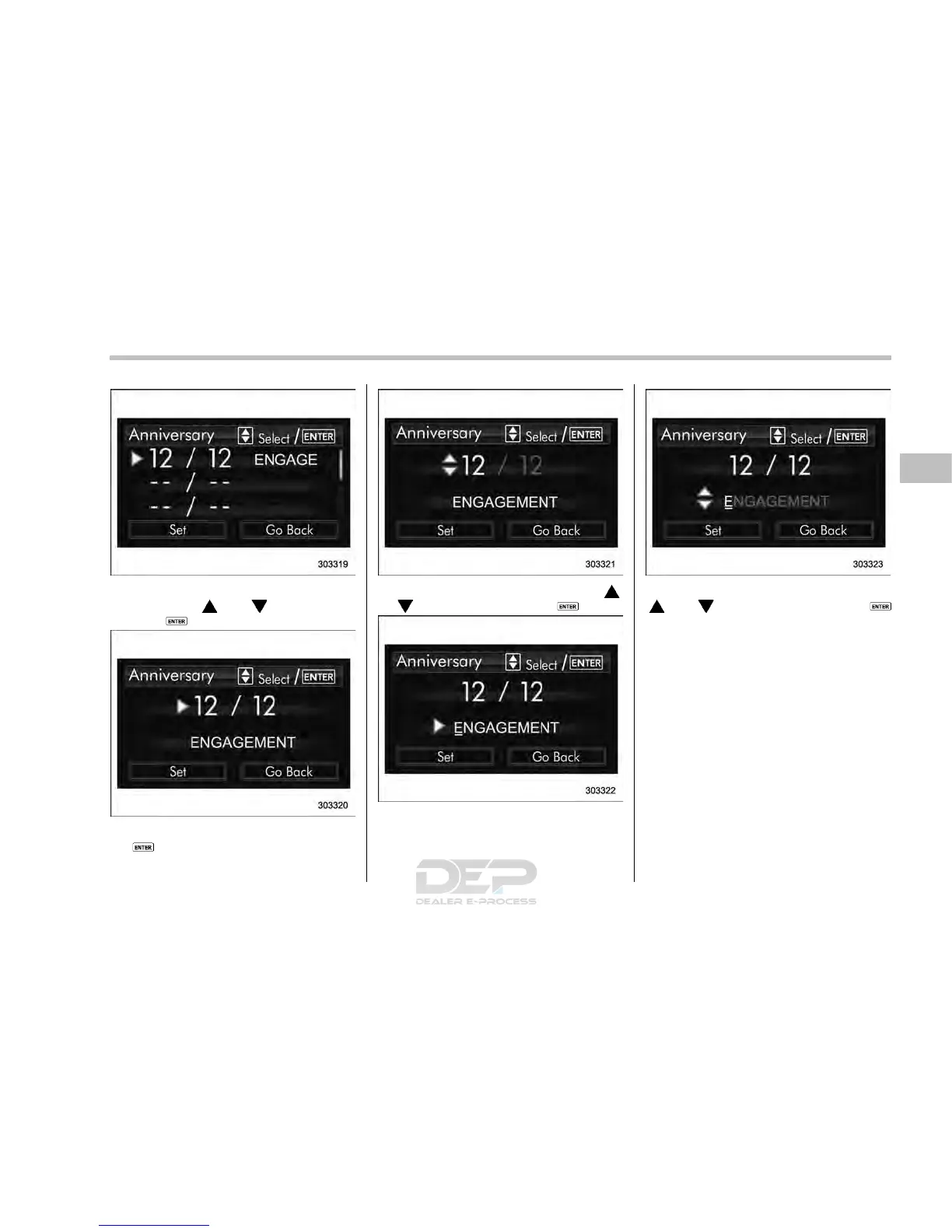
3. Select an entry in the list to set by
operating the “
” or “ ” switch. Then
push the
button.
4. The selected item will be shown. Push
the
button to set the selected item.
5. Select numbers by operating the “ ”
or “
” switch. Then push the button.
6. After entering the date by repeating
step 5, you can enter the name.
7. Select characters by operating the
“
” or “ ” switch. Then push the
button.
– You can select characters of the
English alphabet (upper case charac-
ters and lower case characters are
available), eleven symbols or blank
spaces.
– The word being edited will be
displayed with an underline.
Instruments and controls/Multi function display
– CONTINUED –
3-61














 To Next Page