not been activated.
. You can also switch to aha or
Pandora (if equipped) from the APPS
screen.
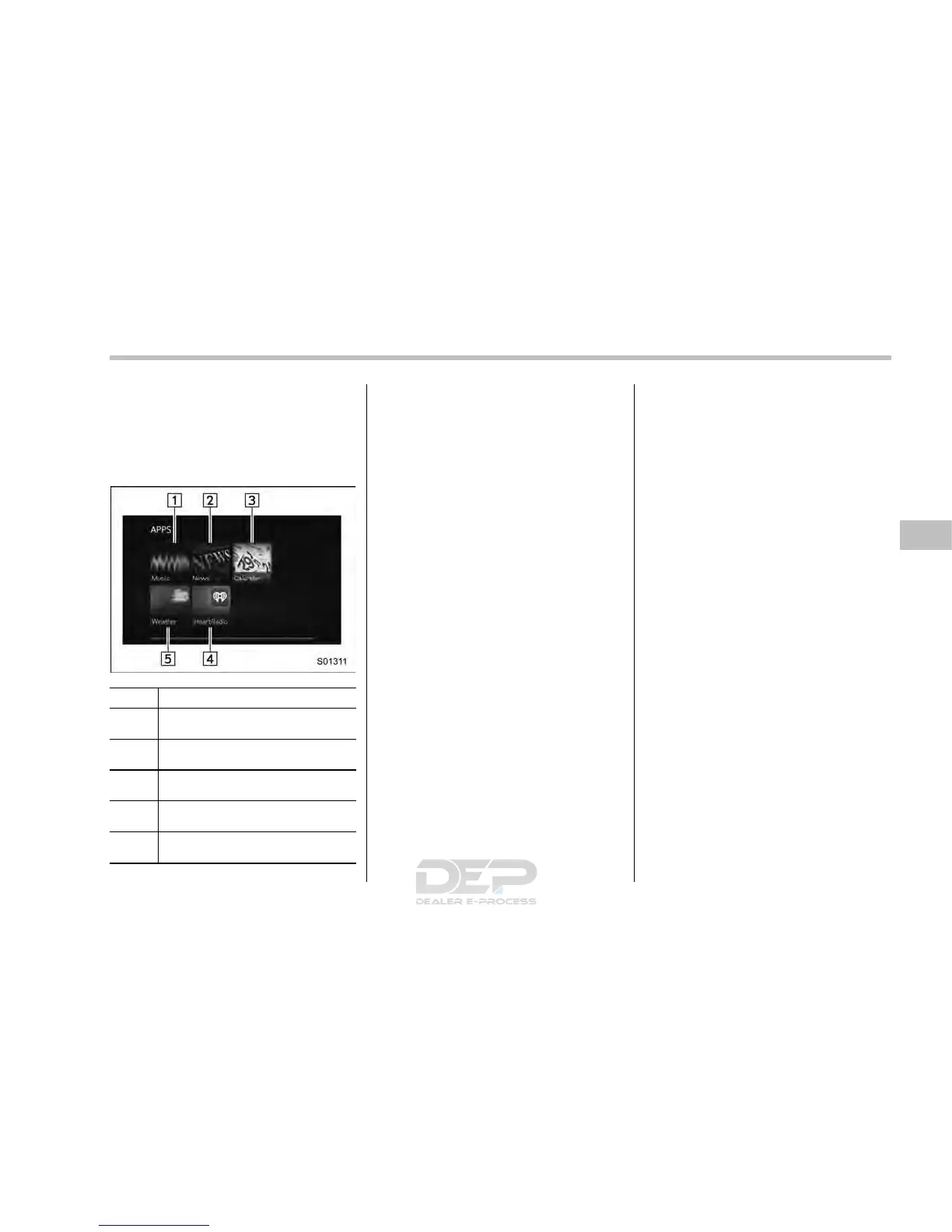
! APPS main screen
No. Function
&
1
Select to go to the Music APPS
screen.
&
2
Select to go to the News APPS
screen.
&
3
Select to go to the Calender APPS
screen.
&
4
Select to go to the iHeartRadio
APPS screen.
&
5
Select to go to the Weather APPS
screen.
NOTE
. The error screen will be displayed
while using SUBARU STARLINK due to
one of the following possible reasons.
– When your smartphone has no
service or the Bluetooth communi-
cation is not possible.
– When your smartphone is turned
off.
– When the SUBARU STARLINK
APPS is quit.
– When connection to the SUBARU
STARLINK server is not possible.
– Wh en a pr oblem occurs other
than a server error.
. When using the SUBARU STARLINK
function, a disclaimer screen will be
displayed. Be sure to fully read the
contents before using the function.
. Supported devices
– iPhone: iPhone 4/iPhone 4s/
iPhone 5 (i OS Ver. 5.1 or later)/
iPhone 5c/iPhone 5s
– Android: (OS Ver. 4.0 or later)
Audio/Audio set
– CONTINUED –
5-27














 To Next Page