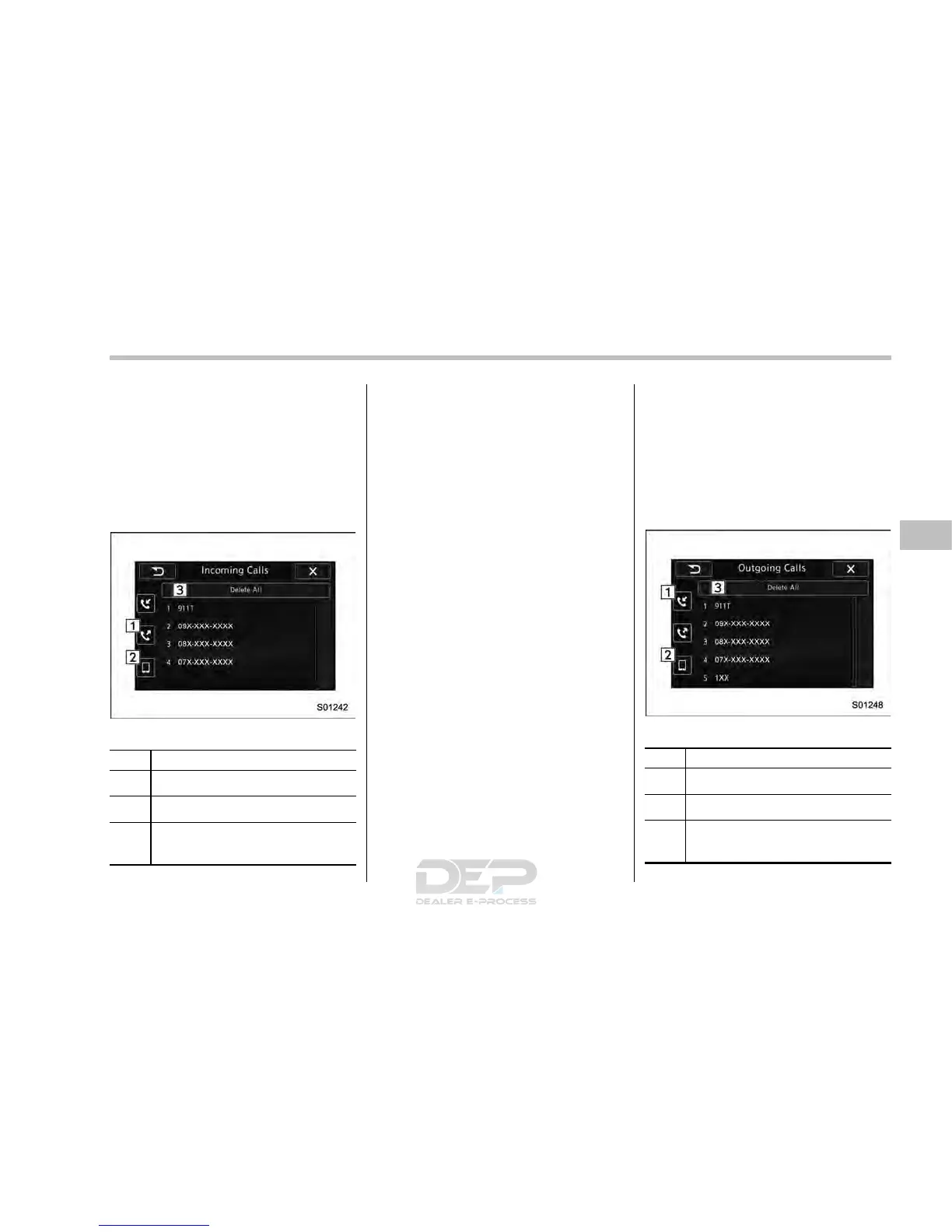
! By incoming calls
On the phone (menu) screen, select the
“Incoming Calls” key to open the “Incom-
ing Calls” screen.
You can make a call by selecting an item
in the incoming call history list.
If there is no incoming call history, a
message appears to indicate that there
is no incoming call history data.
Incoming Calls screen
No. Function
&
1
Open the “Outgoing Calls” screen.
&
2
Open the “Contacts” screen.
&
3
Delete all incoming call history data.
The “ Delete All” key is disabled when
there is no incoming call history.
When you select an item in the history list
on the “Incoming Calls” screen, the out-
going call screen opens.
NOTE
. Up to 10 items in the incoming call
history are listed. Scroll the screen to
see items that are not on the screen.
. When making a call to the same
number continuously, only the most
recent call is listed in call history.
. When a phone number registered in
the contact list is received, the name is
displayed.
. Number-withheld calls are also
memorized in the system.
. International phone calls may not be
made depending on the type of cell
phone you have.
. The list should group together con-
secutive entries with the same phone
number and same call type.
! By outgoing calls
On the phone (menu) screen, select the
“Outgoing Calls” key to open the “Out-
going Calls” screen. You can make a call
by selecting an item in the outgoing call
history list.
If there is no outgoi ng call history, a
message appears to indicate that there
is no outgoing call history data.
Outgoing Calls screen
No. Function
&
1
Open the “Incoming Calls” screen.
&
2
Open the “Contacts” screen.
&
3
Delete all outgoing call history data.
The “Delete All” key is disabled when
there is no outgoing call history.
Audio/Hands–free phone system
– CONTINUED –
5-75














 To Next Page