! Delete contacts
When the “Delete All” key is selected, all
contact data downloaded into the in-
vehicle equipment will be deleted.
Refer to “Deleting the contact data” F5-
81.
! By Dialpad
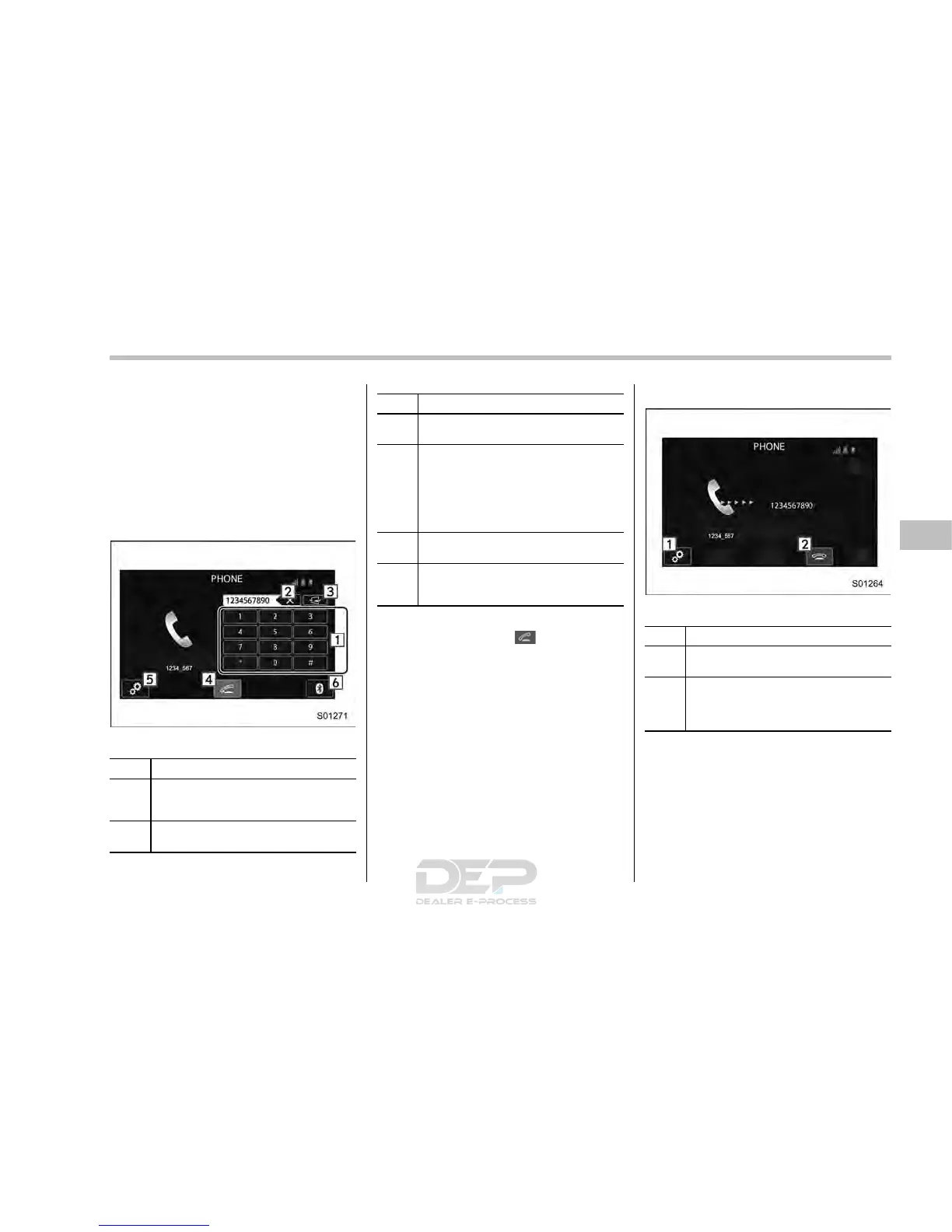
Input the phone number manually using
the keypad displayed on the screen.
Phone (Dialpad) screen
No. Function
&
1
Allow you to enter numbers from 0 to
9 and *, #, and +. To enter “+”, press
and hold the “0” key.
&
2
Delete one character from the entered
characters.
No. Function
&
3
Switch the screen to the phone
(menu) screen.
&
4
Open the “Outgoing Calls” screen and
dials the entered phone number. This
is the same as pressing the off hook
switch on the steering wheel. This key
is cross-hatched and cannot be se-
lected until the phone number is
entered.
&
5
Open the “Options” screen. Refer to
“Phone volume settings” F5-80.
&
6
Open the “BT Devices Connection”
screen. Refer to “Setting Bluetooth
details” F5-69.
When you enter a phone number on the
screen and select the
key, the “Out-
going Call” screen opens.
! By off hook switch
Calls can be made using the latest call
history item.
1. Press the off hook switch on the
steering wheel to display the phone
(menu) screen.
2. Check that the call scre en is dis-
played.
! Outgoing screen
Outgoing call screen
No. Function
&
1
Open the “Options” screen. Refer to
“Phone volume settings” F5-80.
&
2
Abort the call. The screen returns to
the phone (menu) screen. This is the
same as pressing the on hook switch
on the steering wheel.
NOTE
. Depending on the type of Bluetooth
phone being connected, it may be
necessary to perform additional steps
on the phone.
. When you are on the outgoing call
screen, the screen changes to the call
screen when the other party answers
the call.
Audio/Hands–free phone system
– CONTINUED –
5-77














 To Next Page